SG250 Owner’s and Service Manual
www.CSCMotorcycles.com
94
battery when it won’t hold a charge.
In this section of the Owner’s and Service Manual, we’re showing everything with the battery removed
from the motorcycle (which is the way we prefer to work on the battery), but everything seen in this
section can be done with the battery in the bike.
You will need to remove the right body panel (as described elsewhere in this manual) to gain access to
the battery.
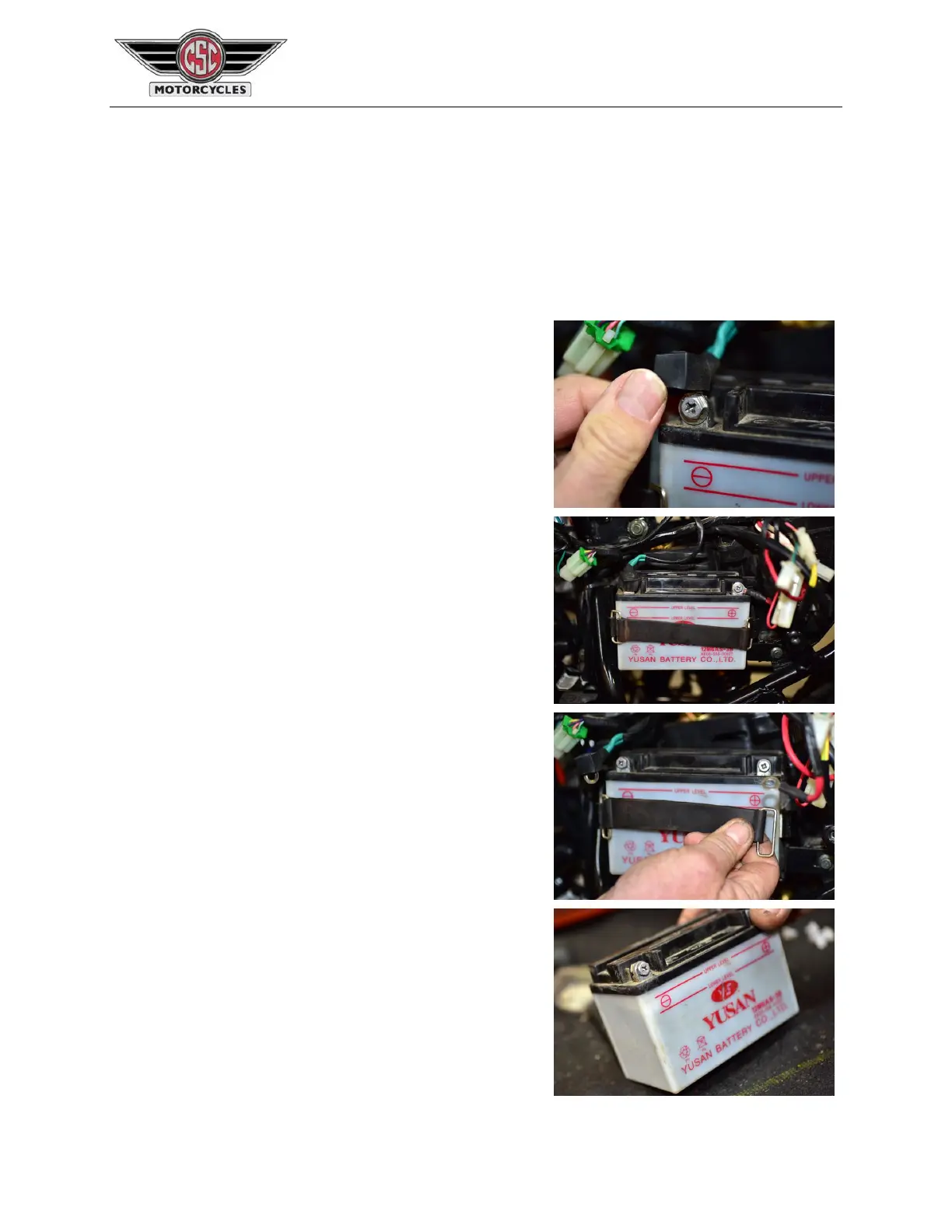
Inspect the battery terminal area. If oxidation is present
around the terminal (it will appear as a white growth around
the terminal), pour a water-and-baking-soda solution over
the terminal area to eliminate the oxidation. After doing
this, flush the area with water.
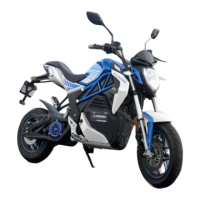
Disconnect the battery. Disconnect the negative terminal
first (the one with the green insulation on the lead) and then
disconnect the positive terminal.
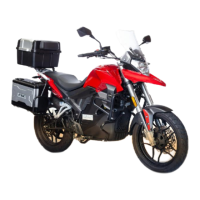
Unhook the battery’s rubber retention strap and remove the
battery.
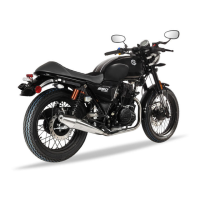
Check the acid level in the battery. The level should be
between the upper and lower red lines on the front of the
battery. It’s a little difficult to see this in the first
photo below, so we tilted the battery so you can see it better.


 To Next Page