Self-help
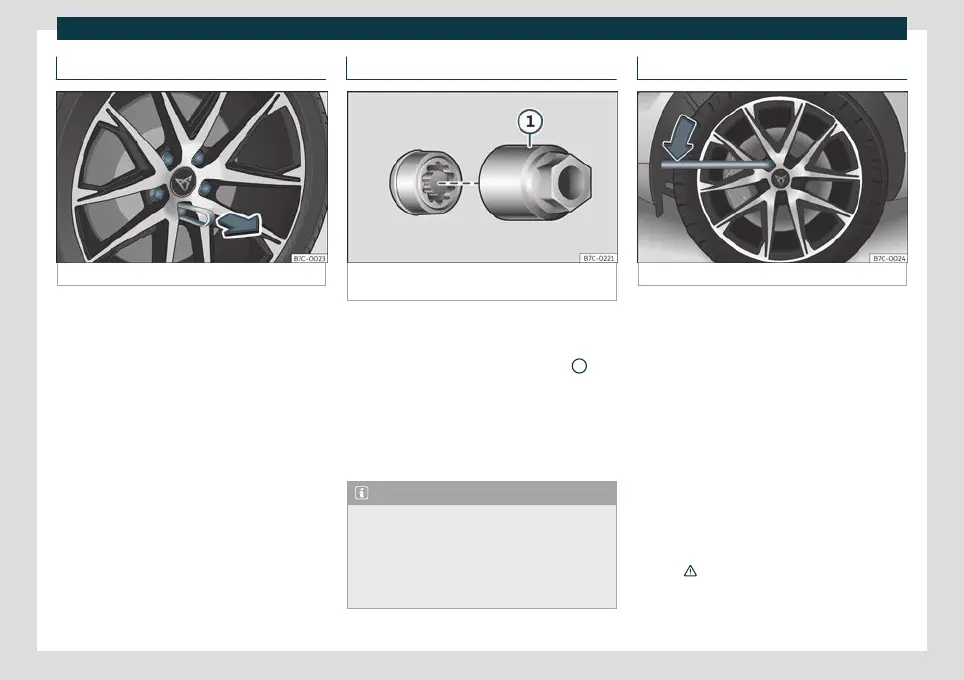
Wheel bolt caps
Fig. 35
Wheel: wheel nuts with caps.
Removal
●
Fit the plastic clip (vehicle tools
›
›
›
Fig. 33 )
over the cap until it clicks into place
›››
Fig. 35.
●
Remove the cap with the plastic clip.
The caps protect the wheel bolts and should
be remounted after changing the tyre.
The anti-theft wheel locking bolt has a
special cap. This only fits on anti-theft lock-
ing bolts and is not for use with standard
wheel bolts.
Anti-theft wheel nuts*
Fig. 36
Anti-theft wheel bolt with cap and adapt-
er.
Loosening the anti-theft wheel bolt
●
Remove the wheel cover* or the cap*.
●
Insert the special adapter
›
›
›
Fig. 36
1
(ve-
hicle t
ools
›
››
page 43 ) onto the anti-theft
wheel bolt and push it on as far as it will go.
●
Insert the wheel brace (vehicle tools) onto
the adapter as far as it will go.
●
Remove the wheel bolt
›››
page 47 .
Note
Make a note of the code number of the an-
ti-theft wheel bolt and keep it in a safe
place, but not in your vehicle. If you need a
new adapter, you can obtain it from the
specialised CUPRA service or the SEAT Of-
ficial Service, indicating the code number.
Loosening wheel bolts
Fig. 37
Wheel change: loosen the wheel nuts.
Use only the wheel wrench belonging to the
car t
o loo
sen the wheel bolts.
Loosen the wheel bolts only about one turn
before raising the vehicle with the jack.
If the wheel bolt is very tight, carefully push
on the end of the wheel wrench with your
foot. Hold on to the vehicle for support and
take care not to slip during this operation.
Loosening wheel bolts
●
Fit the wheel wrench on as far as it will go
›››
Fig. 37.
●
Hold the wrench at the end and rotate the
bolt approximately one turn anticlock-
wise
›››
.
»
47



 To Next Page