46
47
How to use the Li-Ion Chargers
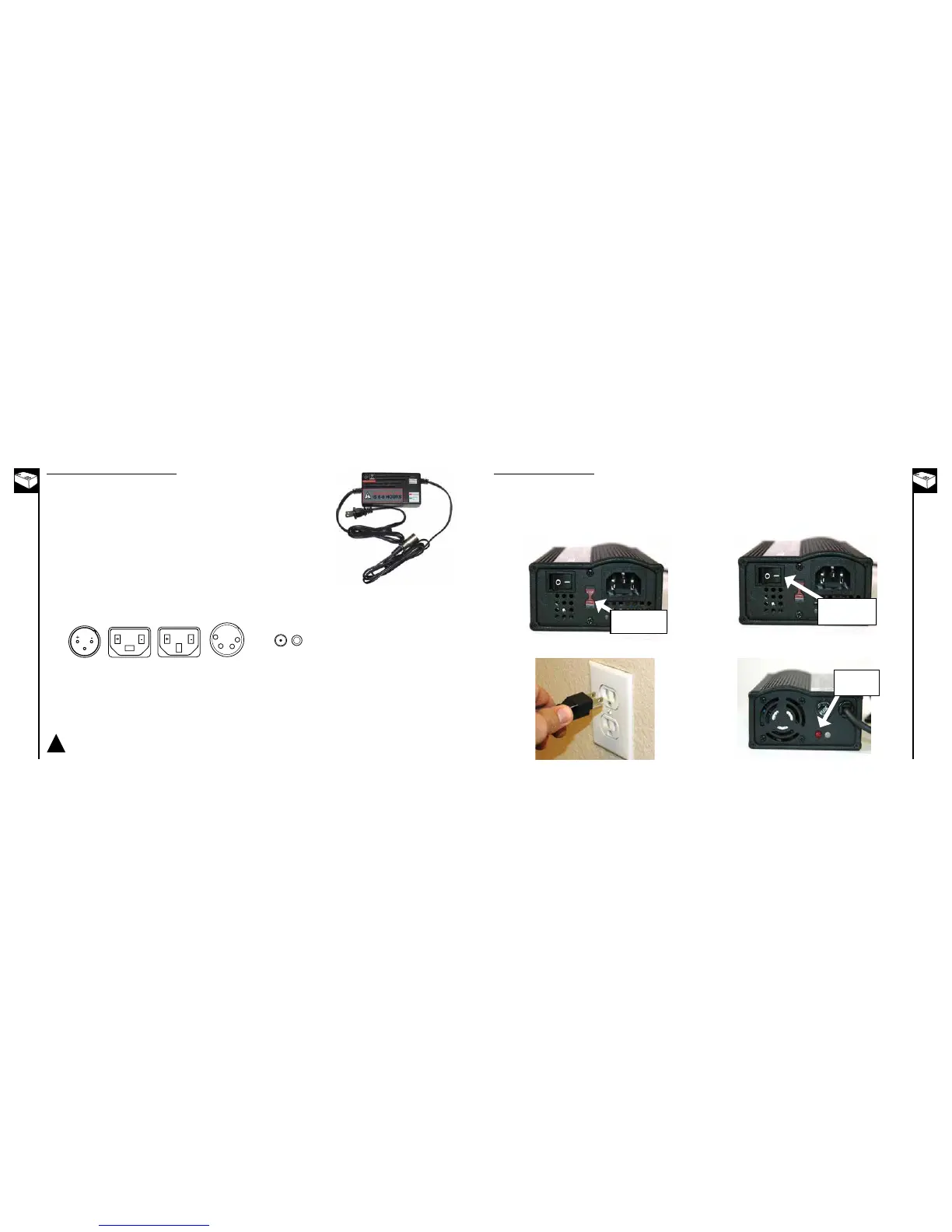
Before using the charger locate the voltage selector switch (Li-Ion chargers only) on the back of the charger.
Select either 115 Volts or 230 Volts depending on the country you reside in. Using the wrong voltage setting will
1. Select the proper voltage for your country
• 115VforNorthAmerican
• 230VformostofAsiaandEurope
Voltage Selector
Switch
1. Connect power cord to charger then plug power
cord into wall outlet
Power Switch - turn
to “OFF” position
2. Be sure the charger’s power switch is turned “OFF” (red
light should be off) front and rear views below
Red light
should be
“OFF”
How to use the SLA Chargers (standard)
1. Plug the charger into the outlet. The indicator light on the top of the charger
will illuminate when the charger is working properly. Refer to the sticker on the
charger for actual status light indication.
2. Inserttheplug(XLR,2v1h,DC,or3v)intothechargerportonthebikebeing
sure the charger plug is fully seated in the charger port. The light should be
solid red or blinking green to indicate charging however you will need to refer
to the sticker on the charger for actual status light indication, as there are
different chargers for different battery chemistries.
3. Oncethebatteryreachesfullcharge,thelightwillreturntosolidgreen
however you will need to refer to the sticker on the charger for actual status
light indication.
4. Whenchargingiscomplete,unplugthechargerfromthewallbeforeremoving
it from the charger port.
Charge for the full time. If the battery still has not charged, you may need to replace it.
Use only Currie Authorized SLA chargers with bicycles equipped with SLA batteries.
Using any other charger will damage the batteries and void your warranty.
!



 To Next Page