45
GB
PVR (Personal Video Recorder)
Play Recorded Programme
You can play a recorded programme from the recorded programme list or from a USB Storage Device.
Method 1
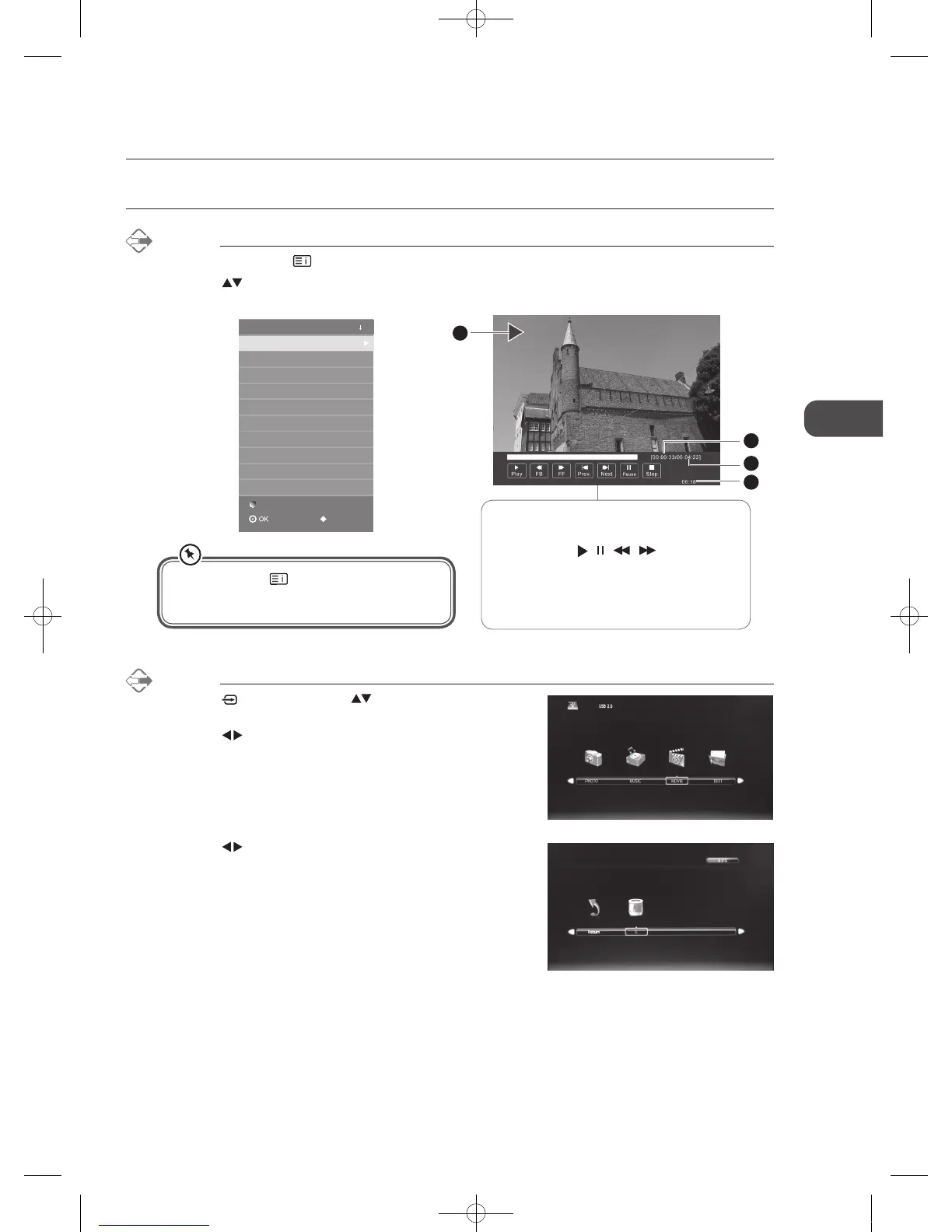
1. In DTV mode, press the button to enter the Recorded List.
2. Press the
buttons to select the recorded programme you want to view and then press the OK button to play the
selected programme. A playback bar will be displayed.
Recorded List
BBC News
Bear Behaving Badly
Pinky and Perky
Delete
My Fair Lady
INDEX: SORT
Programme
3. Press the buttons to select your storage device and then press
the OK button.
Method 2
1. Press the button then press the buttons to select the DMP
mode and then press the OK button.
2. Press the
buttons to select MOVIE and then press the OK
button.
The ‘PVR Playback Progress Bar’
1 Indicates the playback status of the recorded
programme (
/ / / )
2 Indicates the elapsed playback time
3 Indicates the total playback time
4 Indicates the current time
2
3
4
1
You can press the button repeatedly on the
remote control to sort the recorded programme in
the Recorded List by Programme / Channel / Time.
C16LDVB11_IB_110404_Annie.indd 45 11年4月4日 下午6:05


 To Next Page