GB
8
Preparation
HDMI 1
USB
PC AUD IO
VGA RF
SCAR T
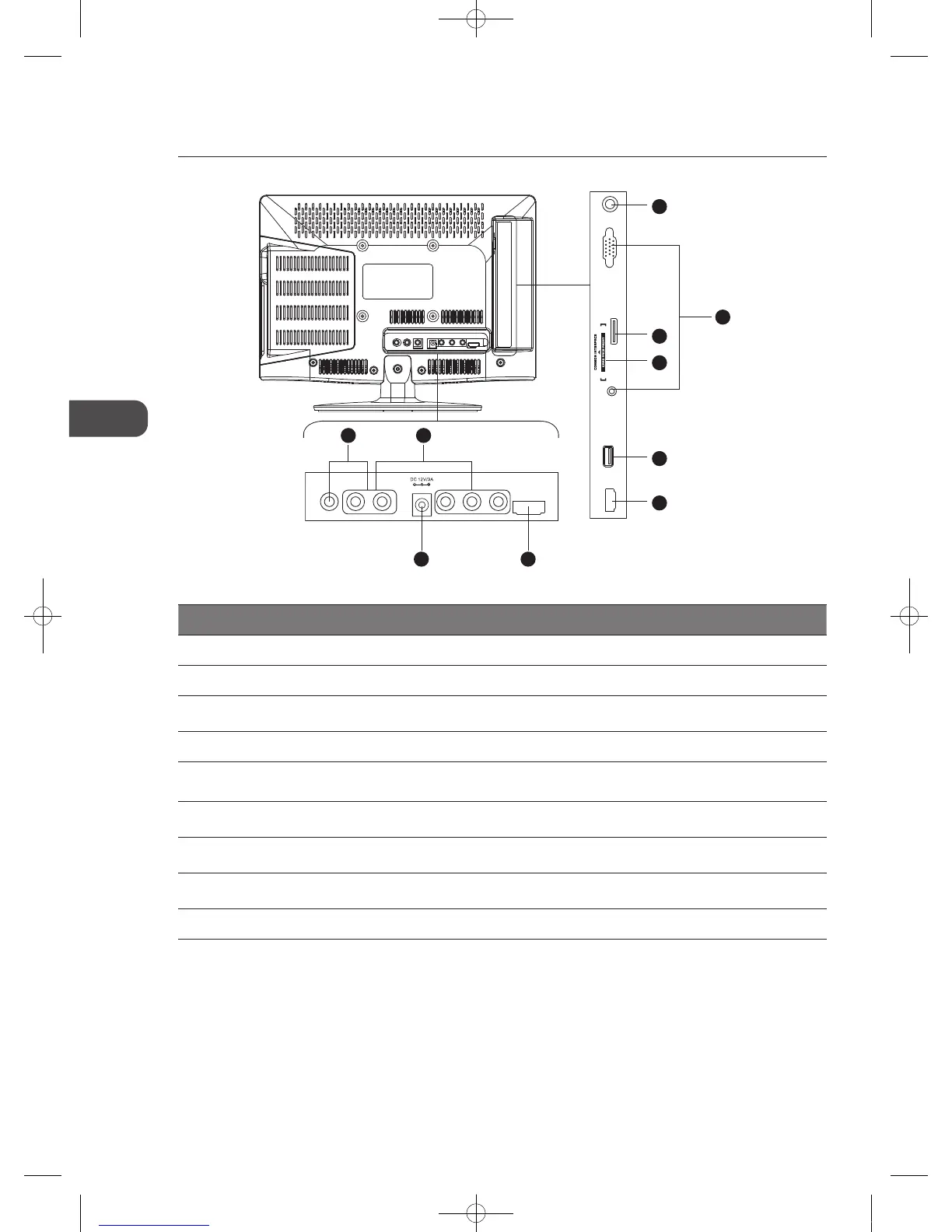
Rear View and Sockets
Socket Description
1 RF Aerial To connect to the aerial socket on the wall with the RF coaxial cable.
2 VGA / PC AUDIO To connect to a computer or other devices with a VGA interface.
3 SCART
To connect to a VCR, DVD Player, or other AV device with a SCART output socket by using
the SCART adapter cable provided.
4 COMMON INTERFACE Allows the insertion of a Common Access Module. (Refer to page 22 for details)
5 USB
Allows the insertion of a USB storage device to play video, audio, photo and text files
(DMP mode) and record DTV programmes on to a USB storage device.
6 HDMI1 / HDMI2
To connect to a High-Definition (HD) signal output device, such as a set-top box, blu-ray
disc player or AV receiver.
7 VIDEO / AUDIO (L/R)
To connect to the Composite VIDEO and AUDIO (L/R) output sockets on external video
devices.
8 Y, PB, PR / AUDIO (L/R)
To connect to a DVD player, Digital Set-Top-Box, or other AV devices with component
(YPbPr) video and audio output sockets.
9 Mains Adapter Connects the mains adapter to the mains socket.
1
2
3
5
6
4
69
87
VIDEO L R Y
Pb
Pr
HDMI 2
C16LDVB11_IB_110404_Annie.indd 8 11年4月4日 下午6:04


 To Next Page