User Guide DDOC0199-000-A9
1-Slot Data Transport System (CSfC) 8 - 19 Operation
© 2024 Curtiss-Wright Defense Solutions Revision 2.0
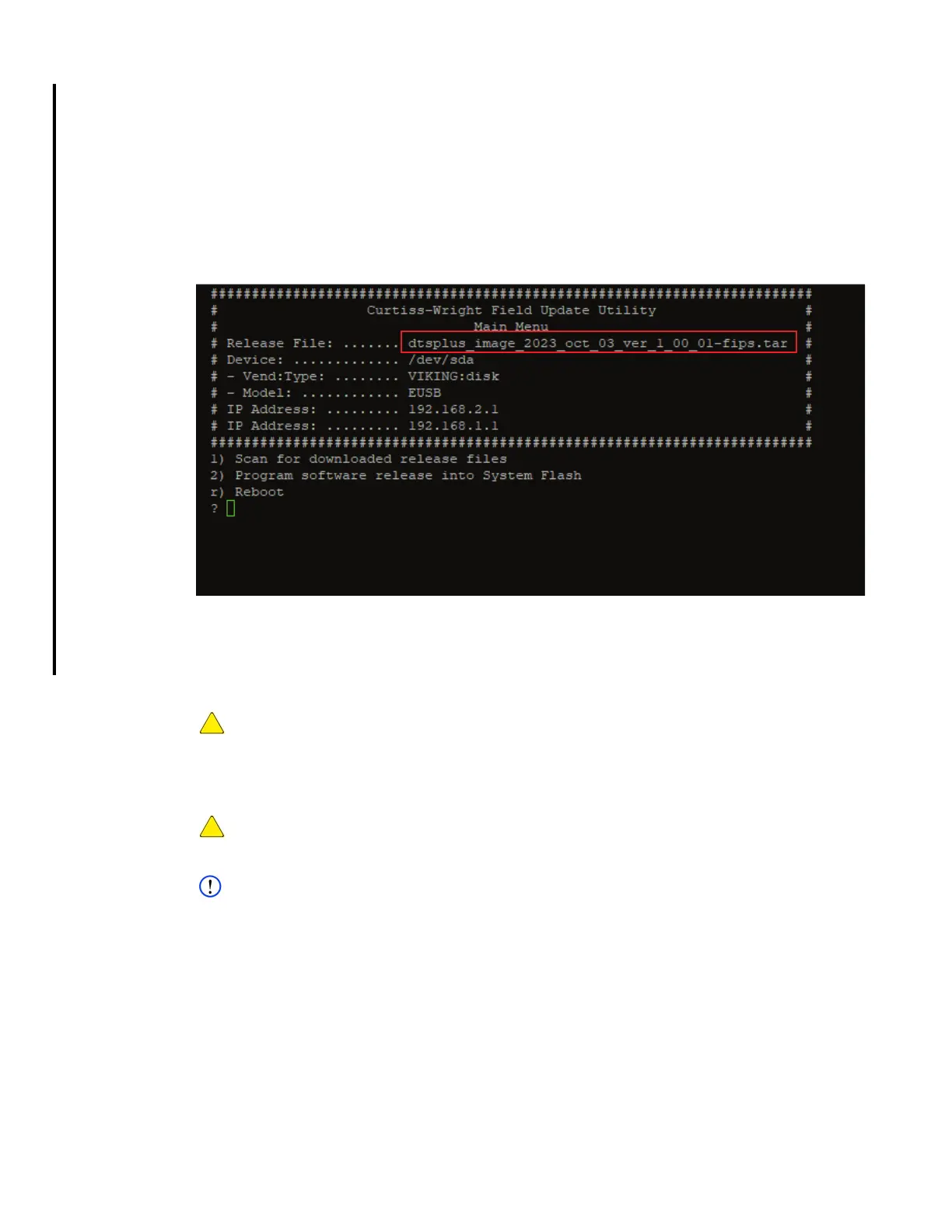
4. Typically, the update file name should appear next to Release File (Figure 8.4)
(e.g.,dtsplus_image_year_month_day-ver_#_#_#.tar).
5. Select 1) Scan for downloaded release file and press ENTER key.
Curtiss-Wright Field Update Utility opens
6. Select 2) Program software release into system flash and press ENTER key.
The DTS1+ CSfC examines the digital signature to determine if the tarball has been
compromised. If tarball is uncompromised the update process will begin. If the tarball has
been changed for any reason, the update process aborts.
Figure 8.4 Field Update Utility
7. The update process will continue for approximately 3 to 5 minutes.
8. Power unit OFF and back ON to boot the new image.
8.9.2 Update Crypto Firmware
CAUTION
CRYPTO FIRMWARE / OPERATING SYSTEM MISMATCH. If updating both crypto firmware and
operating system, ensure crypto firmware update is successfully accomplished before updating
operating system. Failure to update in this sequence will result in SWFDE/HWFDE mismatch and
render the DTS1 CSfC unusable.
CAUTION
RENDER INOPERABLE. Once the crypto firmware update is started, it must not be interrupted. If
the update is interrupted, the DTS1+ CSfC will be rendered inoperable.
NOTE
For DTS1+ CSfC units with operating software version prior to 3.00.00, the crypto firmware update
will take approximately 90 minutes. For unit with operating system software 3.00.00 or later, the
crypto firmware update will take approximately 10 minutes
Before updating crypto firmware:
• Ensure you are logged into the crypto module.
• Ensure a RMC module is installed in the DTS1+ CSfC.
1. Copy crypto firmware update files to mounted
RMC
module via NFS/CIFS/FTP/etc. to /
rmc_shares/rmc0p1.



 To Next Page