User Guide DDOC0199-000-A9
1-Slot Data Transport System (CSfC) 11 - 1 Remove / Replace
© 2024 Curtiss-Wright Defense Solutions Revision 0.0
Remove / Replace
11.1 RMC Module
CAUTION
EQUIPMENT DAMAGE. Exercise ESD precautions when installing, removing, or handling the
RMC module.
11.1.1 Install
CAUTION
EQUIPMENT DAMAGE. The RMC module is hot-swappable (remove / install with power applied),
however, extreme caution must be used to ensure all ESD handling precautions are followed.
Failure to properly handle the RMC module will result in equipment damage.
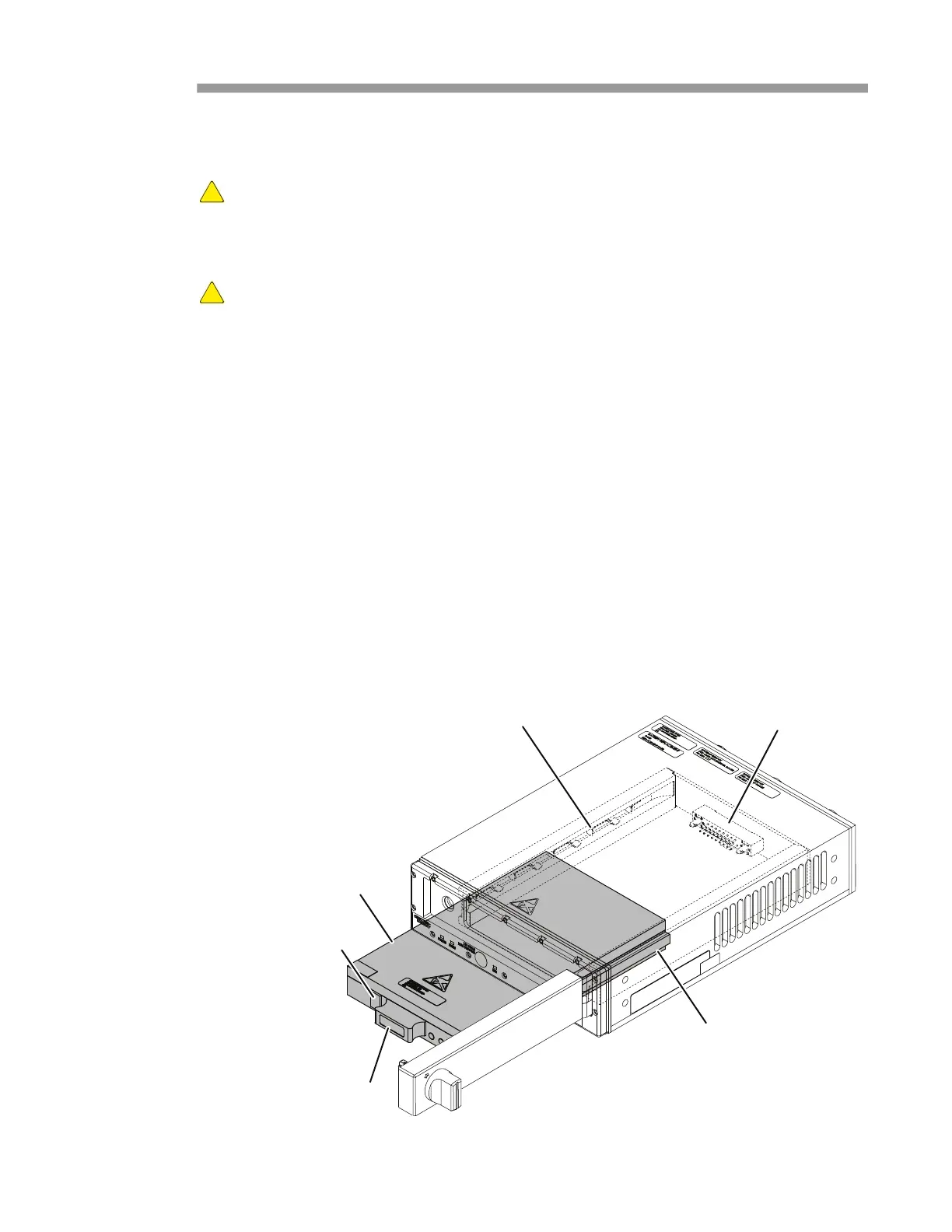
1. Rotate the door latch (Figure 11.1) a quarter turn and open the door.
2. Orient the RMC module with the status LEDs closest to the DTS's door hinge.
3. Align the RMC module rails with the chassis slides and push the RMC module in until the
connector makes contact.
4. Apply pressure on the RMC module handle to seat the connector into the backplane
connector.
5. Close and latch the DTS1+ CSfC door.
6. If the door will not latch
a. Remove the RMC module and inspect the connector contacts on the RMC module and the
DTS1+ CSfC backplane.
b. If no problem is found with the connectors, reinstall the RMC module and try latching the
door again.
c. If the problem persists, contact Curtiss-Wright Defense Solutions.
7. Open the DTS1+ CSfC door and observe the RMC module STATUS LED. When green LED
turns ON, RMC module is ready.
Figure 11.1 RMC Module Install / Remove
LOCK
Slide
Rail
RMC Mount
Removal Request Button
DDOC0199-0008
Door Latch
Handle
Backplane Connector



 To Next Page