11.3 Printing area
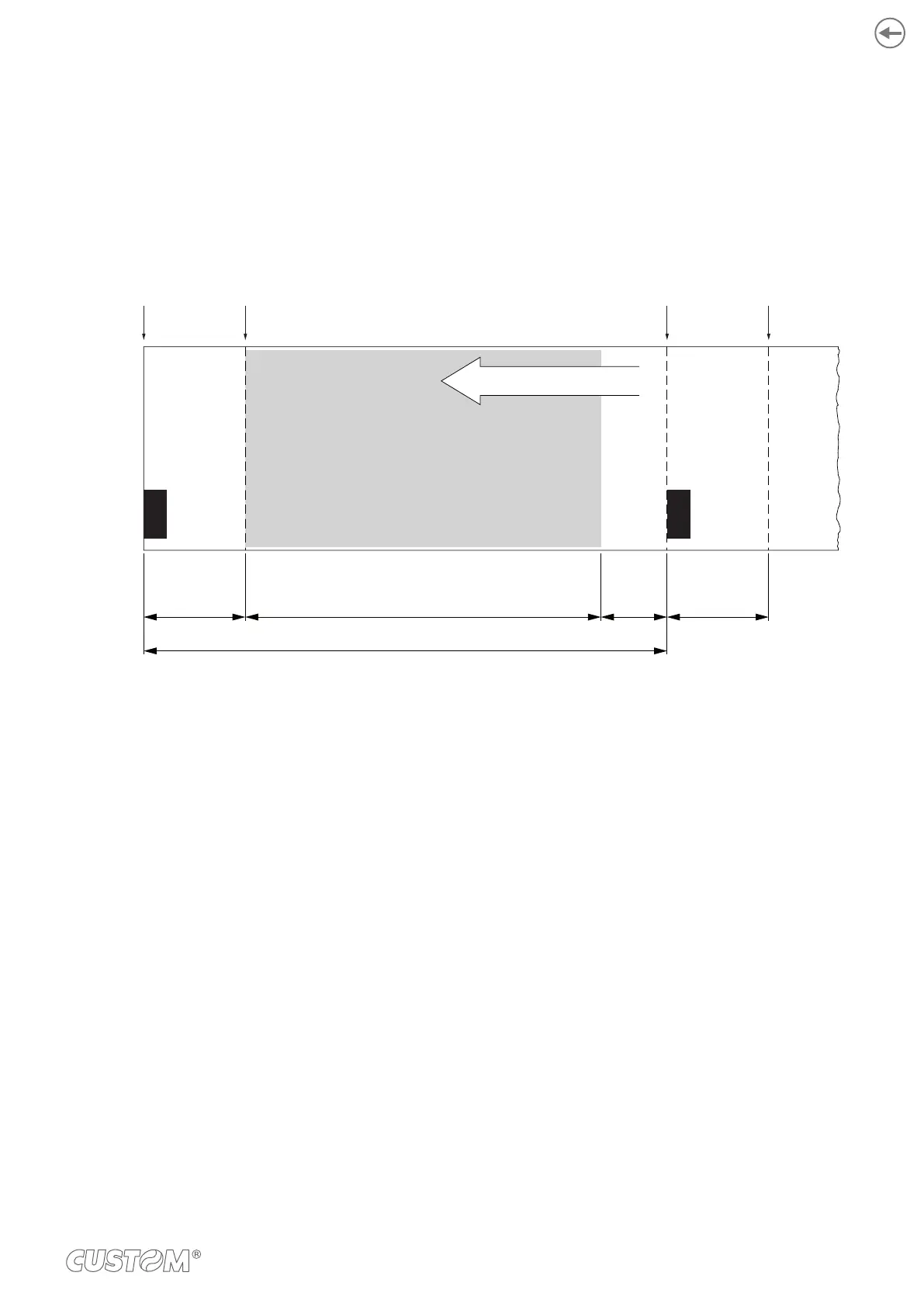
In order to print ticket containing only one black mark and to not overlay printing to a black mark (that will make it useless
for the next alignment), it is important to well calibrate the length of the printing area of ticket according to the inter-black
mark distance.
Cutting
line
Printing
line
Cutting
line
Printing
line
A A
L
DH
PRINTING
AREA
PRINTING DIRECTION
A “Non-printable area” = “Distance between cutter/printing head”
where:
“Distance between cutter/printing head” = 13 mm for TL60
“Distance between cutter/printing head” = 12.5 mm for TL80
L Distance between an edge of the black mark and the next one, called “Inter-black mark distance”.
D Automatic feed for alignment at the next black mark.
To use all the black marks on the paper, you must comply with the following equation:
The height of the printing area H can be increased to make no progress on alignment D but no further.
97



 To Next Page