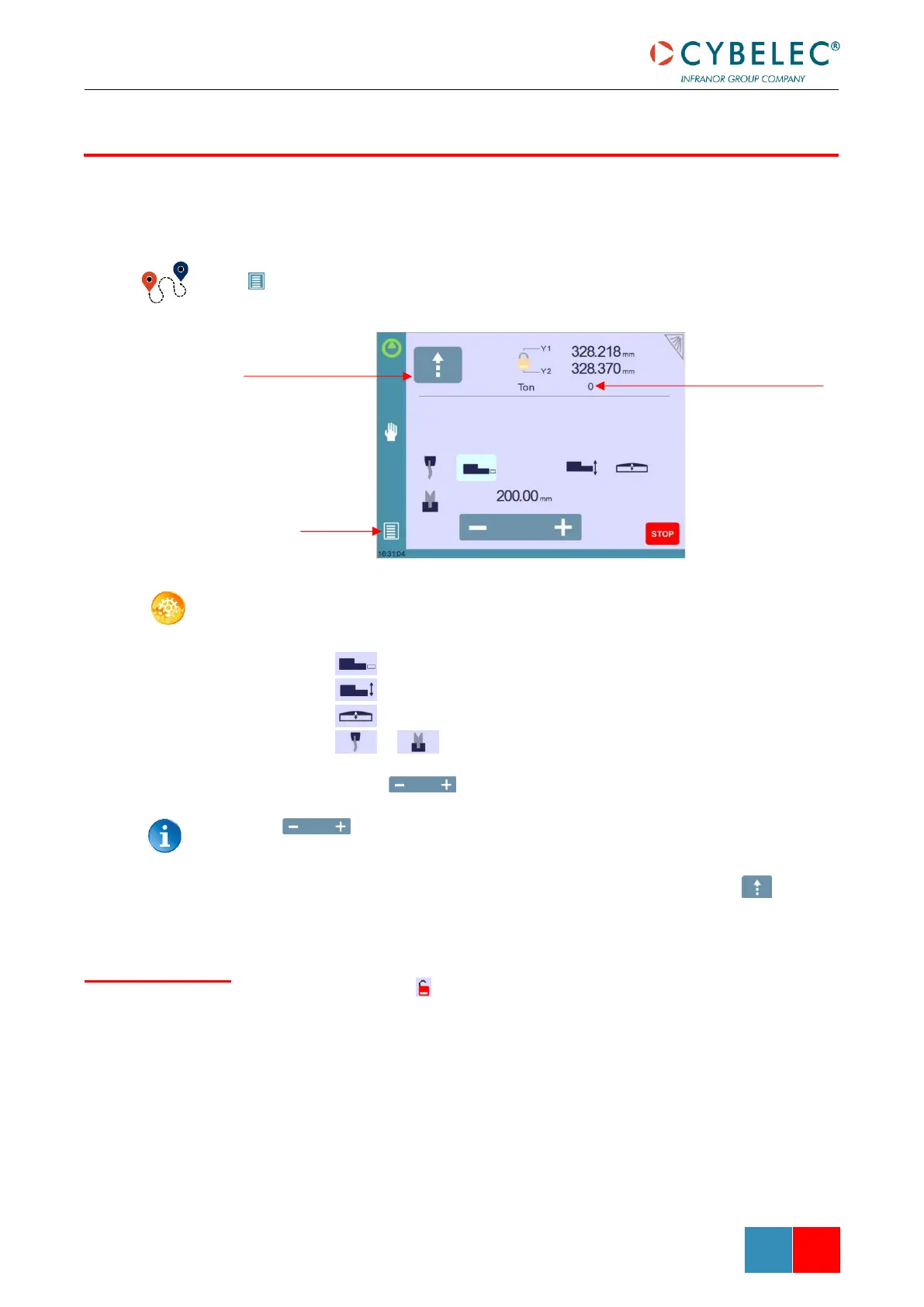
In the course of setting up a machine, it is sometimes necessary to be able to move the axes
manually, for example when changing the tooling. This can be done on this page.
(Menu Button) → Manual movement
SETTING INSTRUCTIONS:
1. Select the axis that you want to move:
• for the back-gauge X axis.
• for the back-gauge R axis.
• for the crowning axis.
• or for the tool clamping devices (if available).
2. Touch the buttons to move the selected axis.
The button needs to be kept pressed for two seconds to change the
status of the clamping devices.
3. Use the foot switch (Low Speed Down movement) and this button (High
Speed Up) to move the beam.
When the padlock is open , it is possible to select and move (Low Speed Down
movement) Y1 or Y2 only. This is an easy way to return an unsynchronized beam back to
parallel to the table.



 To Next Page