EasyManua.ls Logo

CYBELEC CybTouch 15PS - Basic Page Description; Bend Numerical Page Explanation

CYBELEC CybTouch 15PS
64 pages
Print Icon
To Next Page IconTo Next Page
To Previous Page IconTo Previous Page
Loading...
User Manual CybTouch series
CybTouch Series User Manual
JAN.
2020
V5.0
25/63
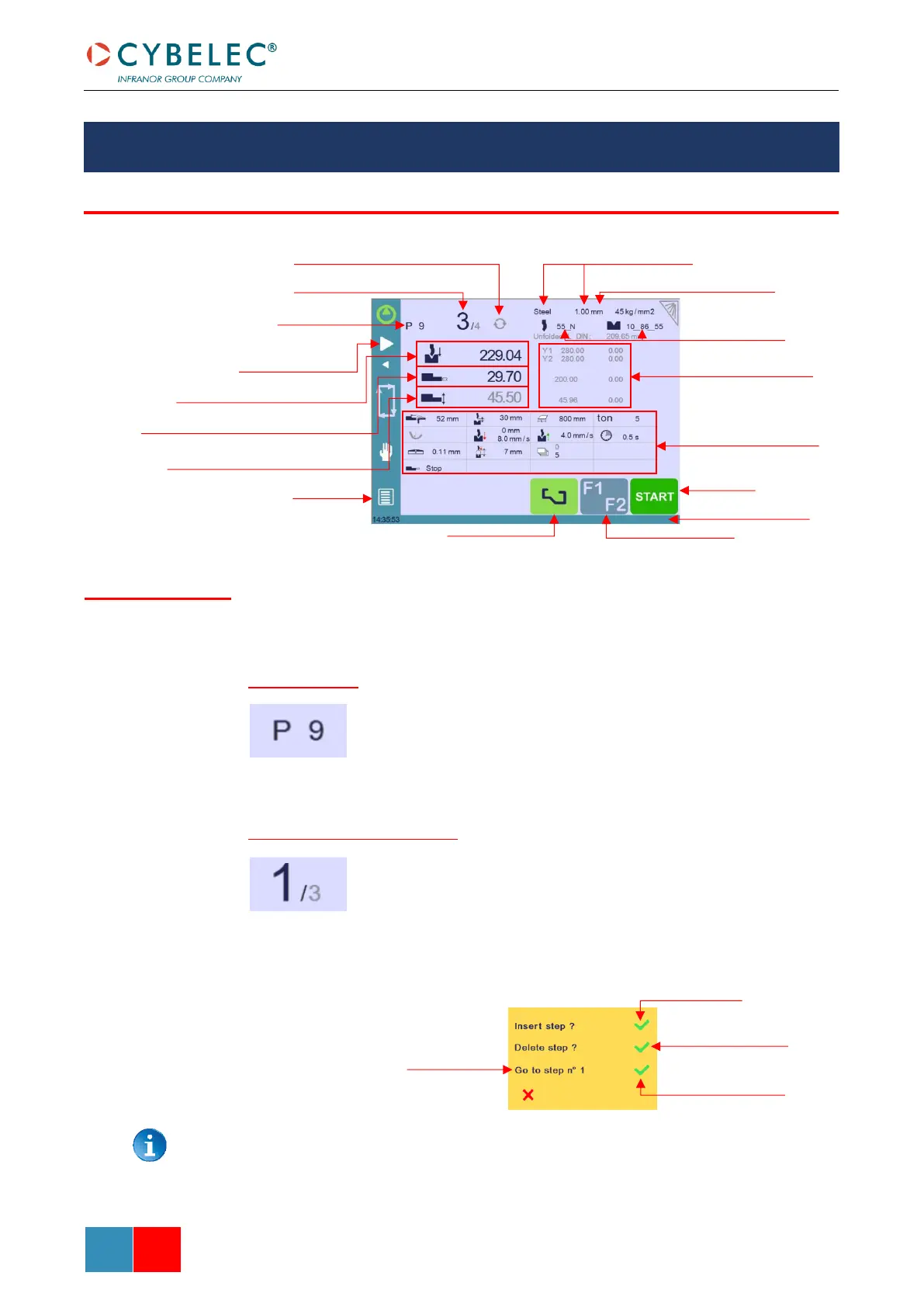
The Bend Numerical Page is normally the working page, from which the bends are executed,
and most of the navigation originates from and leads to.
Program number
Touching the program number allows creating a new one, saving it and
more. See Managing Programs for more information.
Current step (sequence) number
Touching the step number will open a yellow pop-up window as shown
here, with 3 different actions to choose from:
Insert step: this function will insert a step after the current one.
Delete step: this function will erase the current step.
Go to step: this function allows jumping directly to the desired
step.
The Insert step and Delete step functions cannot be used on parts created with the
TouchProfile Mode.

BASIC PAGE DESCRIPTION
BEND NUMERICAL PAGE
Menu Button
TouchProfile Mode
Auxiliary function button
Start - Stop
Interactive message line
Extra Bending Parameters
Bending and Corrections
Material used and thickness
Repeat sequence button (inactive here)
Current step (sequence) number
Program number
Add step or next step
Set-point beam (Y axis) / bend angle
Set-point back gauge (X axis) / flange length
Set-point back gauge (R axis optional)
Current cycle activity information
Tools Management
Available
functions on the
Bend Num page
Insert step here
Delete current step here
Go to selected step here
Select the step to
jump to here

Table of Contents

Related product manuals