EasyManua.ls Logo

CYBELEC CybTouch 15PS - CybTouch Converter Tool; How to Convert a Part-Program

CYBELEC CybTouch 15PS
64 pages
Print Icon
To Next Page IconTo Next Page
To Previous Page IconTo Previous Page
Loading...
User Manual CybTouch series
CybTouch Series User Manual
JAN.
2020
V5.0
47/63
CybTouchConverter is a tool allowing the conversion of products/parts files from
PC-ModEva (formerly PC1200) to CybTouch. Owners of Cybelec’s ModEva type machines
can thus produce the same parts on a ModEva or a CybTouch.
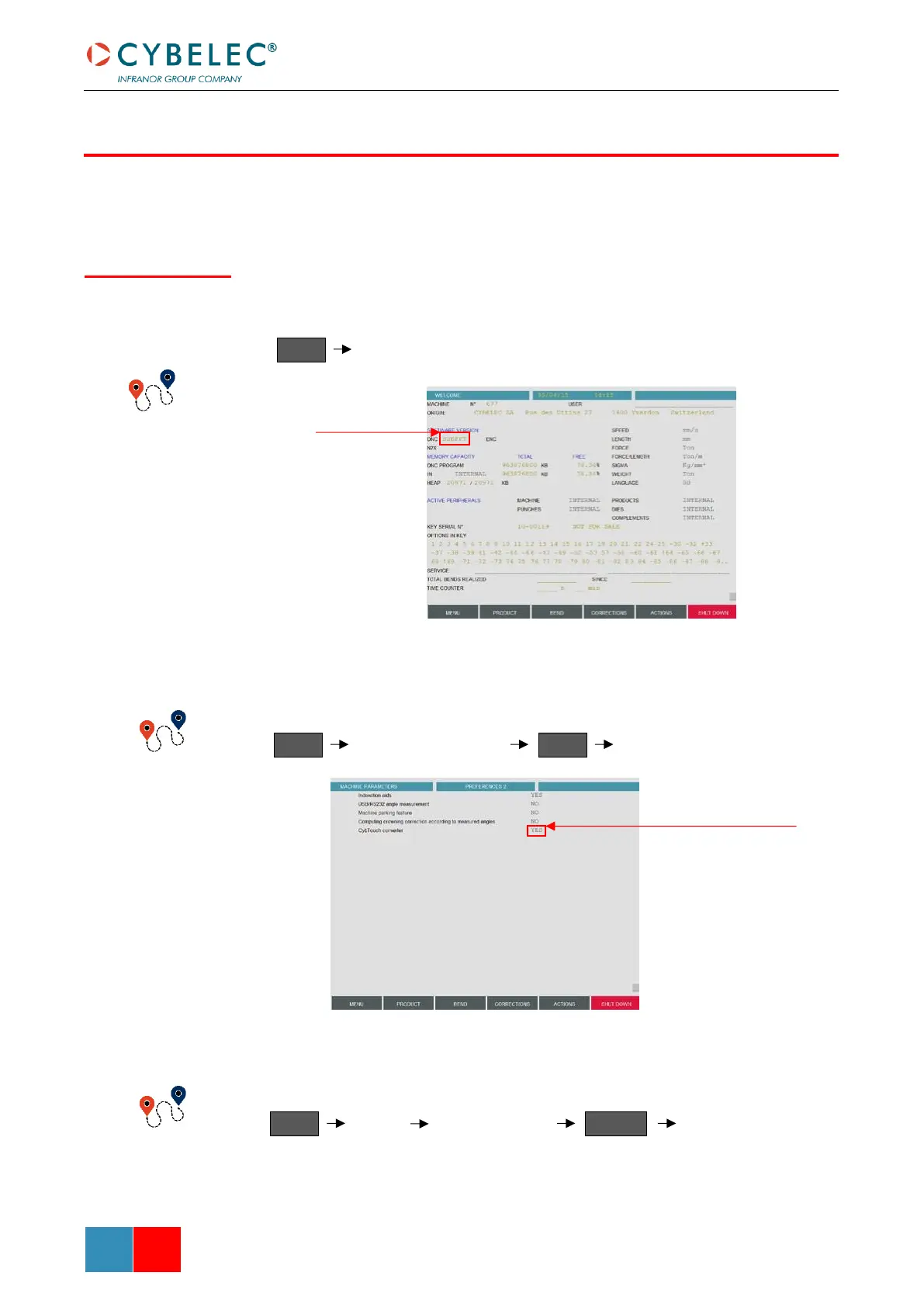
1. Check that the version of PC-ModEva installed on your PC is recent enough to
contain CybTouchConverter.
2. Activate the CybTouch Converter function in the machine parameter.
3. In the List of Products’ page, start the CybTouch Converter.

CYBTOUCHCONVERTER
How to Convert a
Part-Program?
The software
version must end
with a “T”
MENU
Welcome
MENU
Machine parameters
MENU
Preferences 2
MENU
Cancel
ACTIONS
CybTouch Converter
List of products
Parameter CybTouch
Converter must be set to YES

Table of Contents

Related product manuals