EasyManua.ls Logo

CYBELEC CybTouch 15PS - Tools Management; Punch Management

CYBELEC CybTouch 15PS
64 pages
Print Icon
To Next Page IconTo Next Page
To Previous Page IconTo Previous Page
Loading...
User Manual CybTouch series
CybTouch series User Manual
JAN.
2020
V5.0
32/98
Tools management allows the creation and configuration on the CybTouch of the tools to
be used on the machine. These tools are then considered in bend calculations.
Once a punch and die are created and selected, you can select the bend angle you require
as well as the flange length (L). The CybTouch then calculates the positions for axes X and
Y for the bend.
Bend Numerical Page
SETTING INSTRUCTIONS:
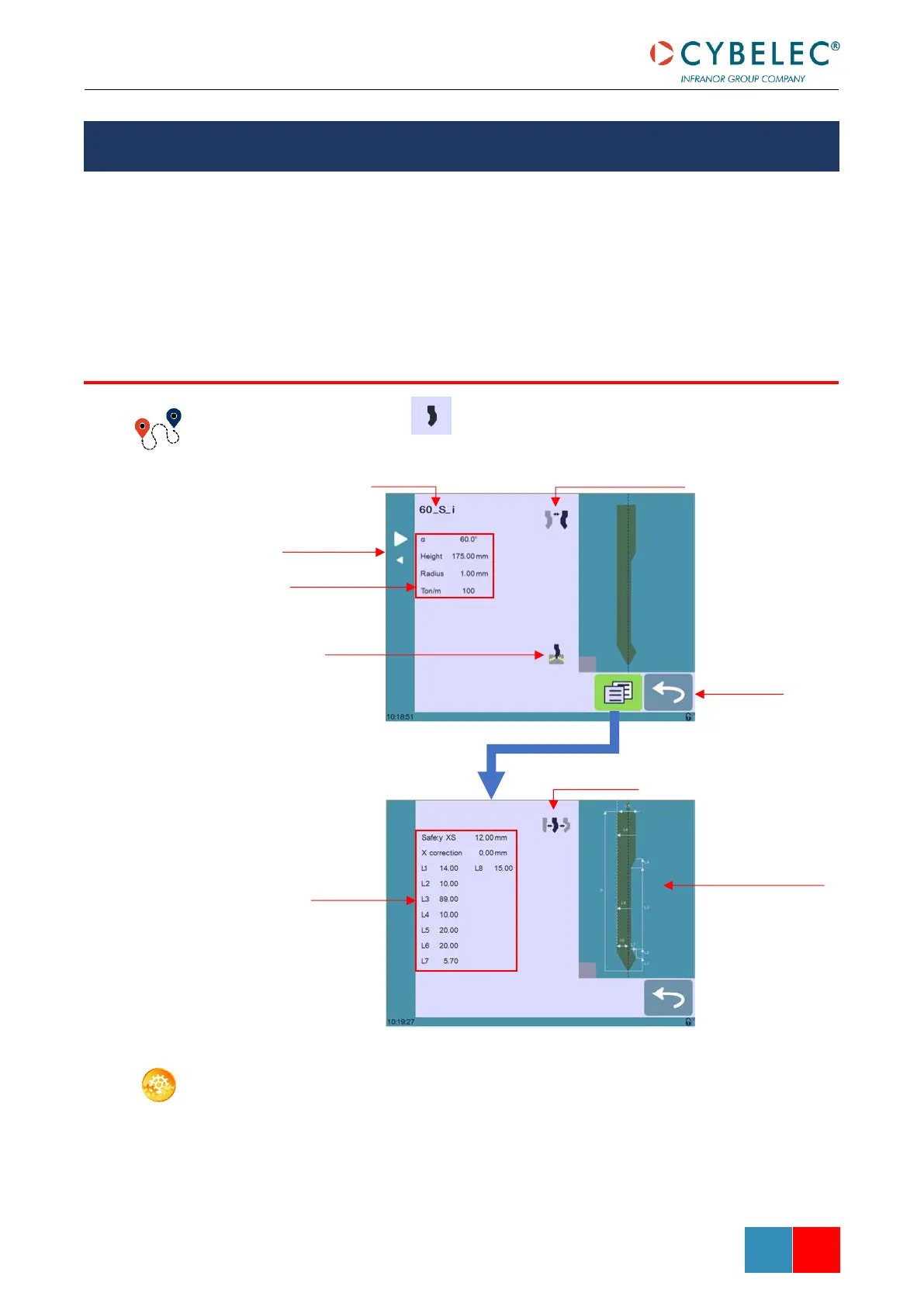
To select a punch, simply browse through the existing punches in your library using the
arrows buttons, and then return to Bend Numerical Page.

TOOLS MANAGEMENT
PUNCHES
Punch mounting direction
Punch name
Browsing through
existing punches
Basic punch data
Bottoming
Return to Bend
Numerical Page
Type of punches
Punch more
specific data
Touch the punch to
display its default
shape, allowing an
easier identification of
the various dimensions

Table of Contents

Related product manuals