07
GETTING TO KNOW YOUR IPC-R1ix
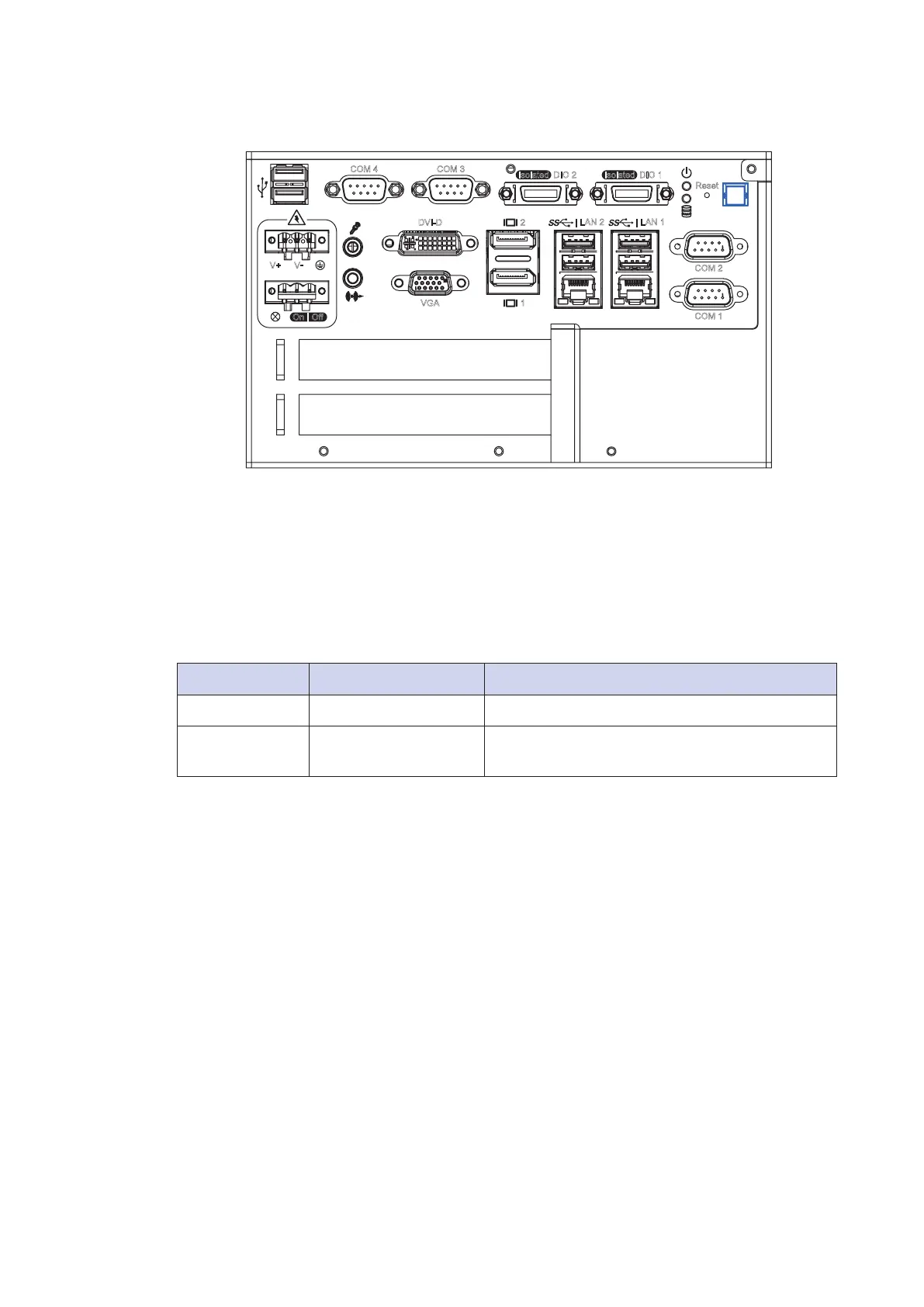
2.2.1 Power Button
The power button is a non-latched switch with dual color LED (Blue/Orange) for
indication S0, S3 and S5 status. Power button dual-color LED indicator:
Status LED Display System Situation
S0 Solid Blue System working
S3, S5 Solid Orange Suspend to RAM, System off with standby
power
To turn on the IPC-R1ix , press the power button and the blue LED is
lighted up.
To turn off the IPC-R1ix , you can either issue a shutdown command in
OS, or just simply press the power button.
In case of system halts, you can press and hold the power button for 4 seconds
to compulsorily shut down the system.
Please note that a 4 seconds interval is kept by the system between two on/
off operations (i.e. once turning off the system, you shall wait for 4 seconds to
initiate another power-on operation).
Isolated DIO 2
Reset
COM 1
COM 2
| LAN 2
VGA
DVI-D
V+
1
2
| LAN 1
V
-
COM 4 COM 3
Isolated DIO 1
On
|
Off


 To Next Page