18
GETTING TO KNOW YOUR IPC-R1ix
The DVI output mode supports up to 1920x1200 resolutions and HDMI output
mode supports up to 1920x1200 resolutions. The DVI or HDMI mode is
automatically selected according to the display device connected. You shall
need a DVI-D to HDMI cable when connecting to a HDMI display device.
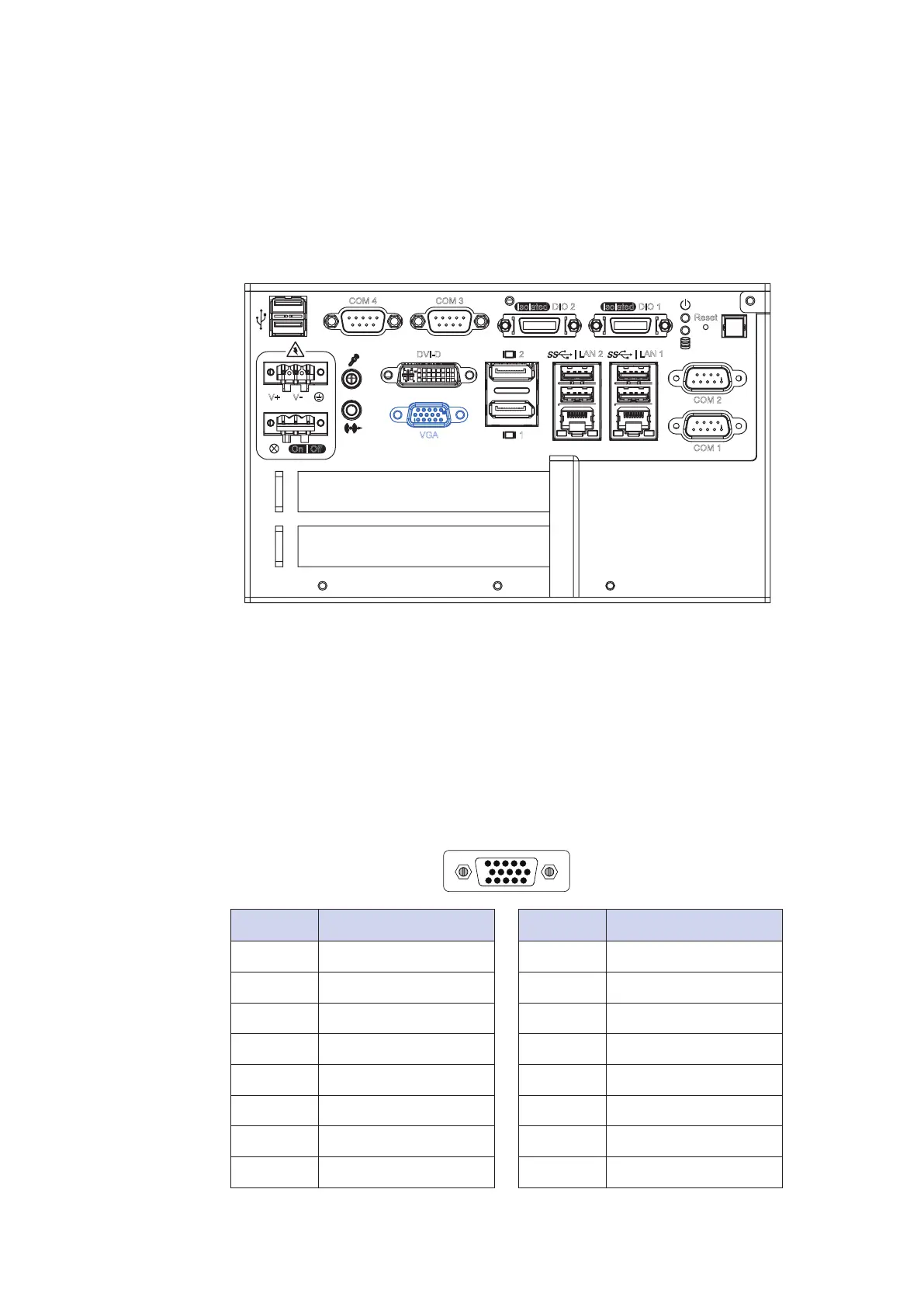
2.2.12 VGA Connector
The IPC-R1ix comes with a DB15 female connector on the front panel
to connect a VGA monitor. To ensure that the monitor image remains clear, be
sure to tighten the monitor cable after connecting it to the IPC-R1ix. The
VGA output mode supports up to 1920x1200 resolutions. The pin assignments
of the VGA connector are shown below.
5
10
15
1
6
11
Pin No. Description
1 Red Color Signal
2 Green Color Signal
3 Blue Color Signal
4 NC
5 Ground
6 VGA Detect
7 Ground
8 Ground
Pin No. Description
9 VCC
10 Ground
11 NC
12 DDC-DATA
13 H-Sync.
14 V-Sync.
15 DDC-CLK
Isolated DIO 2
Reset
COM 1
COM 2
| LAN 2
VGA
DVI-D
V+
1
2
| LAN 1
V
-
COM 4 COM 3
Isolated DIO 1
On
|
Off


 To Next Page