75
BIOS AND DRIVER SETTING
4.3.9
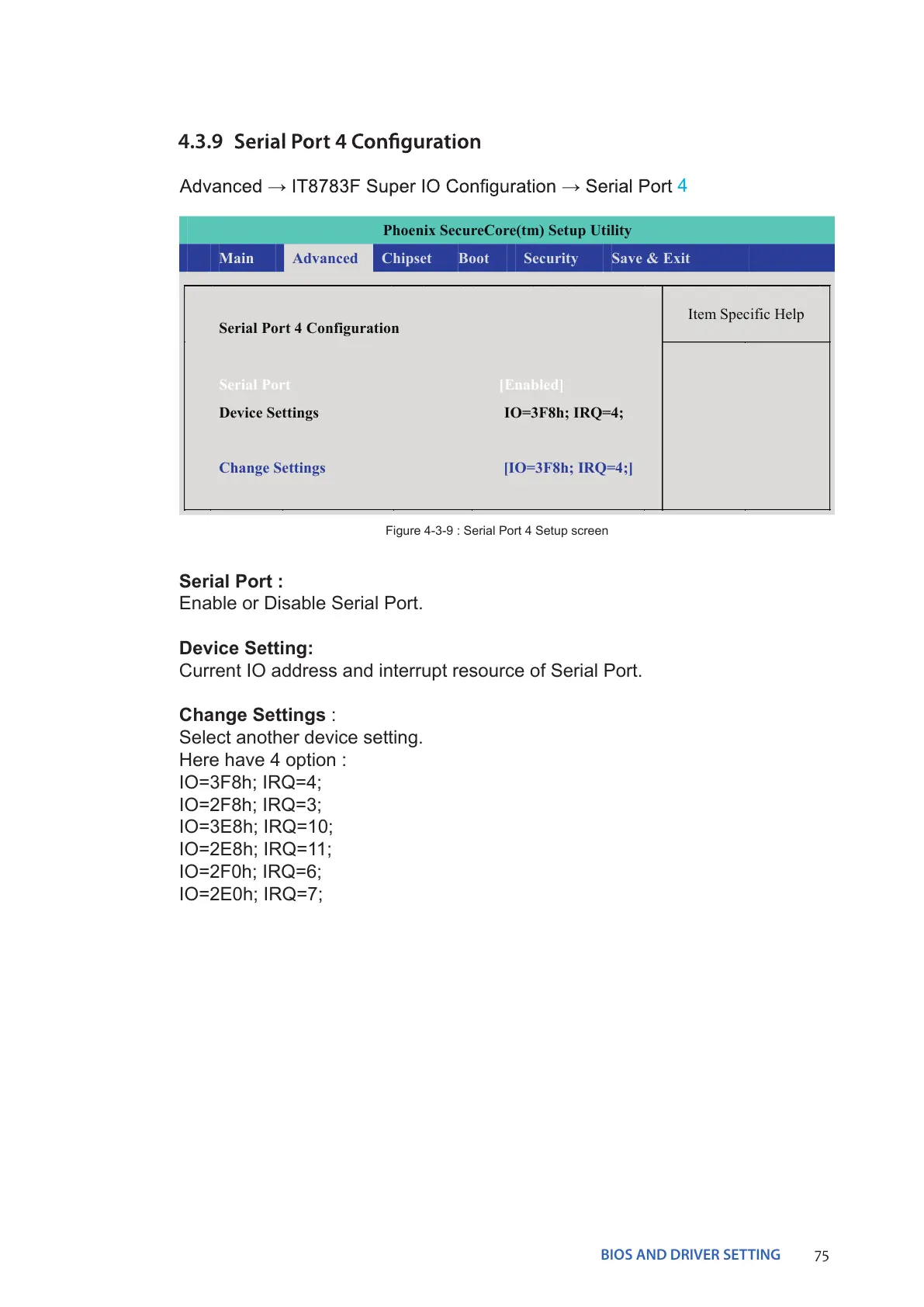
Serial Port :
Enable or Disable Serial Port.
Device Setting:
Current IO address and interrupt resource of Serial Port.
Change Settings :
Select another device setting.
Here have 4 option :
IO=3F8h; IRQ=4;
IO=2F8h; IRQ=3;
IO=3E8h; IRQ=10;
IO=2E8h; IRQ=11;
IO=2F0h; IRQ=6;
IO=2E0h; IRQ=7;
Figure 4-3-9 : Serial Port 4 Setup screen
4
Phoenix SecureCore(tm) Setup Utility
Main Advanced Chipset Boot Security Save & Exit
Item Specific Help
Serial Port 4 Configuration


 To Next Page