32
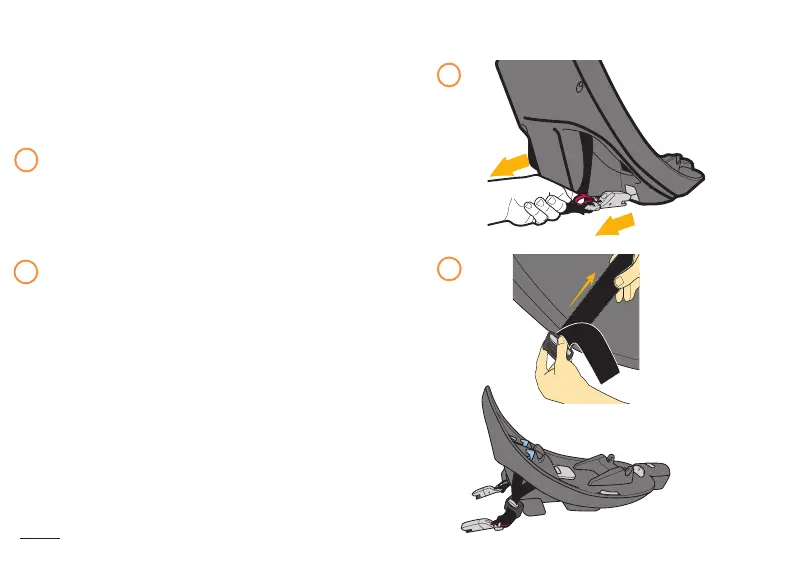
To Remove from Storage:
To install the Base using LATCH, the
Connectors must be removed from their storage
compartments.
Pull on the LATCH strap release loop and pull
the connector out of the storage compartment.
Repeat on other side.
Lengthen the strap between the connectors using
the LATCH Strap Adjusters located next to the
connectors. Push down on the Adjuster button
while lengthening strap.
REMOVING AND STORING LATCH CONNECTORS
1
2
1
2



 To Next Page
 Loading...