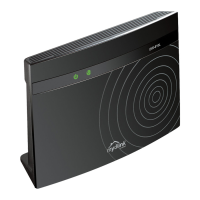
DIR-806A Wireless AC750 Multi-Function Router
User Manual
Configuring Device (Access Point Mode)
Client
On the Wi-Fi / Client page in the access point mode, you can configure the device as a client to
connect to a wireless access point.
The “client” function in the access point mode allows using DIR-806A as a wireless client and a
wireless repeater.
To use the router as a wireless repeater, you need to configure the same parameters of the wireless
connection (the name of the wireless network, encryption parameters, and the channel) for DIR-
806A and the remote access point.
To use the router as a wireless client, you need to configure the same channel of the wireless
connection for DIR-806A and the remote access point. Other parameters of the wireless network of
DIR-806A do not depend upon the settings of the remote access point.
Figure 155. Connecting DIR-806A in the access point mode as a client.
To allow the devices from the LAN of DIR-806A to obtain the IP addresses from the DHCP server
of the remote access point or network, it is necessary to disable the built-in DHCP server of the
device. To do this, proceed to the Net / LAN page; then in the DHCP server section, in the Mode
drop-down list, select the Disable value and click the Apply button.
Page 213 of 233



 To Next Page