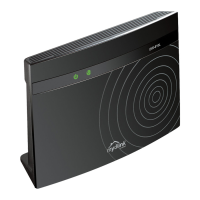
DIR-806A Wireless AC750 Multi-Function Router
User Manual
System....................................................................168
Administrator Password..................................................169
Configuration...........................................................170
System Log..............................................................172
Firmware Upgrade........................................................174
Local Update..........................................................175
Remote Update.........................................................176
NTP Client..............................................................177
Ping....................................................................178
Traceroute..............................................................179
Telnet..................................................................180
Device mode.............................................................181
Chapter 5. Configuring Device (Access Point Mode)..............182
Wireless Network Settings Wizard..........................................182
Access Point Mode.......................................................183
Client Mode.............................................................185
Status....................................................................187
Network Statistics......................................................187
DHCP....................................................................188
Clients.................................................................189
Net.......................................................................190
LAN.....................................................................190
Wi-Fi.....................................................................193
Basic Settings..........................................................193
2.4GHz Band...........................................................193
5GHz Band.............................................................194
Security Settings.......................................................196
MAC Filter..............................................................202
Station List............................................................204
WPS.....................................................................205
Using WPS Function via Web-based Interface............................207
Using WPS Function without Web-based Interface........................207
Additional Settings.....................................................209
WMM.....................................................................211
Client..................................................................213
Firewall..................................................................216
MAC Filter..............................................................216
System....................................................................218
Administrator Password..................................................219
Configuration...........................................................220
System Log..............................................................222
Firmware Upgrade........................................................224
Local Update..........................................................225
Remote Update.........................................................226
Ping....................................................................227
Telnet..................................................................228
Device mode.............................................................229
Chapter 6. Operation Guidelines................................230
Safety Instructions.......................................................230
Wireless Installation Considerations......................................230
Connecting to Cable or DSL Modem..........................................231
Chapter 7. Abbreviations and Acronyms..........................232
Page 4 of 233



 To Next Page