33D-Link DSL-X3052E User Manual
Section 4 - Conguration
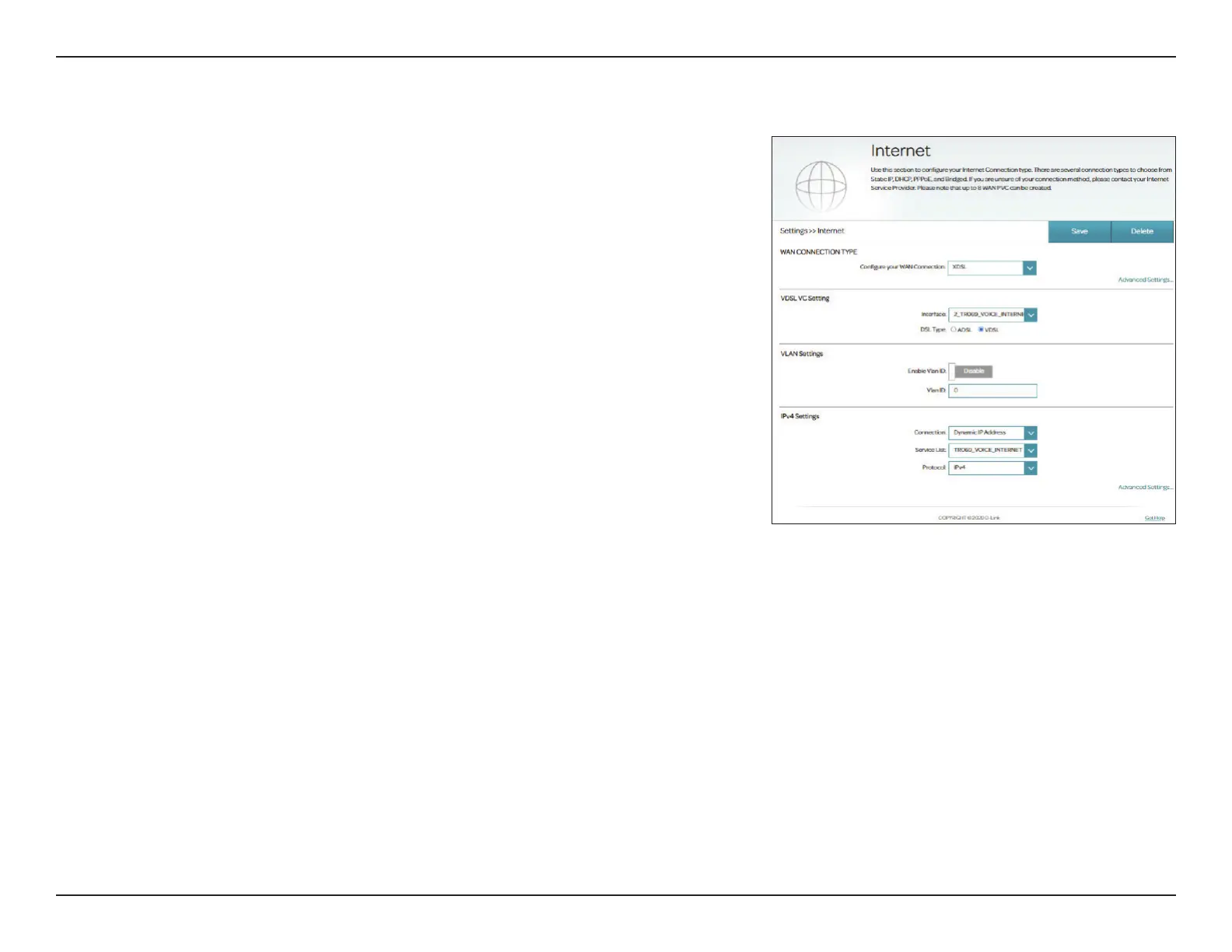
Internet - VDSL
VDSL is one of the latest and fastest home broadband technologies. VDSL uses
the DSL port on your DSL-X3052E to connect to the Internet. In order for your
DSL-X3052E to use VDSL, you must congure the WAN Connection Type and
related WAN settings.
Congure your
WAN connection:
Select XDSL to congure VDSL connection settings.
If you click on Advanced Settings, the following WAN Settings are available:
VDSL VC Settings
Interface: Select a conguration interface for this virtual circuit to use or modify
a previously congured interface. If no service has previously been
added, or you wish to add a new one, select Add.
DSL Type: Select DSL technology for this Virtual Circuit: ADSL or VDSL. Select
VDSL in this case.
VLAN Settings
Enable VLAN ID: Enable or disable VLAN settings.
VLAN ID: Enter the VLAN ID. Enter a value from 1 - 4094.
To set your IPv4/IPv6 connection parameters of WAN connection, refer to
Connection Types on page 35.



 To Next Page