47D-Link DSL-X3052E User Manual
Section 4 - Conguration
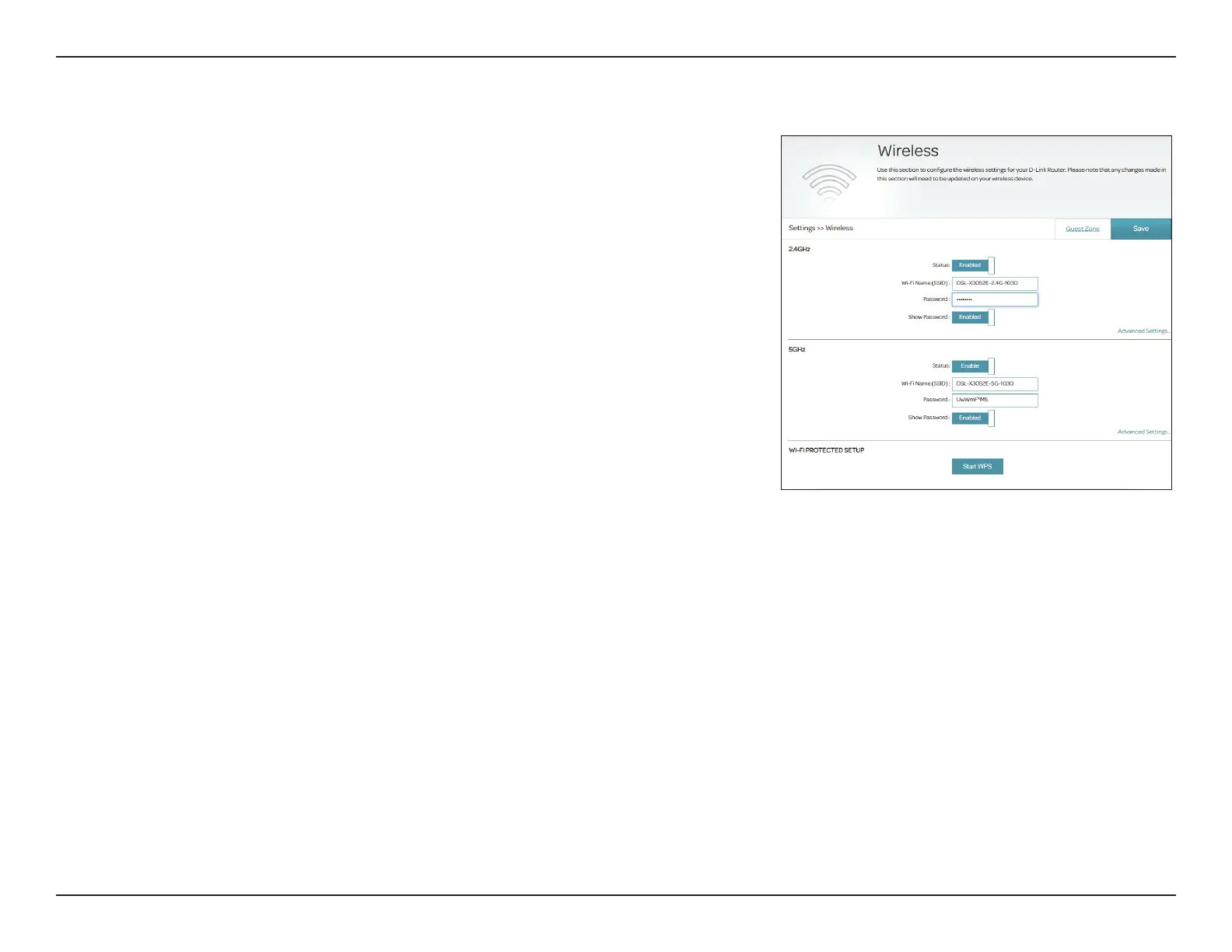
You can congure your wireless LAN (WLAN) on this page. To access this page,
go to Settings > Wireless.
2.4 GHz
Status: Enable or disable the 2.4 GHz wireless network.
Wi-Fi Name (SSID): Create a name for your wireless network.
Password: Create a password to use for wireless security. The password must
contain 8 to 63 alphanumeric characters including a mix of uppercase
and lowercase letters, numbers, and special characters.
Show Password: Enable or disable display of the above password.
5 GHz
Status: Enable or disable the 5 GHz wireless network.
Wi-Fi Name (SSID): Create a name for your wireless network.
Password: Create a password to use for wireless security. The password must
contain 8 to 63 alphanumeric characters including a mix of uppercase
and lowercase letters, numbers, and special characters.
Show Password: Enable or disable display of the above password.
Wi-Fi Protected Setup
Start WPS: This triggers the WPS pairing process. The WPS LED on the front
panel will start to ash. Refer to WPS Button on page 100 for more
information about WPS. Note that WPS will be disabled for security
methods other than WPA2.
Wireless



 To Next Page