49D-Link DSL-X3052E User Manual
Section 4 - Conguration
Advanced Settings
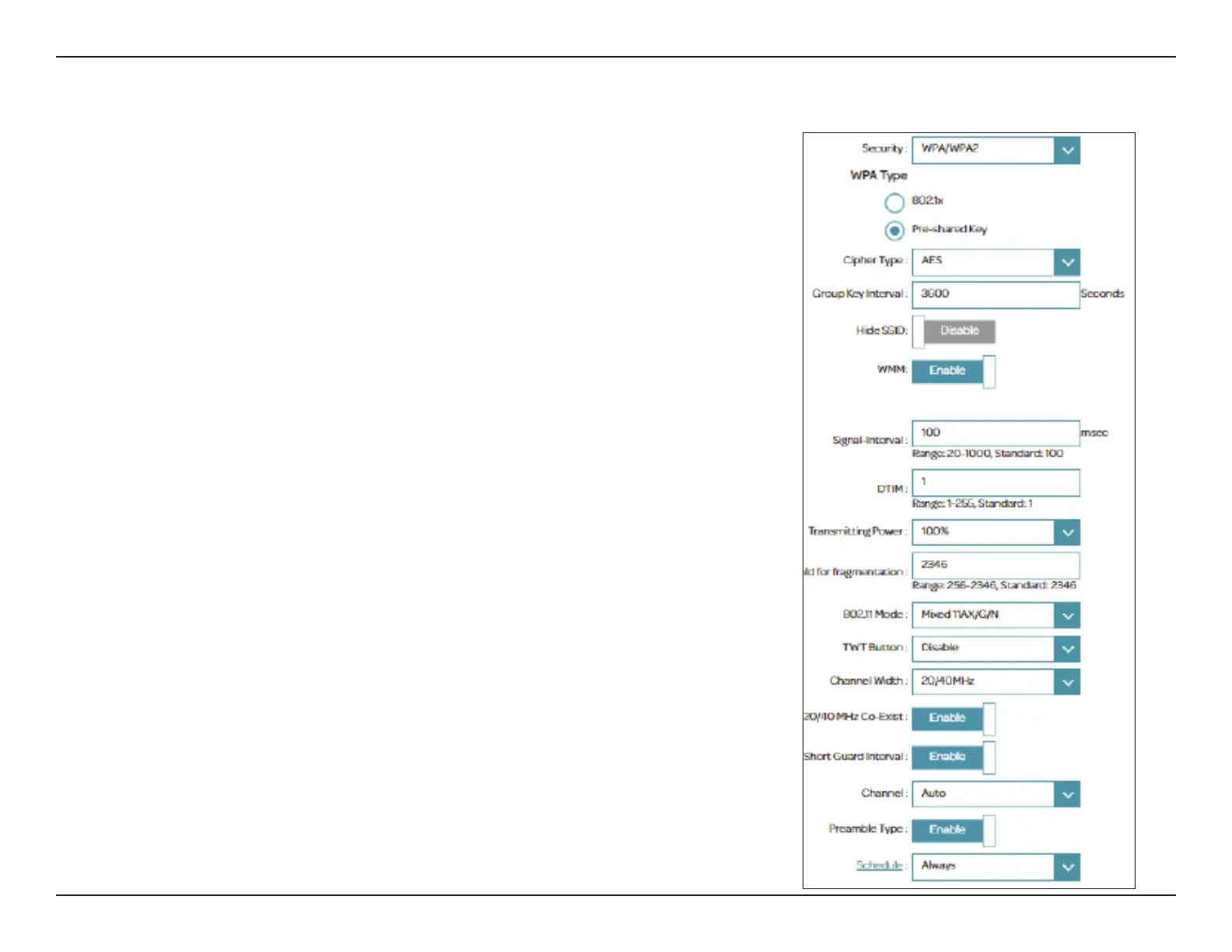
Clicking Advanced Settings allows you to manually congure security,
wireless radio operation, and schedule settings.
Security: Choose None, WEP (WEP-128Bit, WEP-64Bit), WPA (WPA3, WPA2,
WPA or WPA3/WPA2, WPA2/WPA). Select None for unsecured
network if it is what you intend.
WPA
Wi-Fi Protected Access (WPA) oers stronger encryption capability than WEP.
Using WPA3 with AES encryption is recommended. WPA3 provides the latest
and most robust encryption among these security methods.
Security: WPA3, WPA2, WPA or mix of WPA3/WPA2, WPA2/WPA. The default
is WPA2.
WPA Type
802.1x uses a RADIUS (Remote Authentication Dial-In User Service) server for
user authentication. If you selected 802.1x, the following options are available:
Server IP Address: Enter the IP address of the RADIUS Server.
Port: Enter the port used by the RADIUS Server.
Secret: Enter the secret used by the RADIUS Server.
Cipher Type: Select either AES, TKIP or Both (AES/TKIP). The options vary
depending on the WPA type selected. AES is recommended if other
types are presented.



 To Next Page