55D-Link DSL-X3052E User Manual
Section 4 - Conguration
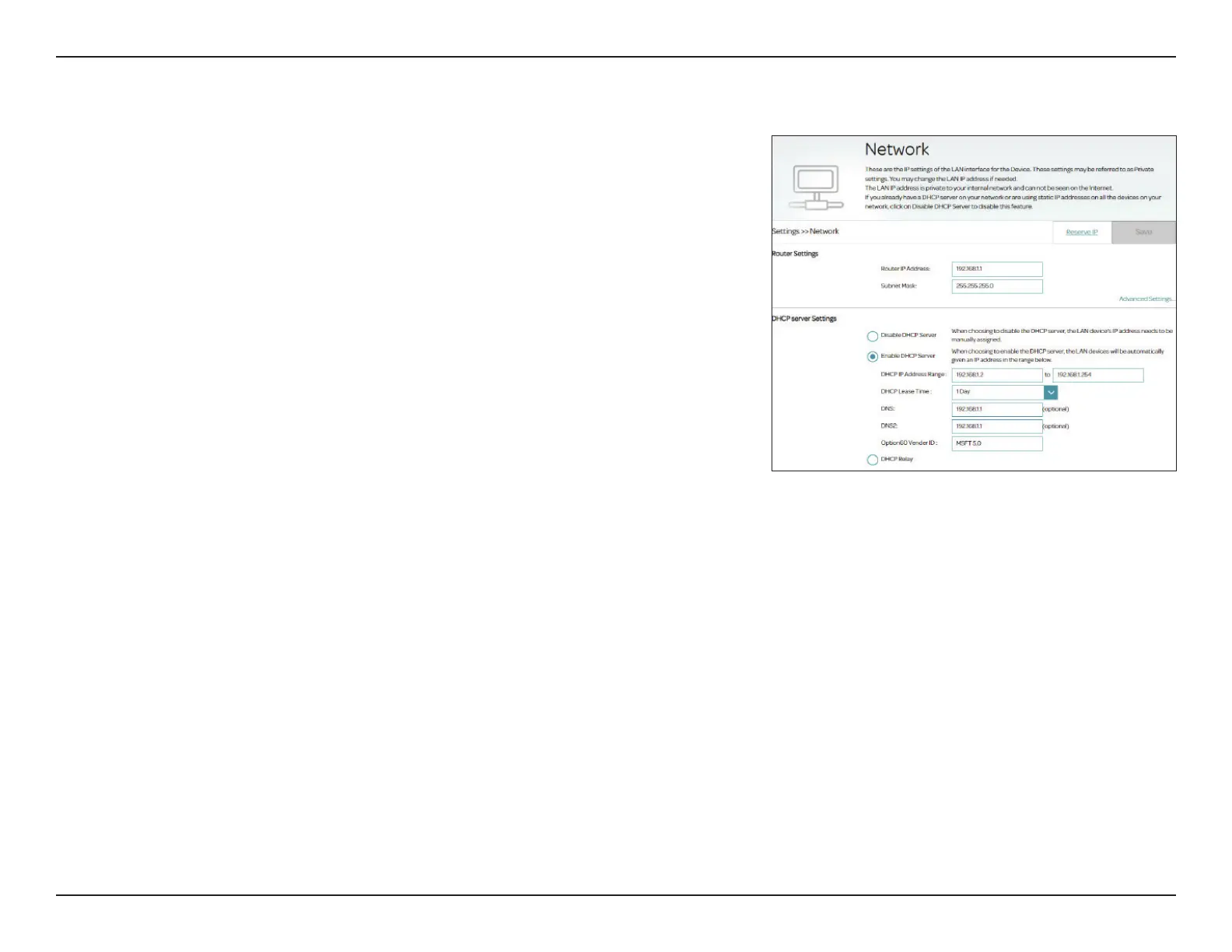
DHCP Lease Time: Select the DHCP lease time from the drop down menu: 1 Hour, 2
Hours, 3 Hours, 1 Day, 2 Days, 3 Days, or 1 Week. The default is 1
Day.
DNS: The Domain Name System (DNS) translates domain or website names
into Internet addresses or URLs. Enter the DNS server's IP address.
DNS2: Enter the secondary DNS server's IP address.
Option60 Vendor
ID:
Enter Option 60 information here to be included in the DHCP request
communication.
DHCP Relay: Select this option to enable DHCP Relay. Use this if you have a
dedicated DHCP server on your network, then enter the server IP
address.
Click Save when you are done.
LAN IPv6 Settings
IPv6 Enable: Enable or disable the IPv6 addressing scheme for the local network.
Cong Mode: Select either SLAAC (stateless conguration) or DHCPv6 (stateful
conguration).
Prex Select: Select the prex assignment method: Auto, Manual, or a Service
Number of the WAN Interface if the IPv6 setting is congured for
that service.
If you selected Auto, congure the following settings for DNS:
DNS Select: Congure the mode of DNS: Auto, a Service Number of the WAN
Interface or Manual and enter the DNS server information manually
below.
Primary DNS
Server:
Enter the DNS server's IP address.
Network - Advanced Settings



 To Next Page