72D-Link DSL-X3052E User Manual
Section 4 - Conguration
You can also modify or delete an existing rule by clicking
Edit or Delete respectively. Up to
12 rules can be created.
Note:
For a time period that is not dened in either Allowed or Bedtime
Schedule, all devices in this prole will be granted full Internet access in this
period despite any restriction set by the Website Filter.
Website Filter
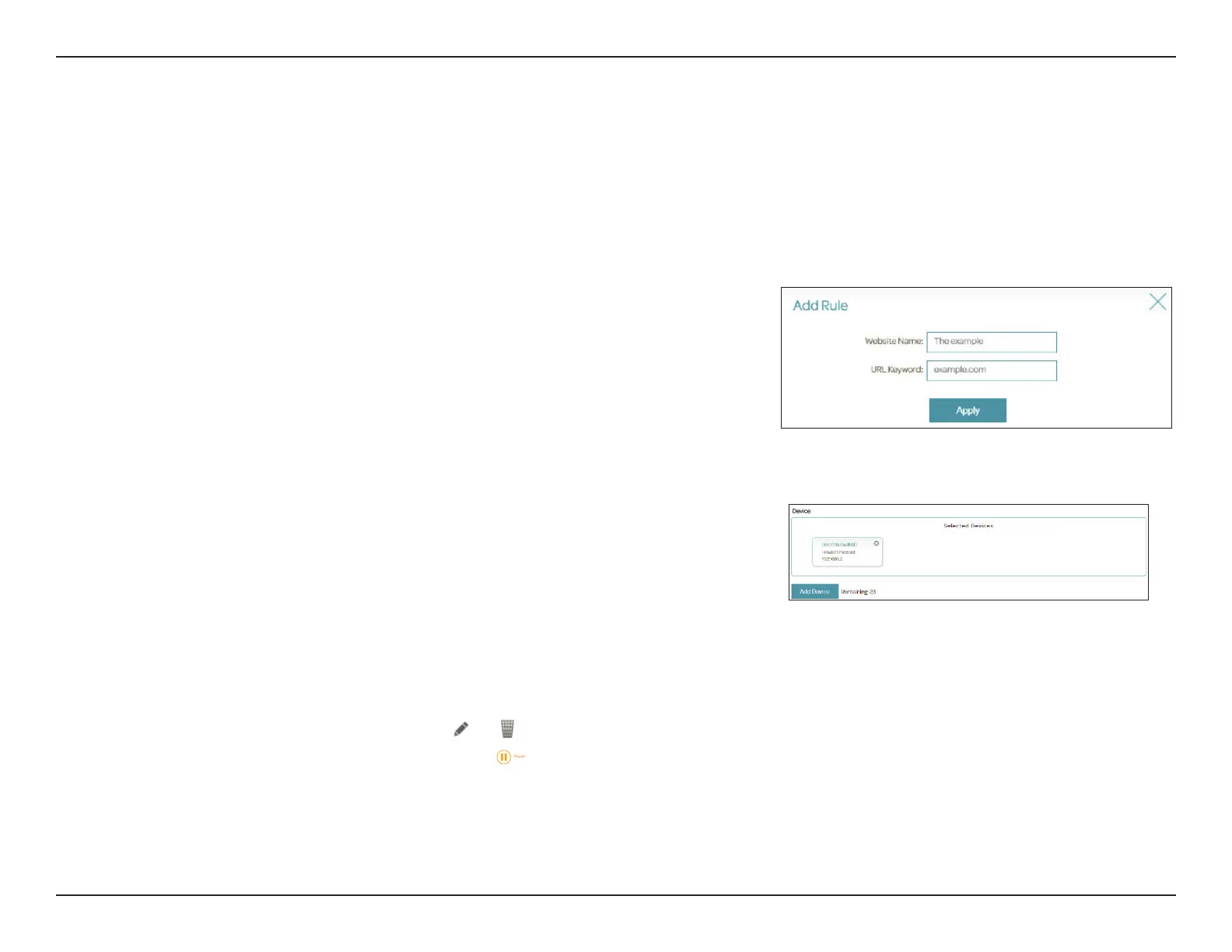
Add Rule to add a new website to be blocked:
Website Name
URL Keyword
Enter the name for the website. This blocks access to websites using a
website's address. For example, enter "ABC.com" or "www.ABC.com."
This blocks access to websites using the keywords with matching
URLs. For example, use "ABC" to block "www.ABC.com" and "xxx.ABC.
com" and other URLs containing ABC. Enter the same website name
as the above in this eld to block only the specic URL.
Click Add Device to add devices to be in the dened prole. Select
the devices from the list of connected devices to which the access
policy should be applied, then click Apply to close the screen. Click
Save to save your prole settings and the new prole will be added to
the prole list. If you do not select any device, you will be prompted
to choose one when saving the policy. You can also modify or delete
an existing prole by clicking or respectively.On the Edit page
for a selected prole, you can click
to pause Internet access to
specied devices of the prole immediately after you click Save the
prole settings.
You can also modify or delete an existing rule by clicking
Edit or Delete
respectively. Up to 12 rules can be created.



 To Next Page