95D-Link DSL-X3052E User Manual
Section 5 - Connect and Share a USB Device
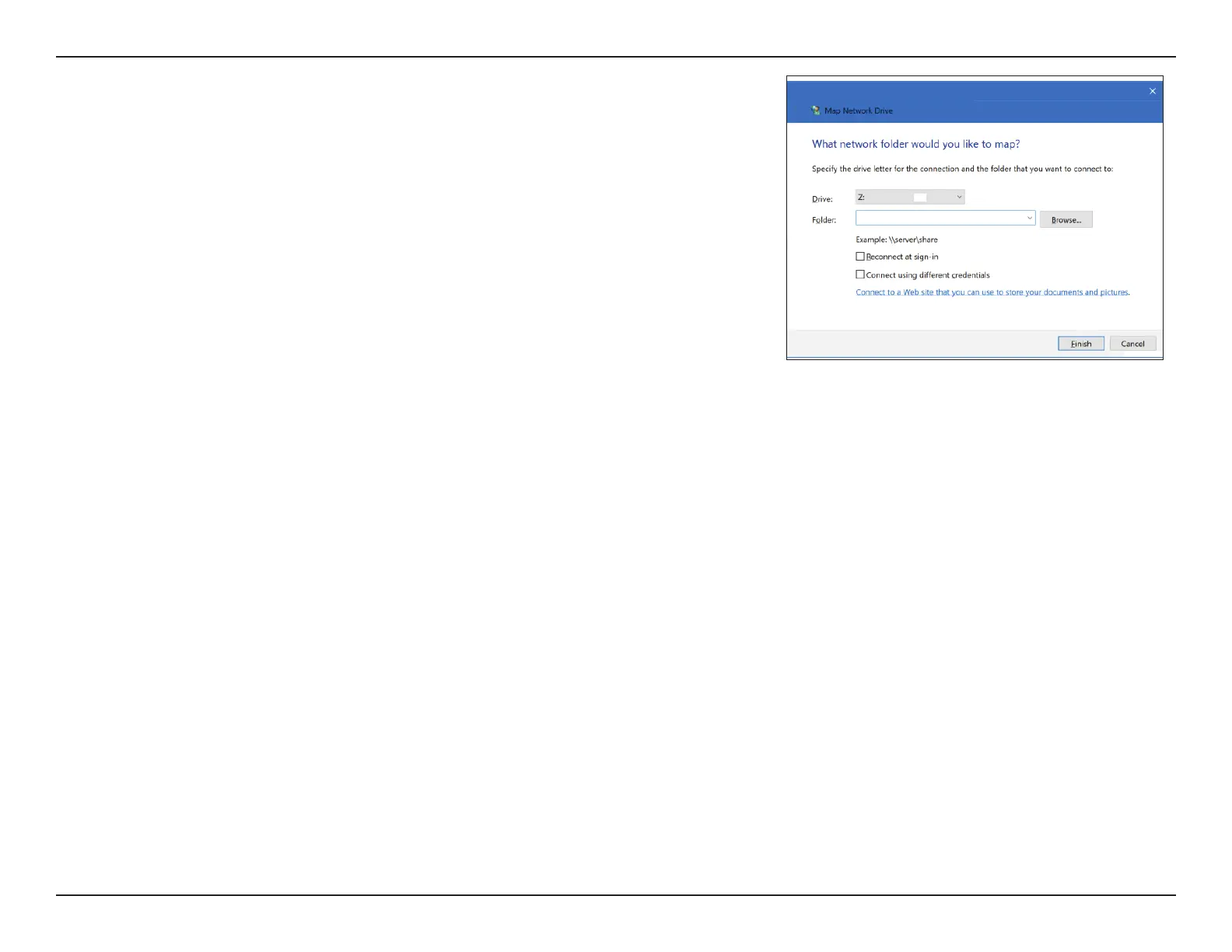
Step 3 - Select the drive letter you wish to map your network drive to.
In the Folder box, enter the DSL-X3052E’s IP address (or the
NetBIOS name) and the name of the USB volume, for example,
\\192.168.1.1\usb1_1. You may also click Browse... to locate the
networked device and mapped drive.
Check the boxes Reconnect at Sing-in (if you want to connect
every time you sign in to your PC) and Connect using dierent
credentials.
Click Finish.
If you have multiple USB storage devices attached via a USB hub, click USB
Device from the Home page of the DSL-X3052E’s Web Conguration utility for
a list of available volume names.



 To Next Page