37
3.Checkthatthedriversforthenetworkadaptersareinstalledproperly.
Troubleshooting(continued)
Youmaybeusingdifferentnetworkadaptersthanthoseillustratedhere,butthis
procedurewillremainthesame,regardlessofthetypeofnetworkadaptersyouare
using.
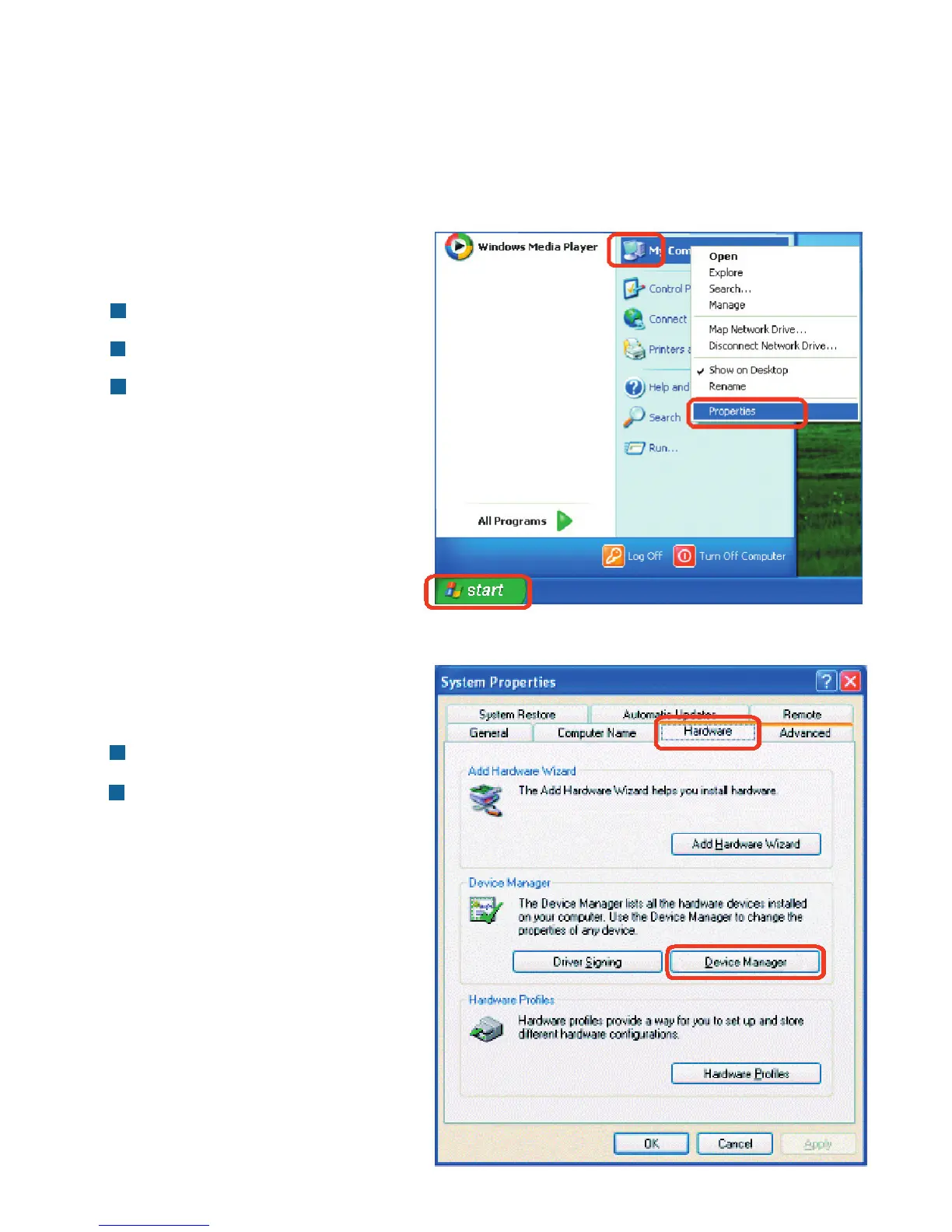
GotoStart
RightclickonMyComputer
ClickProperties
SelecttheHardwareTab
ClickDeviceManager












 To Next Page