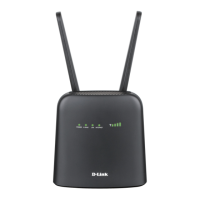
D-Link DWR-2101 User Manual
MAC Filter
This page allows you to set MAC (Media Access Control) filters to deny devices from accessing the network. A MAC address is a unique ID assigned by
the manufacturer for devices that connect to a network.
Adding a New MAC Filter
Open a web browser and enter 192.168.0.1 in the address bar to access the DWR-2101's web-based user interface.
Enter in your username and password, then click Login.
Navigate to MAC Filter from the menu bar.
Click Add New.
Enter an approved MAC address to connect to the DWR-2101.
Click OK to save your settings.
To delete the MAC filter, click the Delete button on the same row.


 To Next Page