D2D Technologies
FLEX 3000 V5.2-2301
12
9. Transport Streams Tab
This is the page that is used to configure, mux and perform most operations regarding the streams.
1. Inputs and Outputs
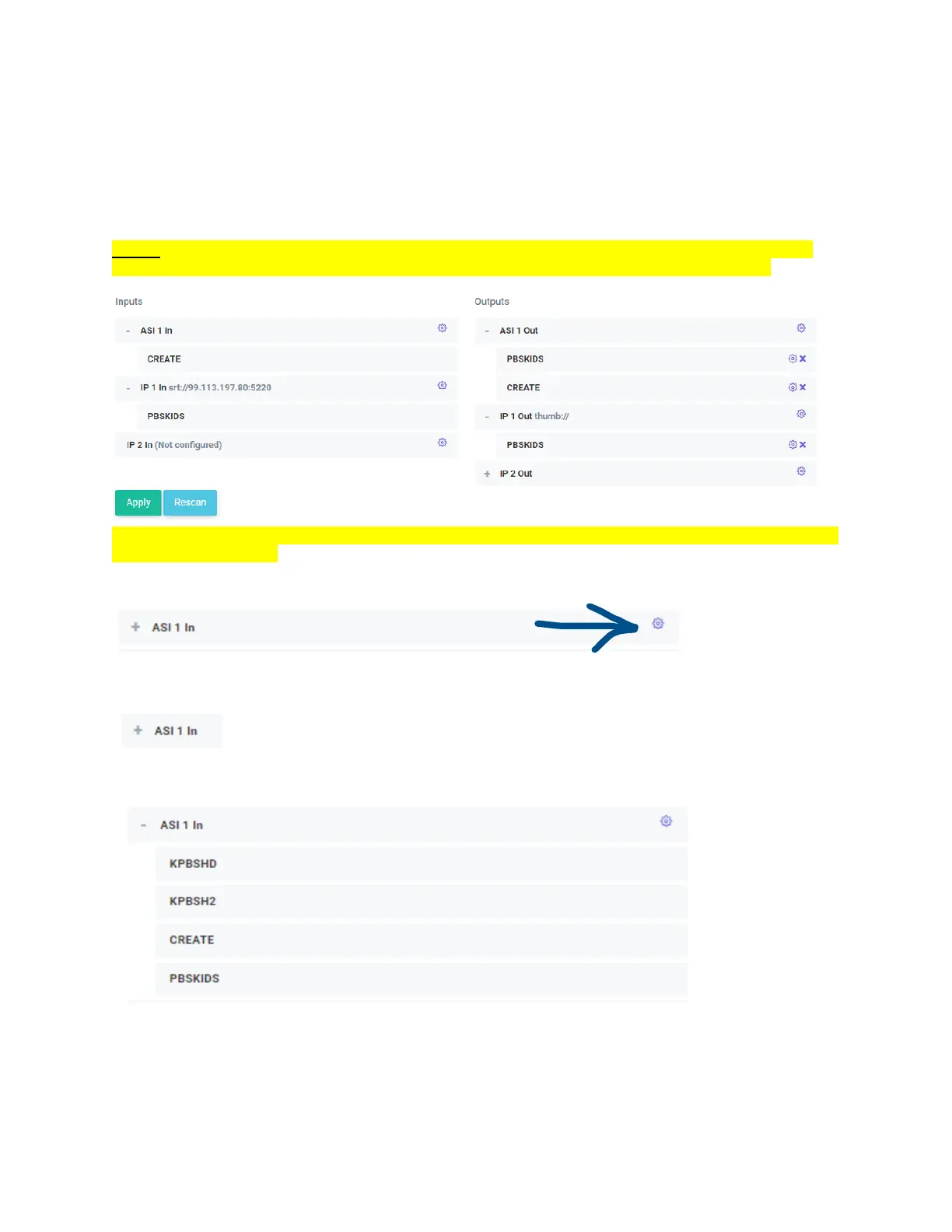
All of the inputs available will be listed on this tab.
NOTE: If you have plugged in a valid ASI or TSoIP and see the bitrate status as green but do not see
any services or a plus sign next to the input, press Rescan at the bottom to refresh the services.
The services are not refreshed automatically by the system, Rescan must be used to update the system if
any inputs are changed.
The “Gear” at the end of an Input or an Output means it can be configured.
If you see a plus sign next to and ASI or IP Input, that means that it has parsed the stream and there are
services inside.
Click on the + sign to expand the services in the stream.
If you’ve just acquired, or acquiring a stream, press rescan. If you notice the Apply Pending button lit,
you’ll need to press that first. Any changes that have been made earlier will be taken effect once
pressed.


 To Next Page