D2D Technologies
FLEX 3000 V5.2-2301
35
12. Connecting to the unit via the Serial
Port and IP address Discovery
If you cannot connect via IP or the unit has quit responding completely, you may
be able to communicate with it via a serial connection:
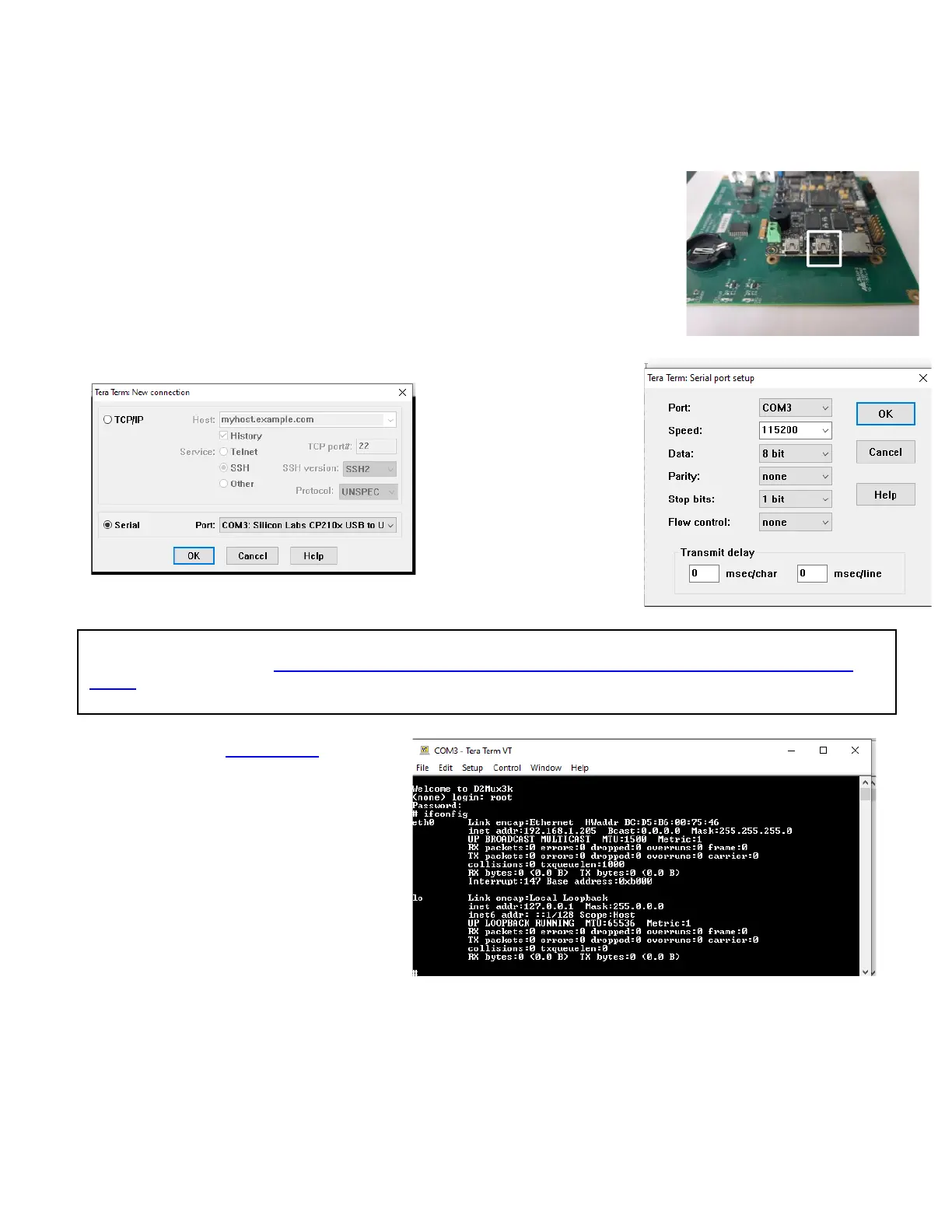
Move the card to a port that has ample space to the right side of it so you can
reach in and plug in a mini USB into the USM_UART port closest to the SD drive.
Use a terminal program such as TerraTerm to access it via serial protocols via
115200, 8n N,1.
Please contact D2D support for the
login credentials
Type "ifconfig". That will give you the IP
address of the M&C
NOTE that a terminal program may need a third-party USB to UART Bridge VCP driver to function. You can
download that driver here: https://www.silabs.com/products/development-tools/software/usb-to-uart-bridge-vcp-
drivers


 To Next Page