D2D Technologies
FLEX 3000 V5.2-2301
17
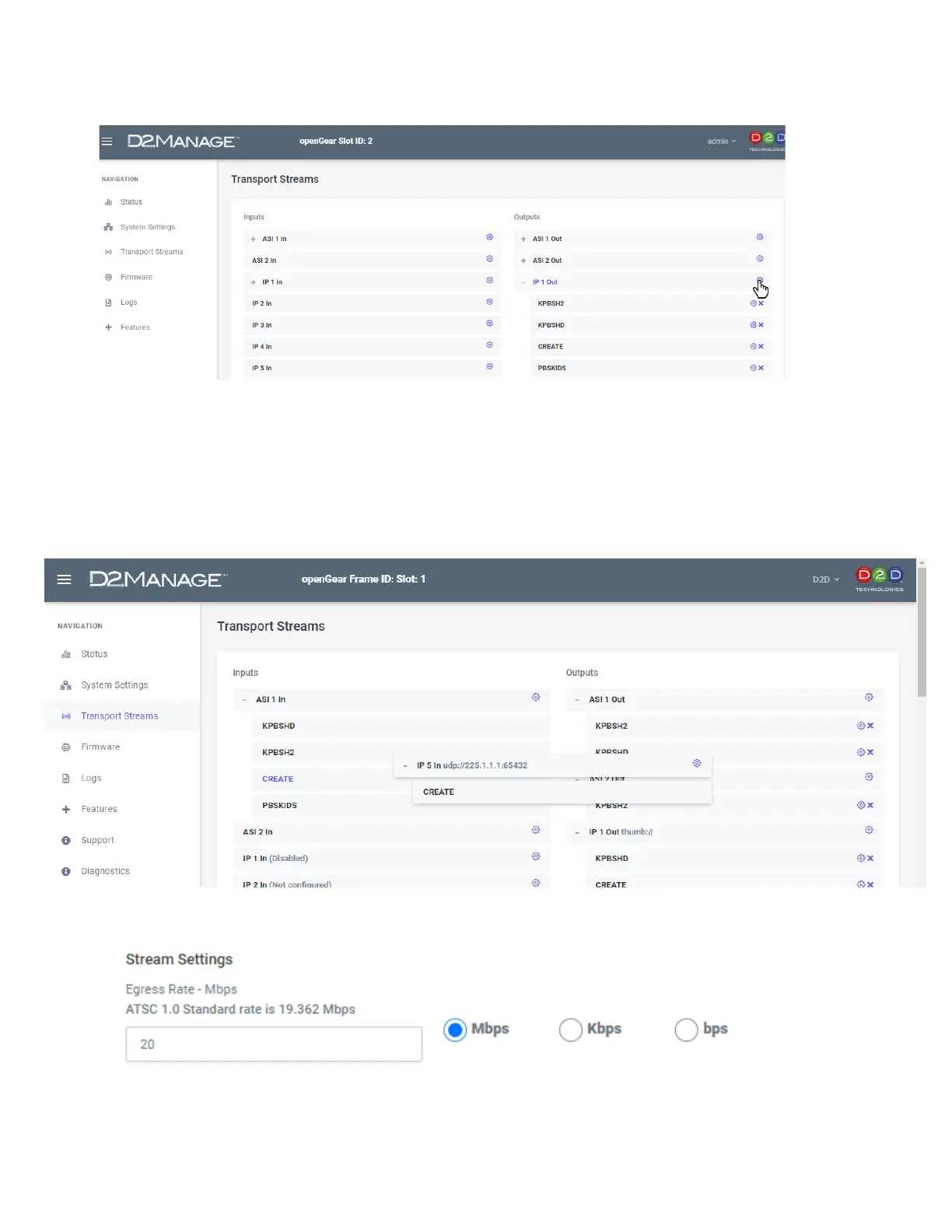
Once you have data coming in, from the Transport Streams Page, you can click on the plus sign, expand
it and drag any of the services (or all) to any output.
➢ If none of the streams need to be altered in any way, you can set the Passthrough Matrix to
Enabled and select the appropriate input for the output.
2. Setting up the IP output
Once you have dragged all of the services needed for the IP output. Click on the Gear near the top of the
output.
That will bring you into the setup page for the IP output. Set the Egress rate in bits. In this case, it is set
for 20 Mbps.
Next you can set up the TSIP and table type.


 To Next Page