D2D Technologies
FLEX 3000 V5.2-2301
31
11.
Setting up DSM-CC
type
B Carousel
PID insertion from an XCaster
1. Insert your program ASI into the ASI 1 on the back of the unit, once you do that, you should see
the status update on the Status Page.
2. Go to the Transport Streams page.
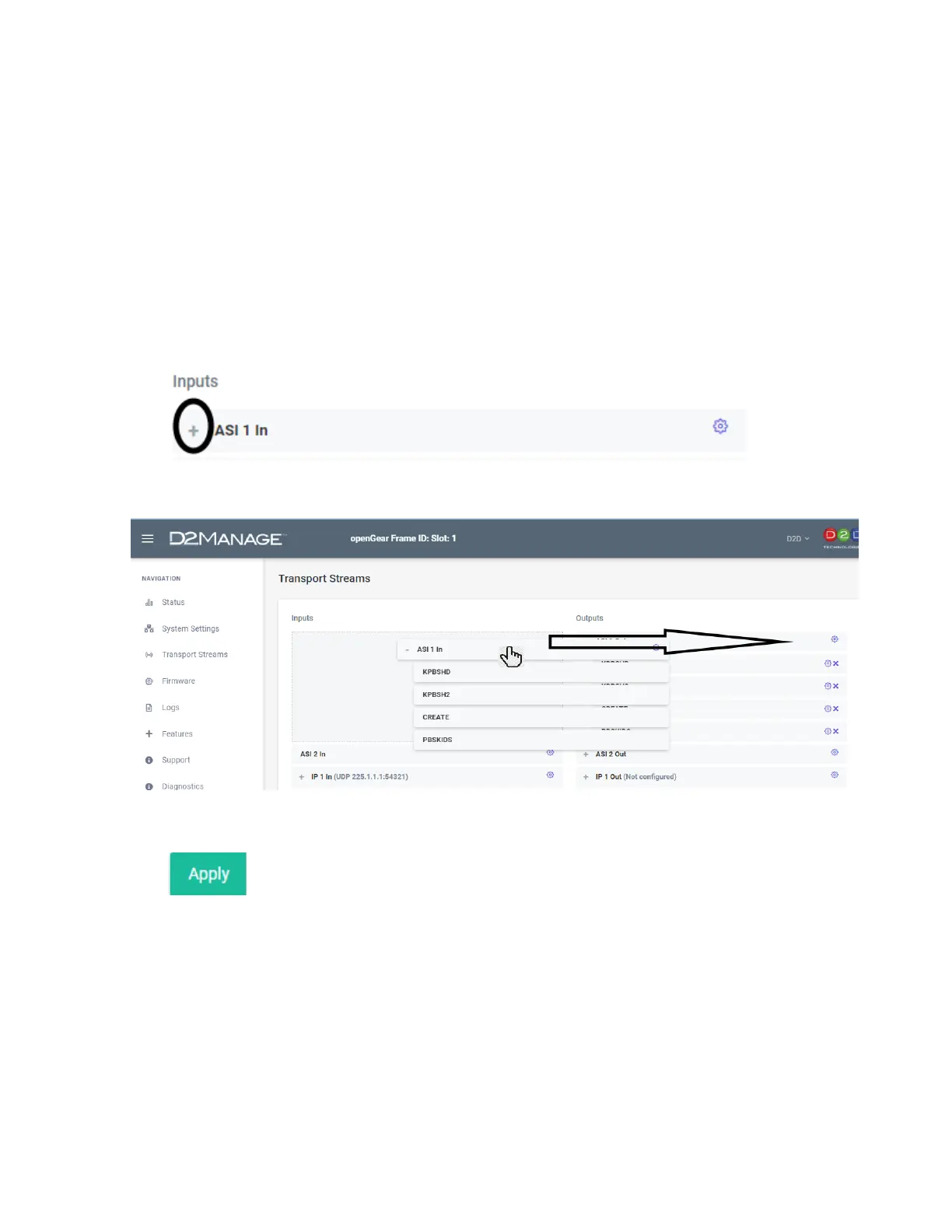
3. Click refresh, a plus sign should show up on the ASI 1 In. That means that it has parsed the
incoming ASI and sees the programs.
Note that it is possible that the plus sign could already be there if ASI was plugged in at the time it
was powered up.
4. Click on the plus sign of the incoming ASI stream and drag it over to ASI 1 OUT. That will MUX it
(all PIDS) into the stream in their entirety. (NOTE: You can also drag and drop all the services
individually if desired).
5. Click Apply.


 To Next Page