D2D Technologies
FLEX 3000 V5.2-2301
28
10. Sending or Receiving SRT
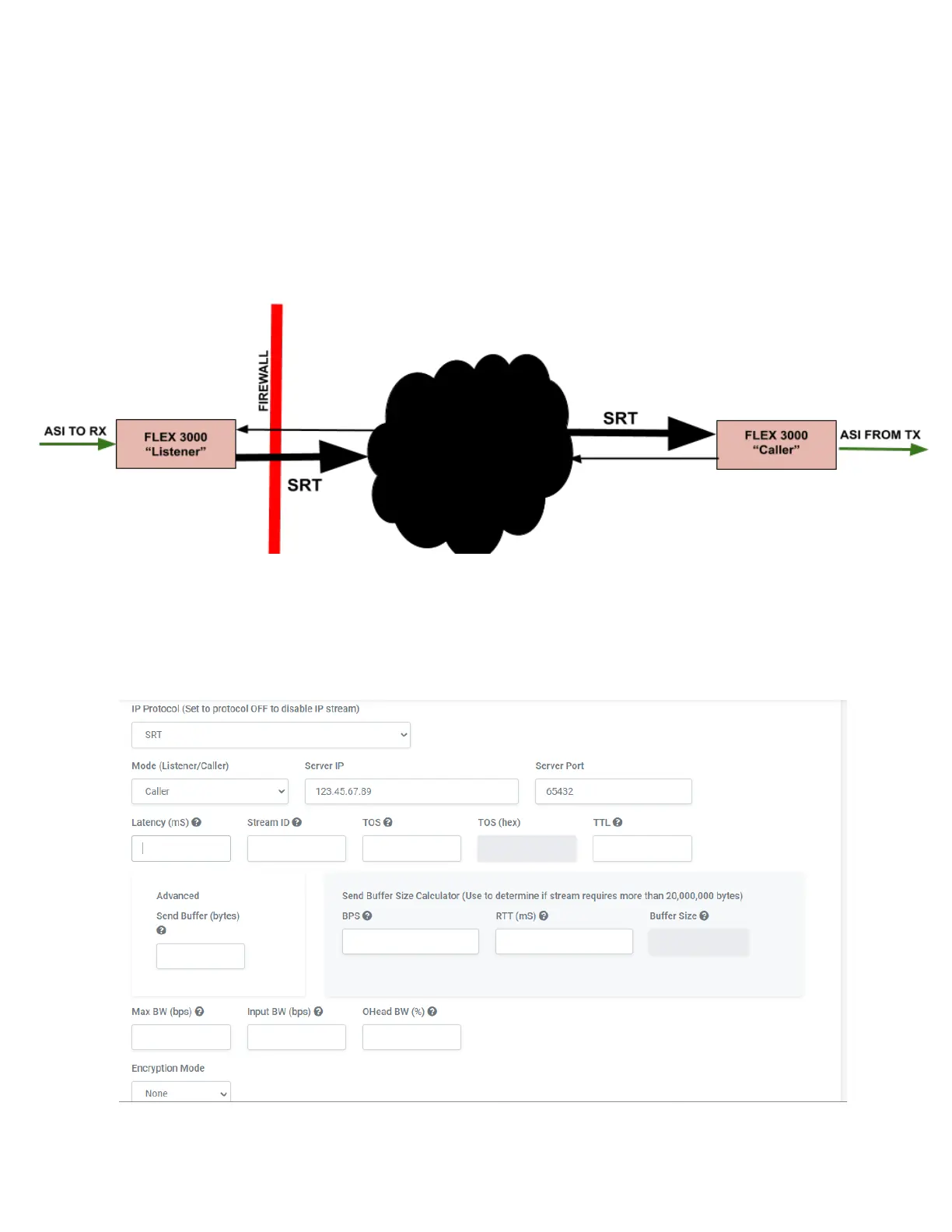
The SRT server sends a transport stream by listening for an SRT client to call and initiate a connection.
Configure the IP port transport stream’s GigE Setting on the Output Port Edit Transport Stream page.
1. Go to Transport Streams and click on the gear icon by the IP Output.
2. Go to bottom of the IP Output page.
3. Set the IP Protocol to SRT. This will open a whole new set of boxes.
4. Decide whether this unit will be the caller or the listener. Note that one has to be a caller
and one has to be a listener. Either one can push or pull the stream. This can be decided
on where you need to open up firewalls or IT admin, etc. Typically, the listener is the one
sending the SRT stream.
5. Set the egress rate at the top of the page. (Total aggregate data rate).


 To Next Page