D2D Technologies
FLEX 3000 V5.2-2301
15
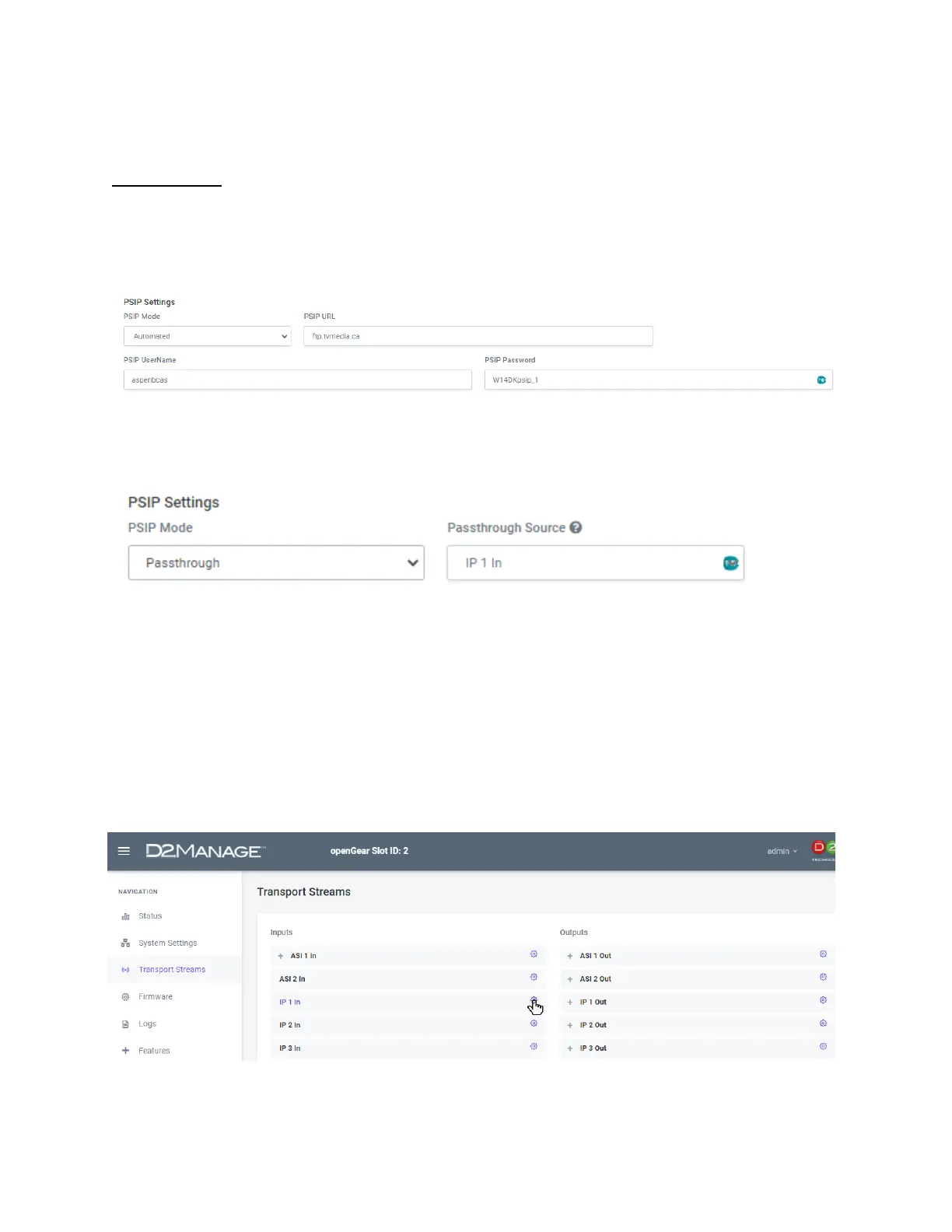
10. Dynamic PSIP (EPG) Settings.
Options are:
1. Automated:
Insert PSIP from TitanTV, Display Systems International, Gracenote or your own Tab de-limited text file.
NOTE: For instructions on how to create your own EPG data, go to Chapter 14.
2. Passthrough:
Passes all the EIT, ETT, EPG tables and PSIP data from a certain selectable source. You may still
change your static PSIP as needed.
3. Disabled:
This will strip all the EPG data from the stream.
4. Manual:
For adding your own Schedules in. (See Chapter 14).
11. Inserting and multiplexing TsoIP
All IP connections (in and Out) can be done via the 3000 card ETH 1 and ETH 2 ports.
Once a valid TSoIP (UDP Multicast, UDP Unicast or SRT) stream is inserted into the system either by the
ETH 1 or ETH 2), it should show up on the status of the screen for the appropriate input.


 To Next Page