D2D Technologies
FLEX 3000 V5.2-2301
32
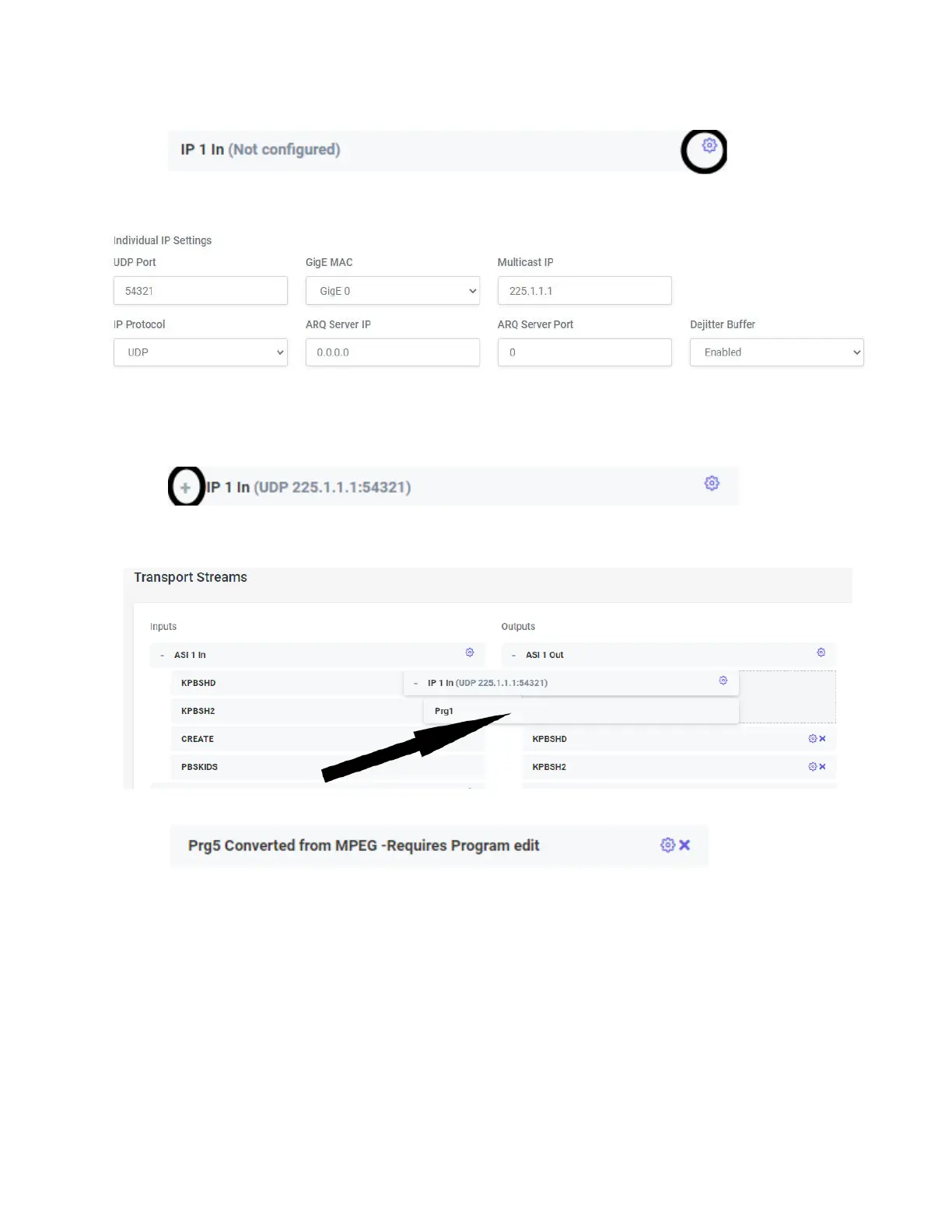
6. Now, go to the Transport Streams page and click on the “Gear” on IP 1 In.
7. Configure the IP setting at the bottom of the page for the incoming stream of the Xcaster
Carousel. In this case the IP address was a multicast of 225.1.1.1:54321.
8. Click Save. Then Back to Streams.
9. Click Apply and Rescan.
10. Once it is finished rescanning, the Plus sign should show up in the IP 1 box.
11. If you expand it, it will show up as PGM 1 in the IP input.
12. Now, drag that one program over to the ASI 1 Output and drop it in with the other programs.
13. Click Apply.
14. It will show up as another program number and say that “PGM [x] is converted from MPEG-
Requires Program Edit.
15. Click on the gear to open the edit screen for that program.


 To Next Page