Rear of the TV set
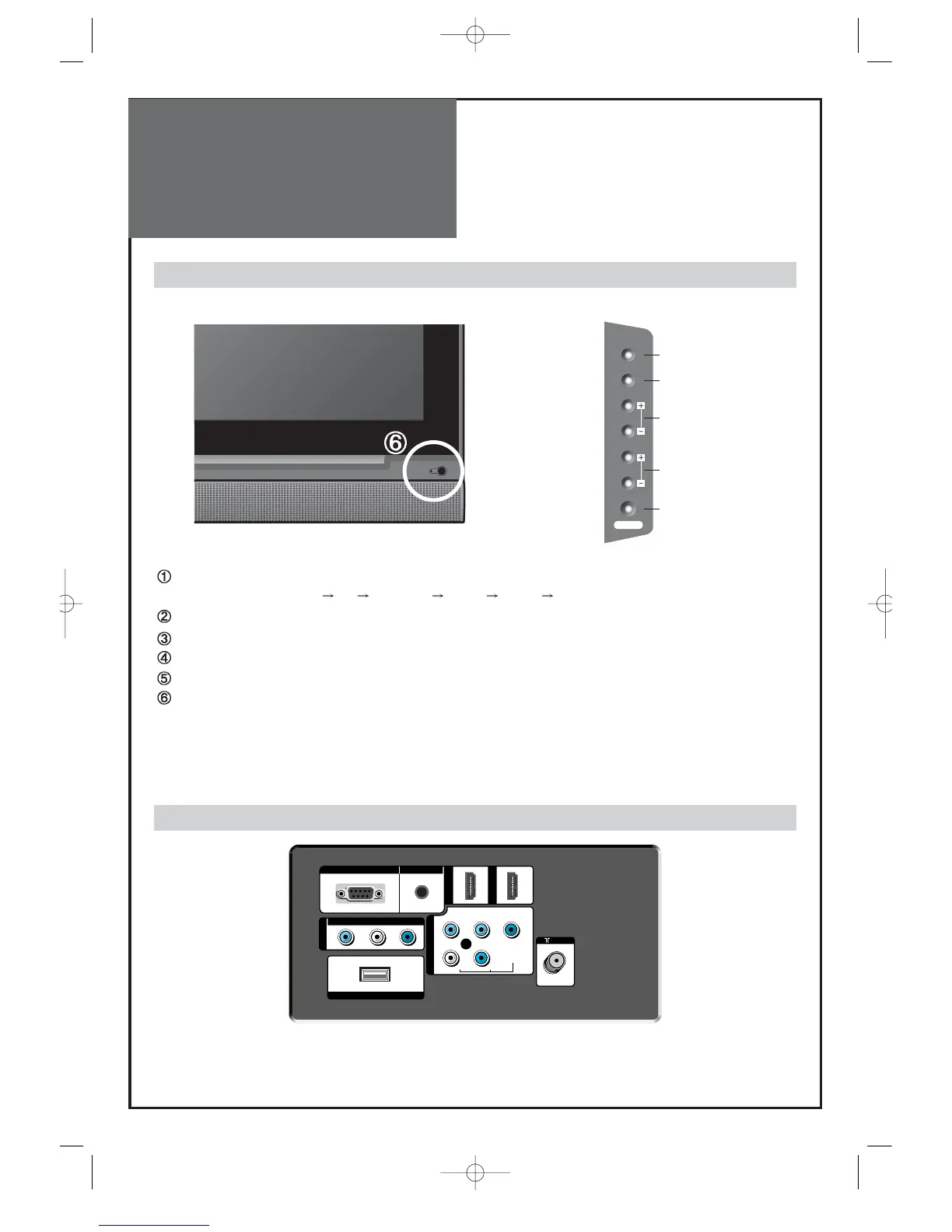
Control Key Buttons.
INPUT Button : Each time you press this button, the TV will cycle through:
AIR/CABLE AV Component HDMI1 HDMI2 PC
MENU Button : Use this button to enter and exit the MENU.
VOL Buttons : Use this buttons to change your TV’s volume or to move cursor in the menu.
CH Buttons : Use this buttons to change channels on your TV or to move cursor in the menu.
POWER Button : Use this button to TV STAND-BY mode/TV ON mode.
Remote control signal receiver
The screen contains the remote control signal receiving window; therefore, point the remote control
towards the screen when using it.
Stand-by <LED Indicator>
LED RED - Standby / LED Green - SET ON
Buttons on the TV set have the same functions as those of the remote control.
SIDE OF THE TV SET
Front Panel and Side



 To Next Page