Basic Menu
21
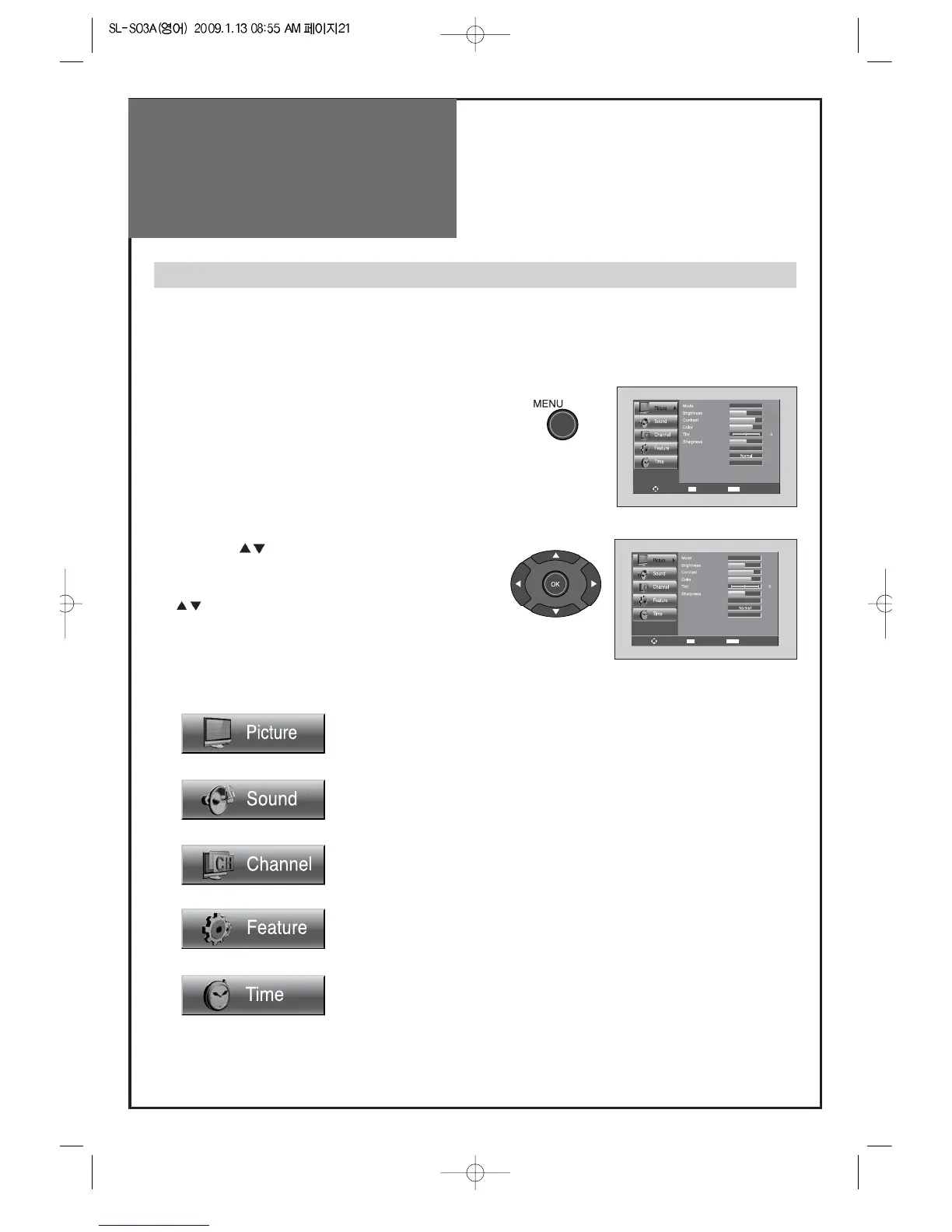
Adjusts Picture Mode
- Mode(Normal, User, Dynamic, Cinema), Brightness, Contrast, Color, Tint (NTSC only), Sharpness,
Noise Reduction, Color Temp, Aspect Ration and PC Screen Mode (Only PC Mode).
Adjusts Sound Mode
- Effect(Off,Dynamic Bass,ST Voice), Mode(Normal,Movie,Music,News,User),
Equalizer,Balance, Auto Volume Control, Digital Volume and Speaker.
Adjusts Channel Mode
- Auto Search, Antenna(Air/Cable), Edit Channel, Fine Tune and Signal Strength.
Adjusts Feature Mode
- Parental Control, Language(English, Espanol, Francais), Caption, Menu
Opacity,MGDI Demonstration and Initialize.
Adjusts Time Mode
- Clock Mode, Current Time Set, Time Zone, Daylight Saving Time, Sleep Timer, On
Timer and Off Timer.
2. Press the ” ” button.
• You may setup according to the directions on the
screen after selecting the desired item by pressing the
”
” button.
• If the setup is completed, exit from the menu by
pressing the “MENU” button.
- The basic menu appears on the screen if you press the menu button of the remote control.
- There are 5 items Picture, Sound, Channel, Features, and Time in the basic menu.
- Each item has sub-items under it. If the desired item is selected, the relevant sub-items are displayed
upward.
1. Press the "MENU" button.
• The main menu appears if you press the “MENU” button.
Basic Menu



 To Next Page