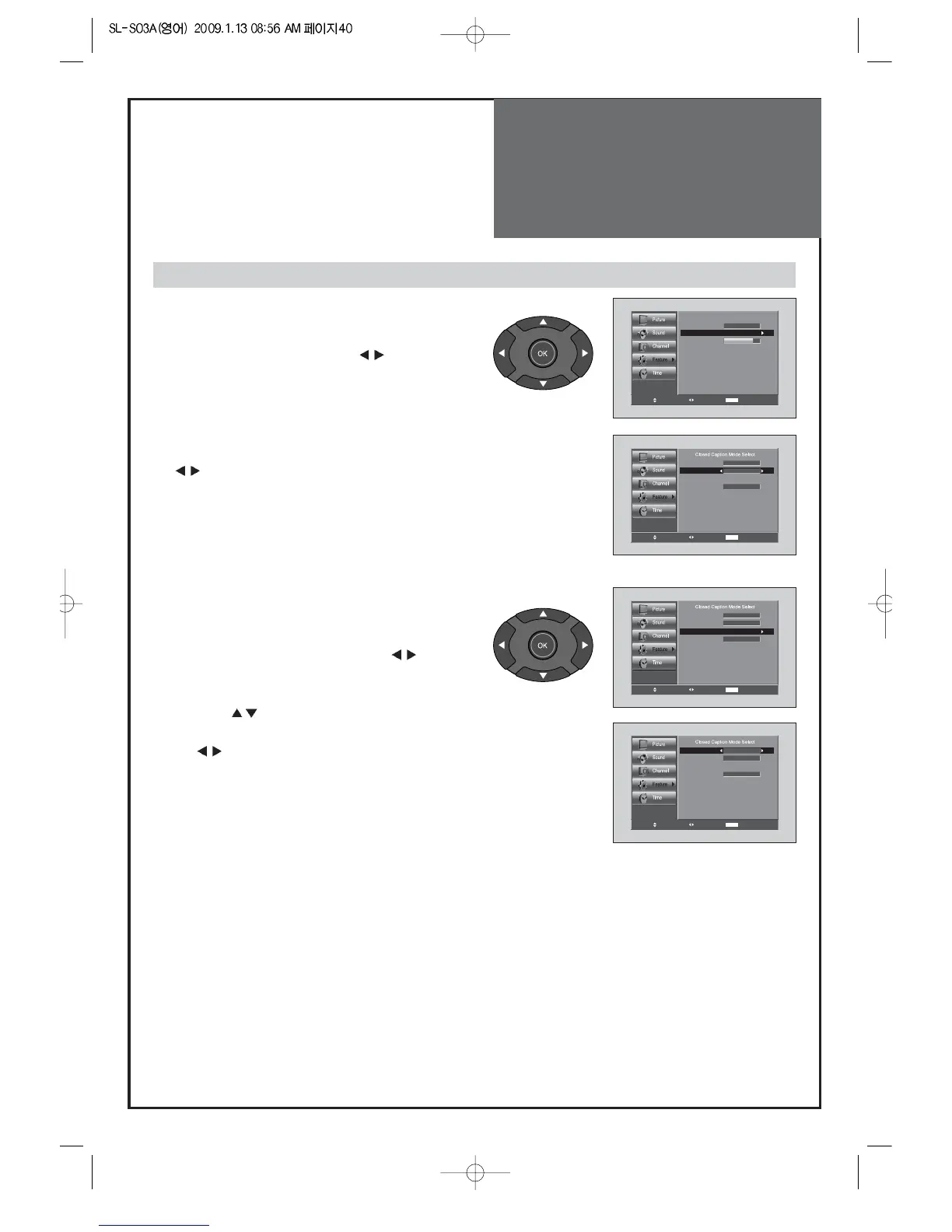
1. Caption mode selects what you want.
• Move to Caption in the Features menu.
• Select Caption by pressing the ”
” buttons.
• Select desirable Closed Caption by pressing the
”
” buttons.
• The Digital CC changes as followed:
CC1~4 => Text1~4 => Service1~6
2. Caption Style selects what you want.
• Move to Caption Style in the Features menu.
• Select Caption Style by pressing the ”
” buttons.
• Press the ”
” buttons to select the desired sub-
menu options (see options below), and then presses
the ”
” buttons.
Note:
• Service 1~6 in digital caption mode may not be
available depending on the broadcast.
Note:
• The availability of captions depends on the program being broadcast.
• Default means to follow the standard set by the broadcaster.
• Text Size: This option consists of Default, Small, Standard, and Large. The default is Standard.
• Text Font: This option consists of Default, Font1~7. You can change the font you want. The default is Style 0.
• Text Color: This option consists of Default, White, Black, Red, Green, Blue, Yellow, Magental, and Cyan. You can change the color of the letter.
The default is White.
• BG Color: This option consists of Default, White, Black, Red, Green, Blue, Yellow, Magental, and Cyan. You can change the background color of
the caption. The default is Black.
• BG Opacity: This option consists of Default, Solid, Flash, Translucent, Transparent. You can change the Background opacity of the caption.
• Text Opacity : This option consists of Default, Solid, Flash, Translucent, and Transparent. You can change the Text opacity of the caption.
• Edge Style : This option consists of Default, No edge, Outline, Engraved, Embossed, Left shadow, and Right shadow. You can change edge style.
• Edge Color : This option consists of Default, Black, White, Red, Green, Blue, Yellow, Magental, and Cyan. You can change the color of the edge.
The default is White.
Viewing Closed Caption (On-Screen Text Messages) - Digital



 To Next Page