EasyManua.ls Logo

Daewoo DLA-32C5 - Parental Control

Daewoo DLA-32C5
53 pages
Print Icon
To Next Page IconTo Next Page
To Previous Page IconTo Previous Page
Loading...
Features -
Parental Control
41
Move Select MENU Return
Caption
11
Language
MGDI Demonstration
Menu Opacity
Parental Control
Initialize
English
Move Select MENU Return
Caption
11
Language
MGDI Demonstration
Menu Opacity
Parental Control
Initialize
English
Enter Password
0~9 Enter
- - - -
MENU Return
Move Select MENU Return
Rating Status
Change Password
MPAA
Off
TV-Rating
Can.English Rating
Can.French Rating
Move Select MENU Return
Caption
11
Language
MGDI Demonstration
Menu Opacity
Parental Control
Initialize
English
Enter Password
New Password
Confirm
0~9 Enter OK OK
- - - -
- - - -
MENU Return
Cancel OK
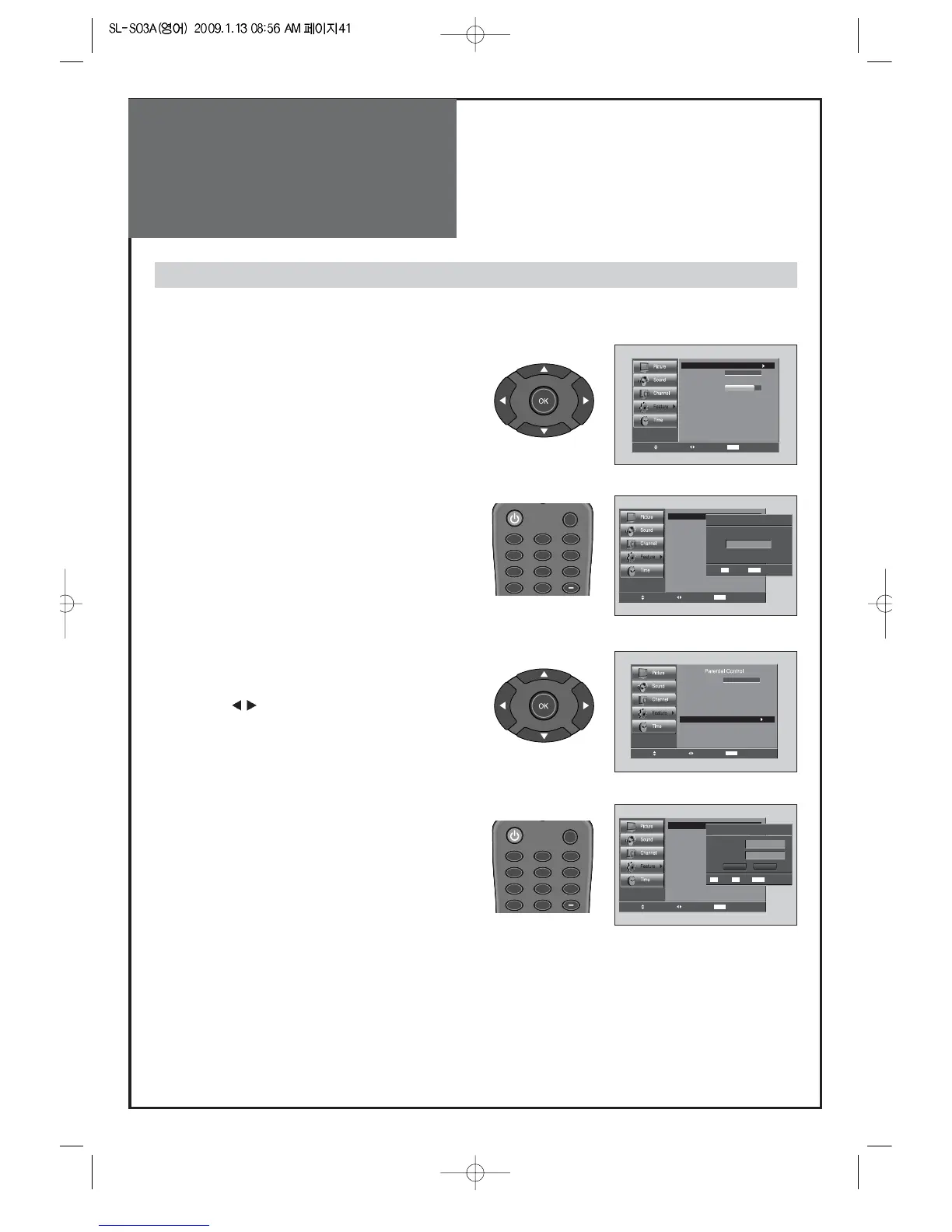
1. Change password
• Move to Parental control in the Features menu.
• The message “Enter password” will appear.
Enter your 4 digit password
Note:
• The default password of a new TV set is “0-0-0-0”.
• Move to Change Password in the Parental Control
• Press the ”
” buttons to change the password.
• The Change password screen will appear. Choose
any 4 digits for new password and enter them.
Note:
• If you forget the password, you must call the Service Center.
Adjustment of Parental Control
- The Parental control feature automatically looks out programs that are deemed inappropriate for children.

POWER
PREV CH DTV
123
456
789
0
MUTE
POWER
PREV CH DTV
123
456
789
0
MUTE

Related product manuals