Sound Adjustment
35
When adjusting sound to taste
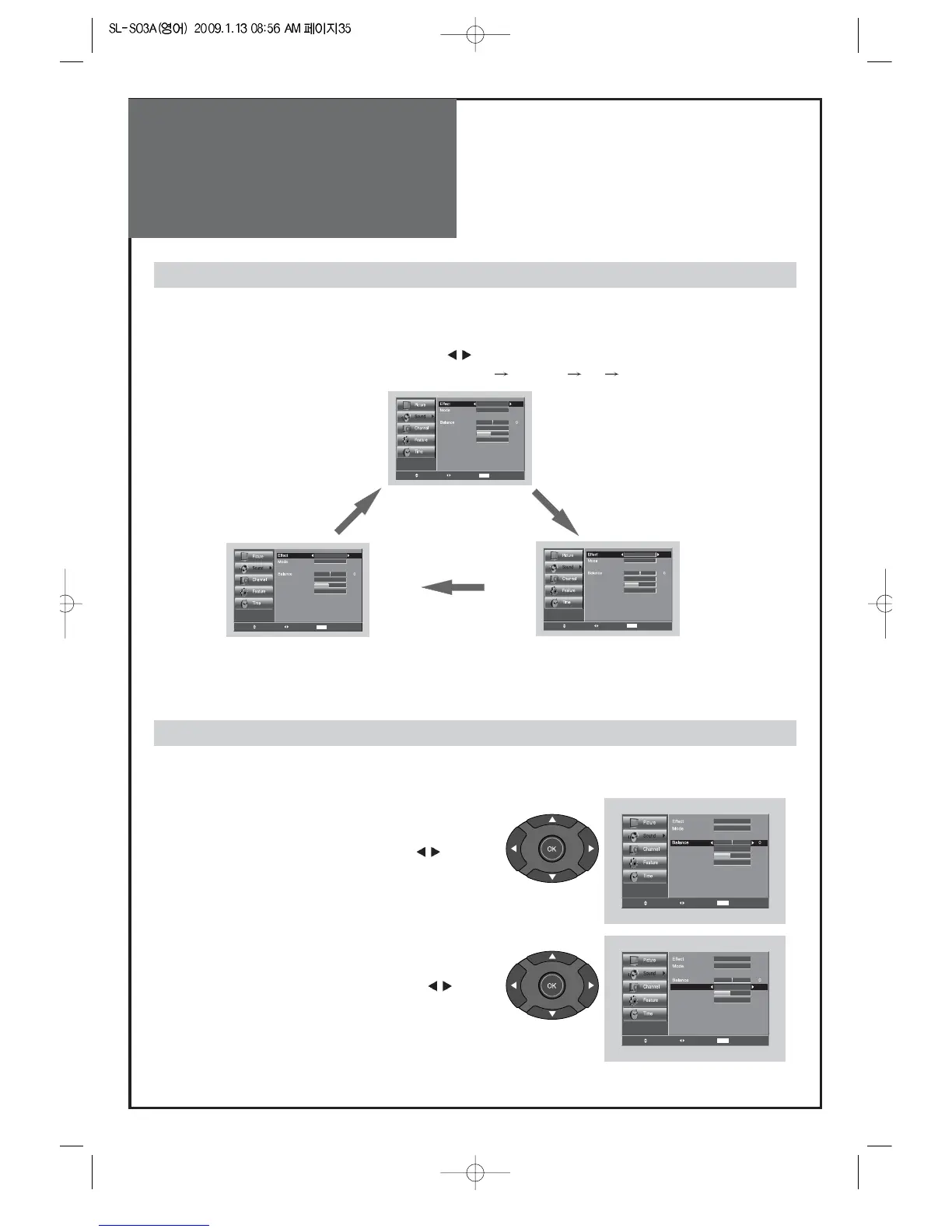
1. Adjust the Balance
• Move to Balance in the Sound menu.
• Adjust the balance level by pressing the ”
”
buttons.
When selecting various sound Effects
1. Sound mode selects what you want.
• Move to Effect in the Sound menu.
• Select desirable Sound mode by pressing the ”
” buttons.
• The Screen status changes as followed : Dynamic Bass
ST Voice off Dynamic Bass
Move Change MENU Return
Equalizer
On
Normal
Speaker
16
Digital Volume
Off
Auto Volume Control
Off
Move Change MENU Return
Equalizer
On
Normal
Speaker
16
Digital Volume
Off
Auto Volume Control
ST Voice
Move Change MENU Return
Equalizer
On
Normal
Speaker
16
Digital Volume
Off
Auto Volume Control
Dynamic Bass
Note.
• ST Voice : Allows human voice to be heard more clearly.
• Dynamic Bass : Suitable for the bass effect.
Move Change MENU Return
Equalizer
On
Normal
Speaker
16
Digital Volume
Off
Auto Volume Control
Off
2. Select AVC (Auto Volume Control)
• Move to AVC in the Sound menu.
• Select either AVC On/Off by pressing the ”
”
buttons.
Move Change MENU Return
Equalizer
On
Normal
Speaker
16
Digital Volume
Off
Auto Volume Control
Off
- The user can enjoy various sounds by adjusting Effect, Mode, Equalizer, Balance, Auto Volume Control,
Digital Volume and Speaker.



 To Next Page