EasyManua.ls Logo

Daewoo DLA-32C5 - Page 36

Daewoo DLA-32C5
53 pages
Print Icon
To Next Page IconTo Next Page
To Previous Page IconTo Previous Page
Loading...
Sound Adjustment
36
Move Change MENU Return
Equalizer
On
User
Speaker
16
Digital Volume
Off
Auto Volume Control
Off
Move Change MENU Return
Equalizer
On
Normal
Speaker
16
Digital Volume
Off
Auto Volume Control
Off
Move Change MENU Return
Equalizer
On
News
Speaker
16
Digital Volume
Off
Auto Volume Control
Off
Move Change MENU Return
Equalizer
On
Movie
Speaker
16
Digital Volume
Off
Auto Volume Control
Off
Move Change MENU Return
Equalizer
On
Music
Speaker
16
Digital Volume
Off
Auto Volume Control
Off
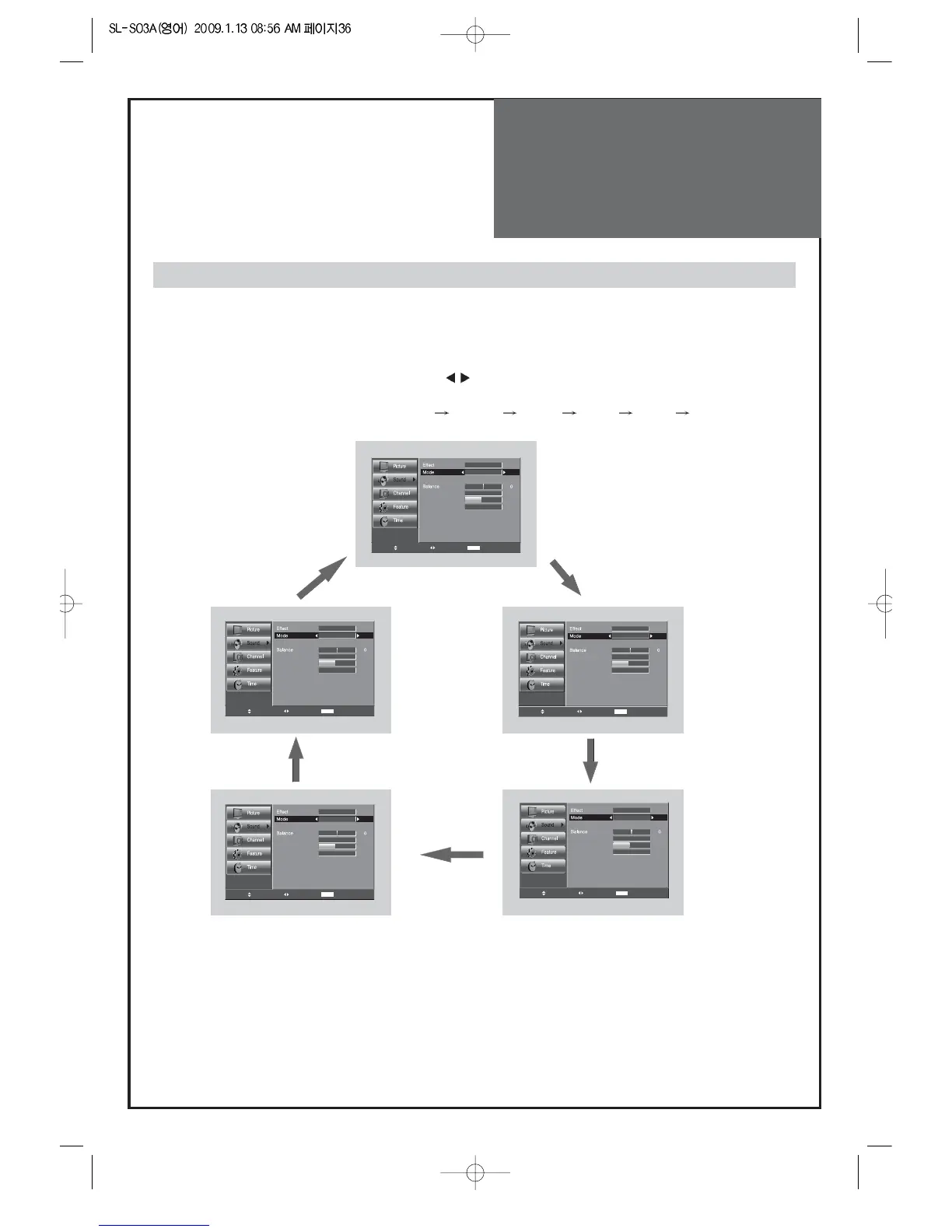
When adjusting sound to taste
3. Sound mode selects what you want.
• Move to Mode in the Sound menu.
• Select desirable Sound mode by pressing the ”
” buttons.
(under the effect mode is off)
• The Sound status changes as followed : User
Normal Movie Music News User
Note :
• "Mode" function is available when the Effect is Off.


Related product manuals