Setting Up TV
Stations
24
- All stations that can be received are stored by this method. It is recommended that you use Auto tuning during
installation of this set.
A
n
te
n
n
a
E
d
it C
h
a
n
n
e
l
F
in
e
Tun
e
S
ig
n
a
l S
tre
n
g
th
2
Move MENU ExitSelect
Move Change MENU Return
E
d
it C
h
a
n
n
e
l
F
in
e
Tu
n
e
S
ig
n
a
l S
tre
n
g
th
2
A
n
te
n
n
a
Move Select MENU Return
E
d
it C
h
a
n
n
e
l
F
in
e
Tu
n
e
S
ig
n
a
l S
tre
n
g
th
2
A
n
te
n
n
a
Auto Search in Progress..
Channel Found : 0
Auto Search
27 %
OK Analog MENU Exit
Move Select MENU Return
E
d
it C
h
a
n
n
e
l
F
in
e
Tu
n
e
S
ig
n
a
l S
tre
n
g
th
2
A
n
te
n
n
a
This will automatically search the
channels, do you wat to preoceed?
Auto Search
OK Select MENU Return
Cancel OK
Move
Move Select MENU Return
E
d
it C
h
a
n
n
e
l
F
in
e
Tu
n
e
S
ig
n
a
l S
tre
n
g
th
2
A
n
te
n
n
a
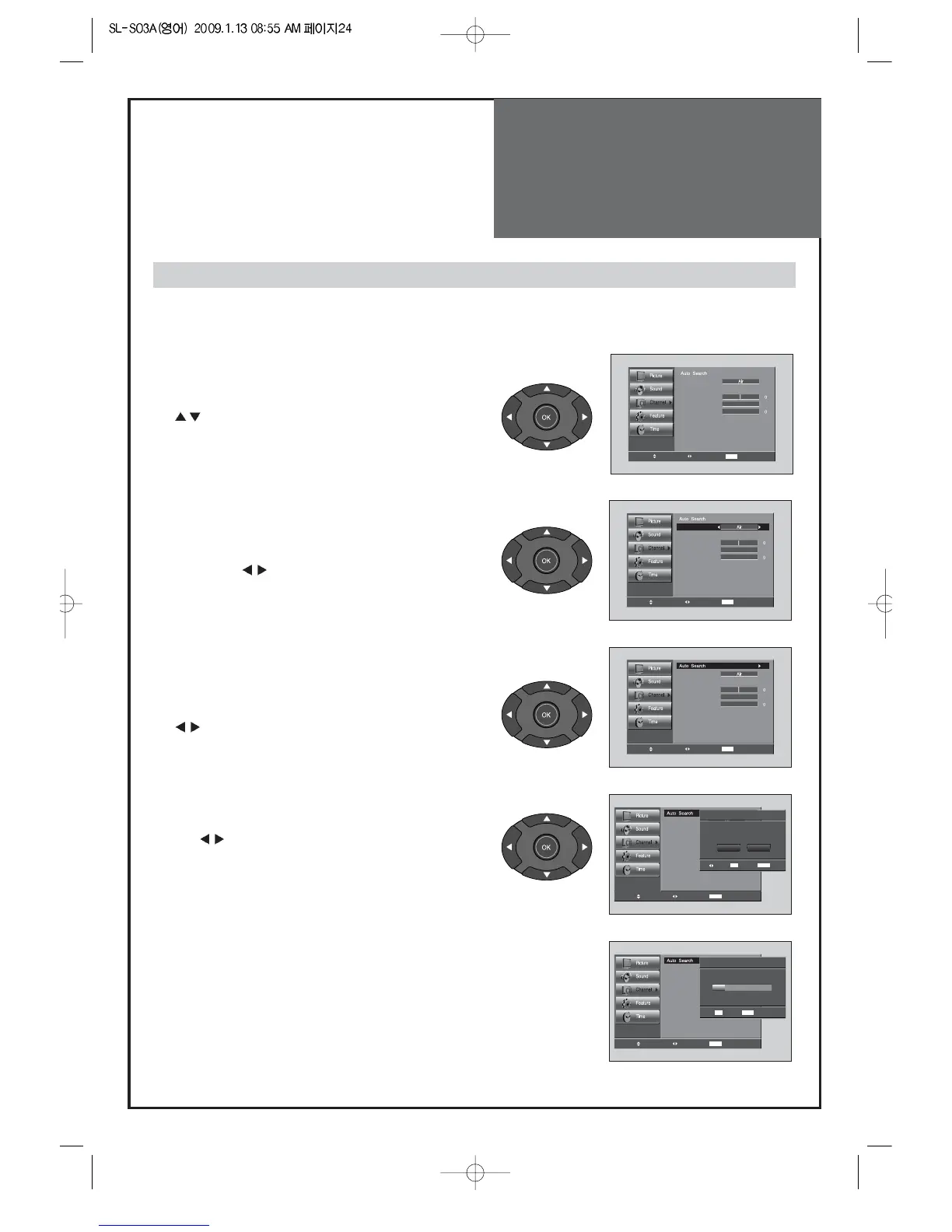
1. Press the “MENU” button to select the Channel menu.
• Move the selection bar to the Channel menu with
”
” buttons.
3. Select the "Auto Search".
• Place the selection bar on Auto Search and press the
“
” button.
4. Select the "OK" selection bar pressing
by “
” button.
5. Wait until the Channel menu appears.
Auto Search to find Channels
2. Select the “Antenna”
• Place the selection bar on Antenna and select Air or
Cable with “
” buttons.



 To Next Page