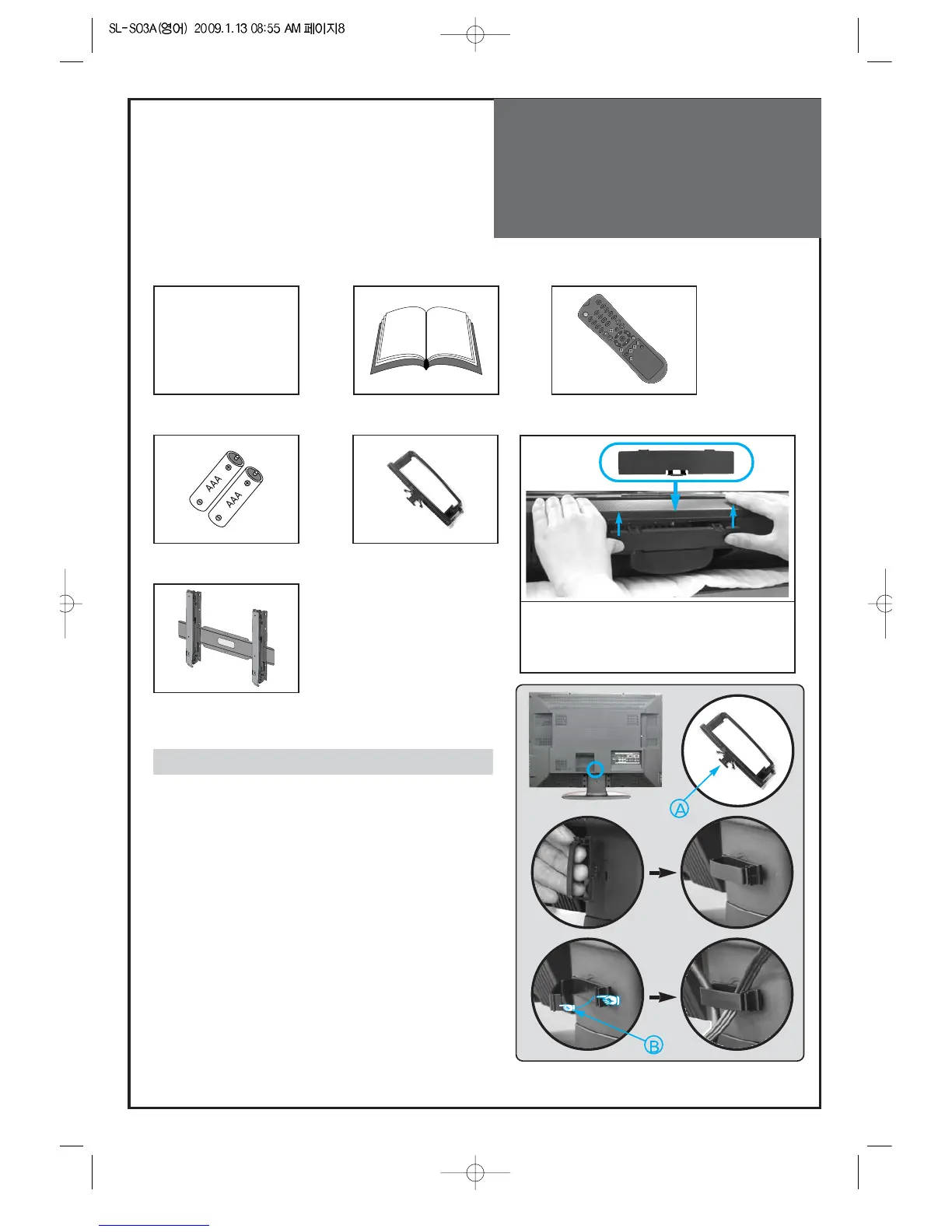
Remote control
Batteries
Cover Bottom
-When installing wall mount, set the cover
bottom as shown above
Cable holder
Wall Mounting Unit
(OPTIONAL)
1
23
The method of wire arrangement
1. Assemble the cable holder enclosed on the back
of TV. (PICTURE 1)
(ASSEMBLY METHOD: After you push the
"A"(prominence part of cable holder) in the
hole, rotate the cable holder clockwise as an
angle of 90°. You can separate in reverse order
of assembly.)
2. Open the cable holder. (PICTURE 2)
( you can open the cable holder then press and
push "B" part.)
3. After arranging cables with the cable holder,
lock "B" again. (PICTURE 3)



 To Next Page