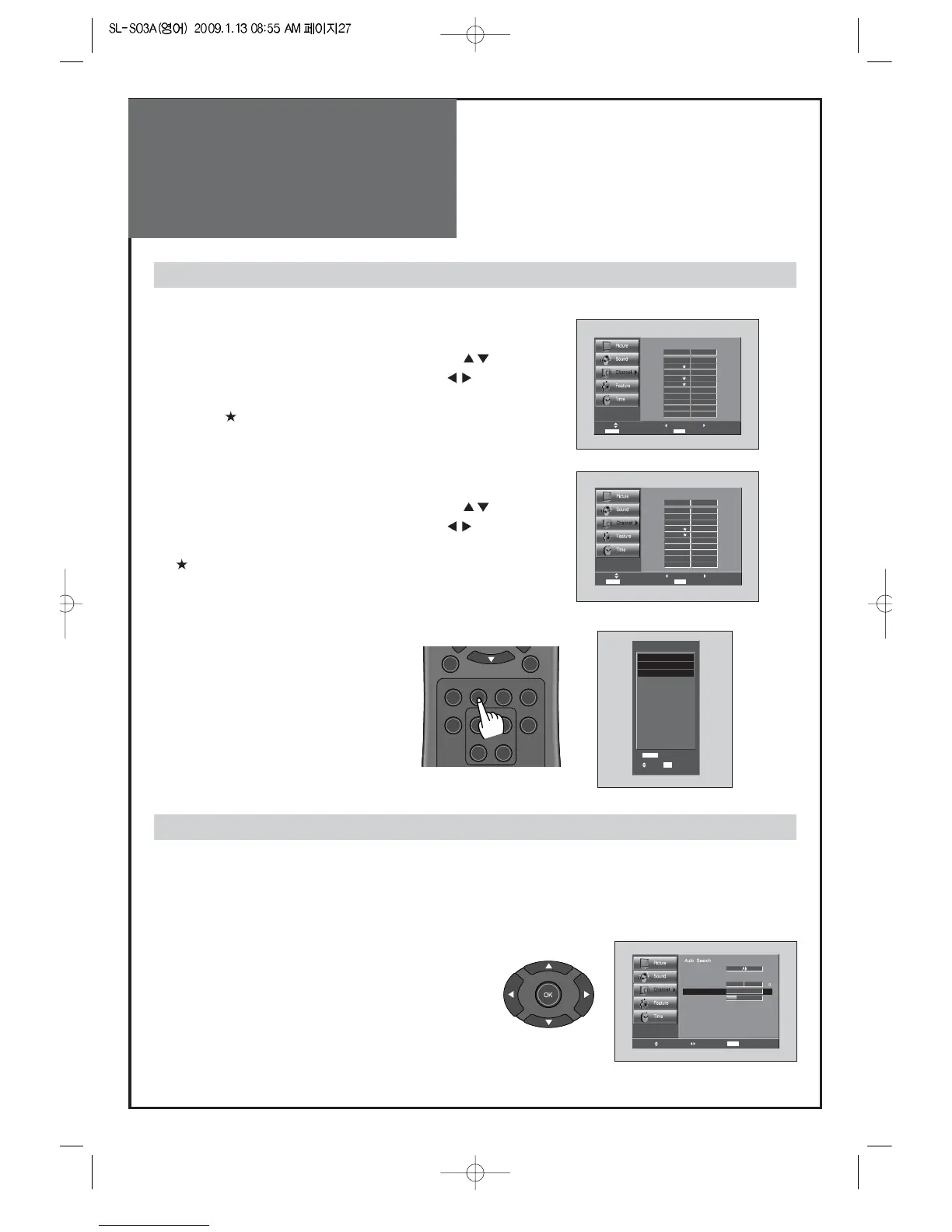
1. Programing Favorite Channel.
• Press MENU button. Select Channel by pressing "
" button.
• Select Edit Channel selection bar by pressing "
" button.
• Press "FAV CH" button, on the Edit Channel mode. then you
can see "
".
2. Deleting Favorite Channel.
• Press MENU button. Select Channel by pressing "
" button.
• Select Edit Channel selection bar by pressing "
" button.
• Press "FAV CH" button again, on the Edit Channel mode. then
"
" disappeared.
3. Viewing the Favorite CH
• Whenever pressing "FAV CH" button,
the Channel changes as the selected
Channel order.
FAV CH
- You can set channel you watch frequently as favorites.
- Reveals how strong your DTV signal is and whether you need to adjust your antenna.
- The higher the signal strength, the less likely you are to experience picture degradation.
- Digital TV Signals; May not be available in all areas, nor broadcast all channels.
1. Locate the selection bar on the strength.
• Move to strength in the Channel menu.
• Display the strength status of digital signal.
Signal Strength(Digital TV mode only)



 To Next Page