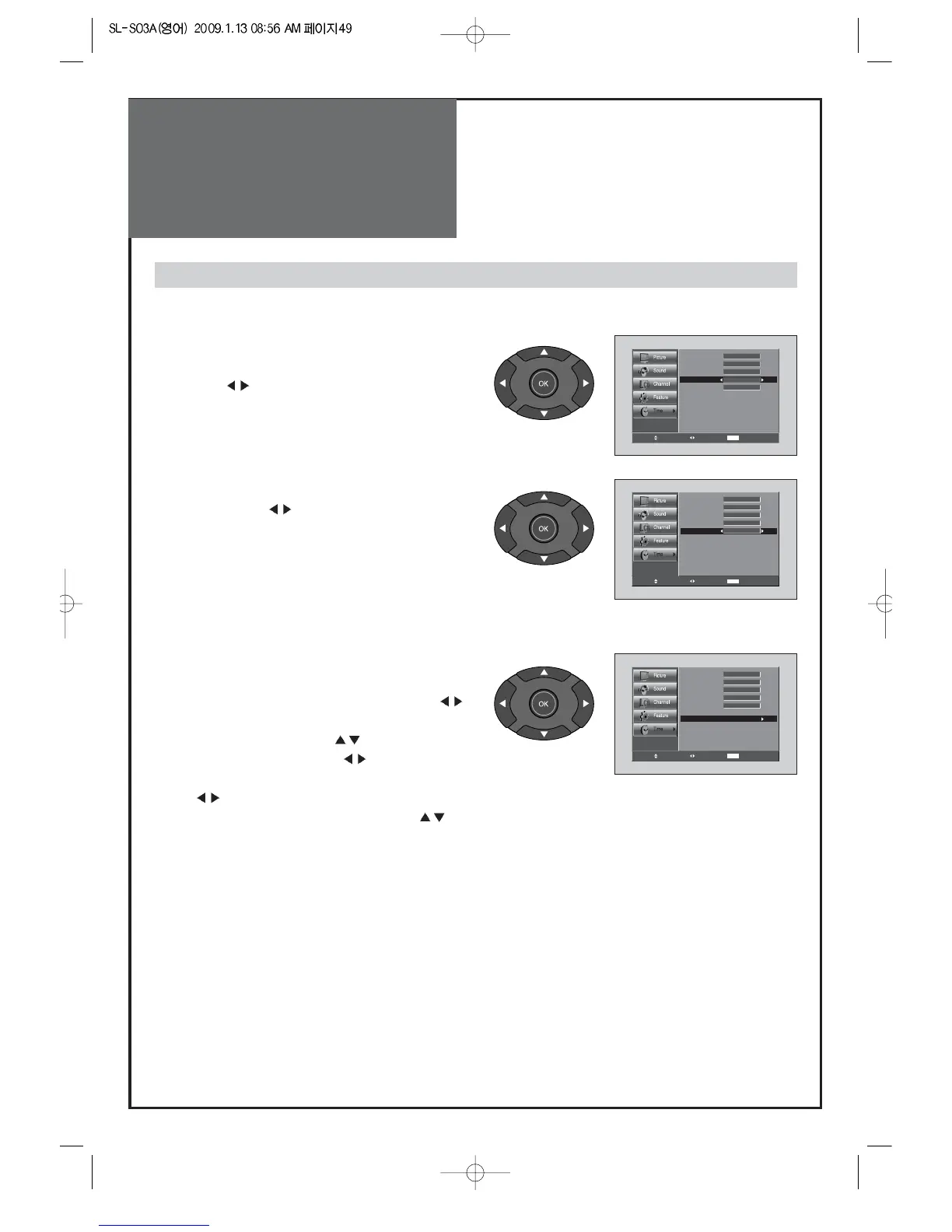
5. Setting DST
• Move to DST in the Time menu. and select On, Off
with the
” ”
buttons.
Note: Timezone and DST is available in Auto Clock mode.
6. Setting the Sleep mode.
• By pressing the
” ”
button on the remote control
repeatedly, you can select one of the following
settings: Sleep Timer:
Off => 5 => 10 => 15 => 30 =>
45 => 60 => 90 => 120 => Off
• The set will turn off after the time you select.
7. Setting the Off Timer / Off Time
• Move to On Timer in the Time menu.
• Select the On Timer to "On" by pressing the
” ”
button.
• Move to Off Time with the ”
” buttons.
• To go to Off Time, press the
” ”
buttons.
• Place the cursor to AM / PM / Hour / Min. with
the
”
”
buttons.
• Set the AM / PM / Hour / Min. with the
”
”
buttons and then press the "OK" and then press
“MENU” buttons.
Note:
• If an active signal is not present for about 30 minutes,
the set will automatically turn to Stand-by mode.



 To Next Page