- 44 -
10. OPERATION (continued)
㧔
4
㧕
Selecting AUTO or MANUAL mode: Function No. 4 ---- X
Selecting AUTO mode allows operation stop to be cancelled with operation stop terminal
short-circuited. In addition, select AUTO mode to utilize external voltage supply to feed
welding current (base current) or pulse current for the operation combined with robot etc..
The factory setting of this function is “MANUAL” and the operation stop is only cancelled by
turning power supply switch to OFF and then to ON.
To select [AUTO] mode, the status of Function No. 4 should be set to “ON”.
Note:
The set values on the front panel are effective even though external voltage supply
is connected to the remote control receptacle with [MANUAL] mode selected.
When the analog remote control is connected, the set values on the remote control
have the highest priority regardless of AUTO or MANUAL mode.
To use Function No. 5 or No.6, [AUTO] mode must be selected.
٨
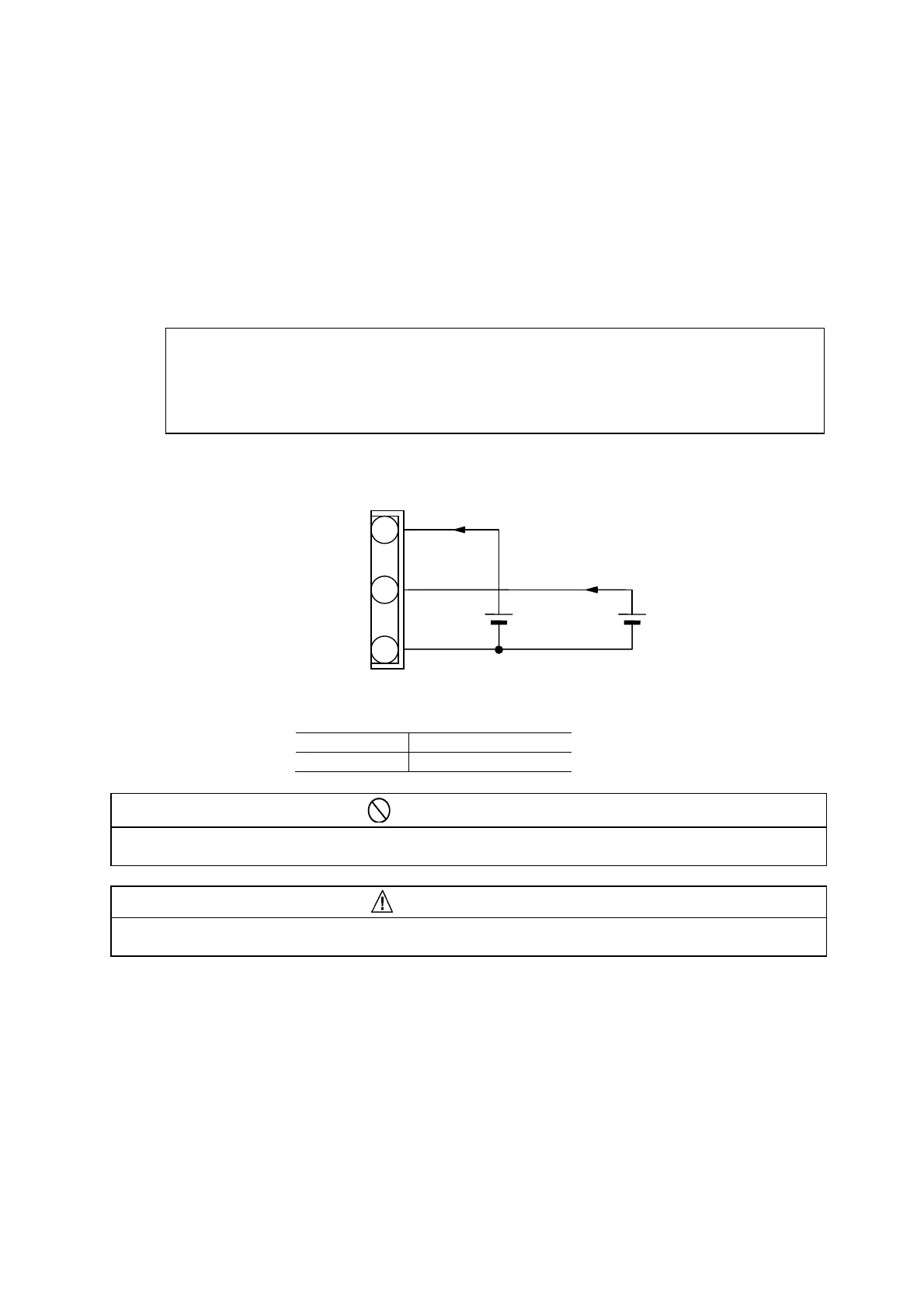
To set the current and the voltage by the use of external power supplies, they must be
connected as shown below. If the pulse setting is “OFF”, only the power supply E2 should
be used.
PROHIBITION
٨Supply 0V to 15V to E1 and E2. Exceeding 15V may result in damage to the control circuit of
the welding power source.
CAUTION
٨Be sure to finish setting and inputting before 100 milliseconds when starting signal is input.
Inputting after starting signal is input or at starting signal may result in unstable start.
Available Plug;
Spec DPC25-4A
P a r t N o . 4730-005
㧞
㧠
㧟
㧱㧝
/#:O#
/#:O#
㧱㧞
%10
8㨪8
Remote control receptacle
(Pulse Current)
(Welding Current)
(Base Current)


 To Next Page