- 55 -
10. OPERATION (continued)
Note:
You are not able to change condition number or select a welding method, etc. To
reset the condition number, press the LOAD key [17], then return to the step (1). To
quit the setting and exit from the readout mode, press the SAVE key [18].
(3) When pressing the ENTER key [19] again, you can read out the preset welding conditions and
exit from the readout mode.
٨
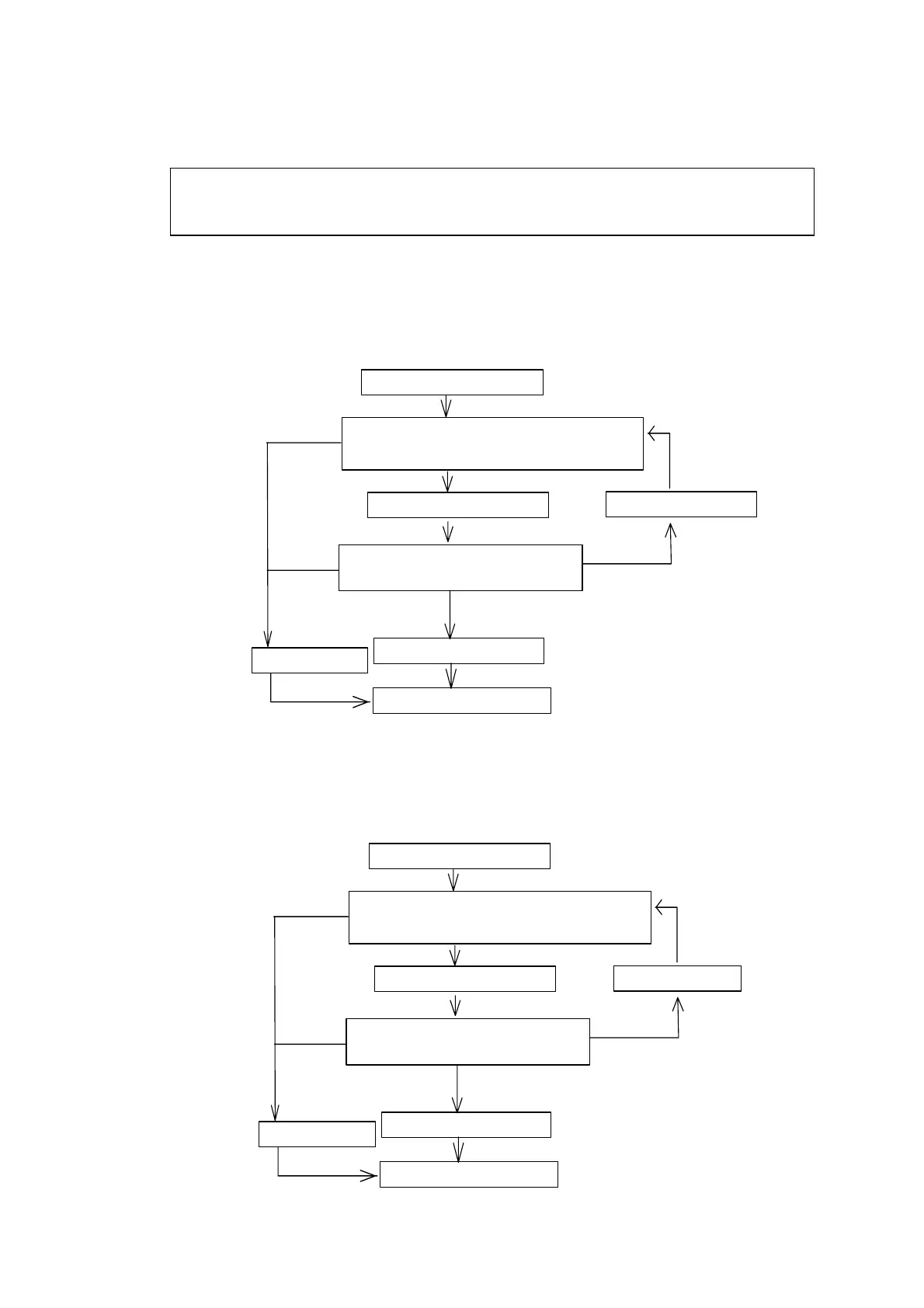
Memory mode operation
٨
Readout mode operation
Press the MEMORY key.
Se t the we ldin g c on dition n umber wh ile
turning the parameter adjusting knob.
Press the parameter selector key
to check the parameter value.
Press the ENTER key.
The memory mode quits
.
The welding conditions are set to the number you selected.
Discontinue
Reset the welding condition number.
Press the ENTER key.
Press the LOAD key.
Press the MEMOR Y key.
Discontinue
Press the LOAD key.
Set the welding condition num ber while
turning the parameter adjusting knob.
Press the parameter selector key
to check the parameter value.
Press the ENTER key.
The readout mode quits
.
The welding conditions are set to the number you selected.
Discontinue
Reset the welding condition number.
Press the ENTER key.
Press the SAVE key.
Press the LOAD key.
Discontinue


 To Next Page