- 61 -
11. APPLIED FUNCTION (continued)
WARNING
Observe the following to prevent electrical shock.
٨Do not touch the live electrical parts inside or outside the welding power source.
٨Only the certified operators or the person who understand the welding machine well can
change wiring or switch setting in the welding machine.
٨Turn OFF all power switches in the switch box and wait for 3 minutes or more before
touching the inside parts of the welding machine.
CAUTION
٨Try to move the control cable which is pulled out from the automatic connection terminal on
the printed board father away from the welding power cable or the torch cable when making
an external connection. Otherwise, equipment failure may be caused by noise, etc., during
welding operation.
٨Do not pull out the wiring on the printed circuit board to outside except the wiring to the
external connection terminal block.
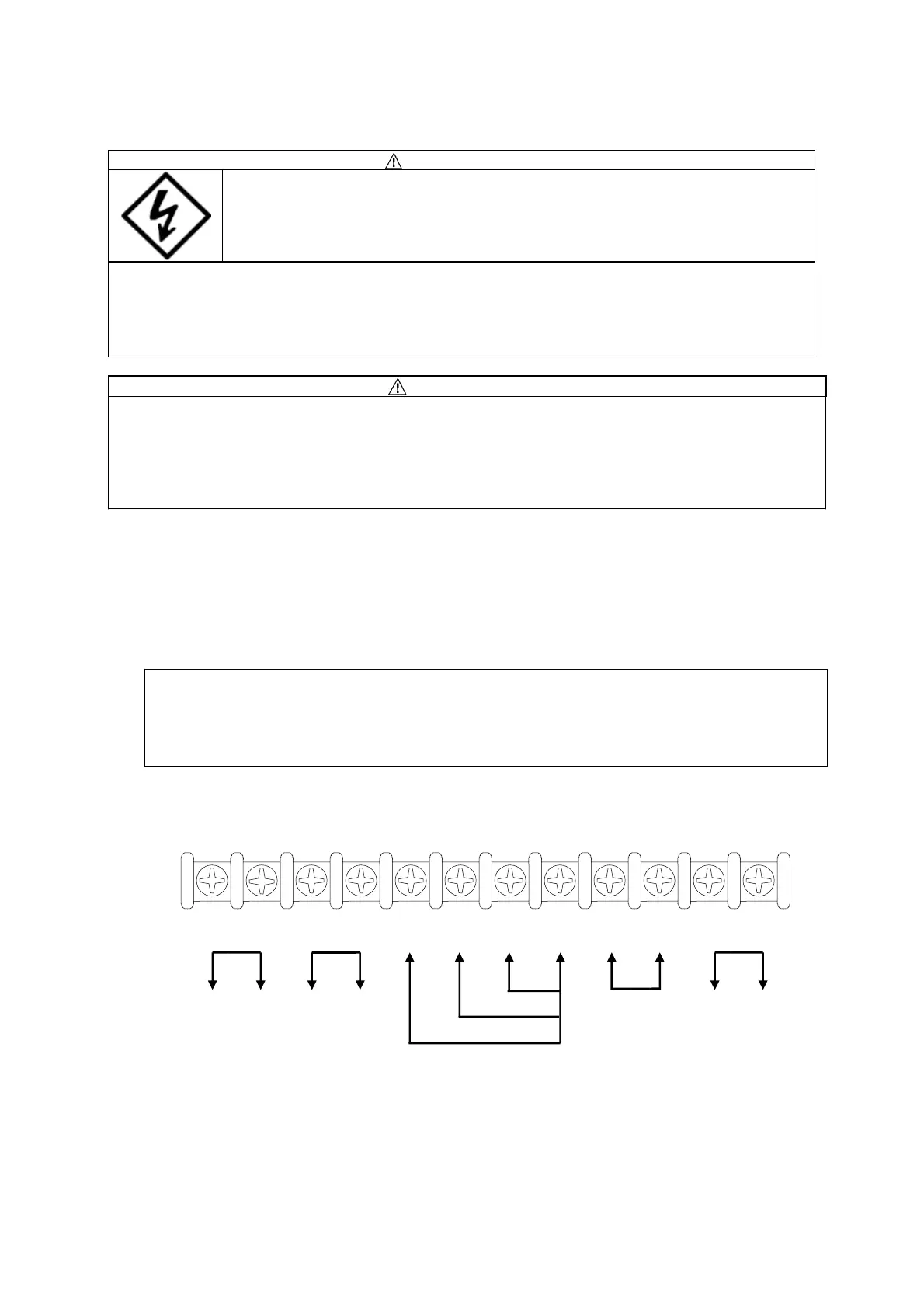
11.2 External Connection of Inside Terminal Block of Automatic Machine
When taking off the upper cover of the welding power source, you will find there is a 12P
terminal block (TM12P) on the printed board P10541T on the chassis. Use the 12P terminal
block to connect with an automatic machine. Refer to 12.7, “Parts layout” for the locations of the
terminal blocks.
Note:
* Wait more than three minutes after turning off the line disconnect switch or no-fuse
breaker and the power switch on the front panel to remove the cover.
* To pull out the external connecting wire, break the grommet with film on the rear surface
so as not to come into contact with the printed circuit board parts and sheet metal edge
or the like.
[12P terminal block]
㧗
㧙
EXT1
ԘԙԚԛԜԝԞԟԠԡԢԣ
㧗
㧙
EXT
㧗
㧙
STO
WCR
EXT
PLS I
GAS
㧗㧗㧗
㧙


 To Next Page