User’s Manual
18
2.2.7 DH-XVR7816S-4KL-X/DH-XVR5832S-X/DH-XVR7816S-4KL-X-LP
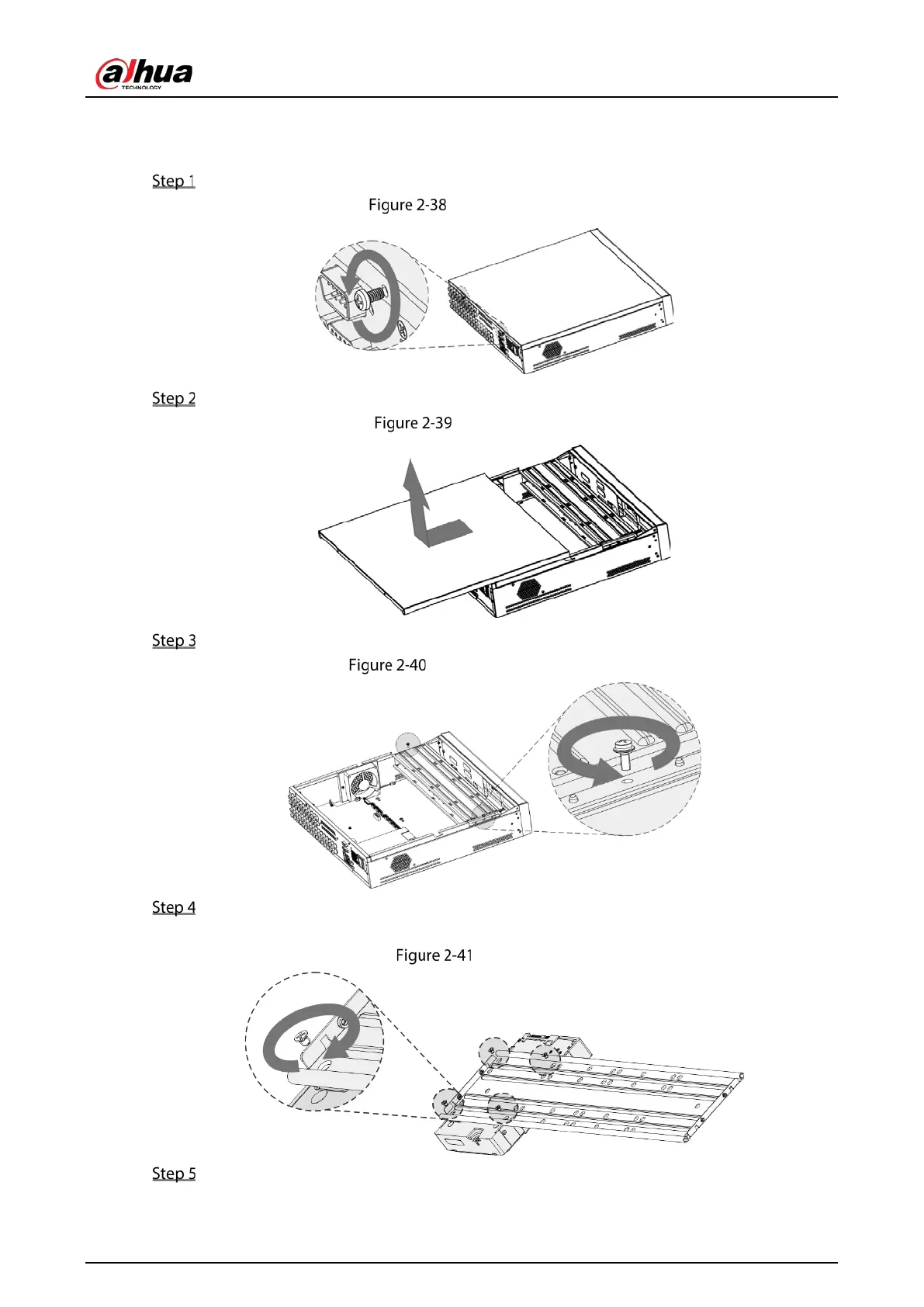
Remove the screws from the chassis.
Remove screws
Take off the cover of the chassis.
Take off cover
Remove the screws from the drive bracket to take it off.
Take off drive bracket
Align the four screw holes on the disk to those on the drive bracket and fix the disk on the
bracket.
Fix disk
Fix other disks on the bracket as needed.



 To Next Page
 Loading...