User’s Manual
294
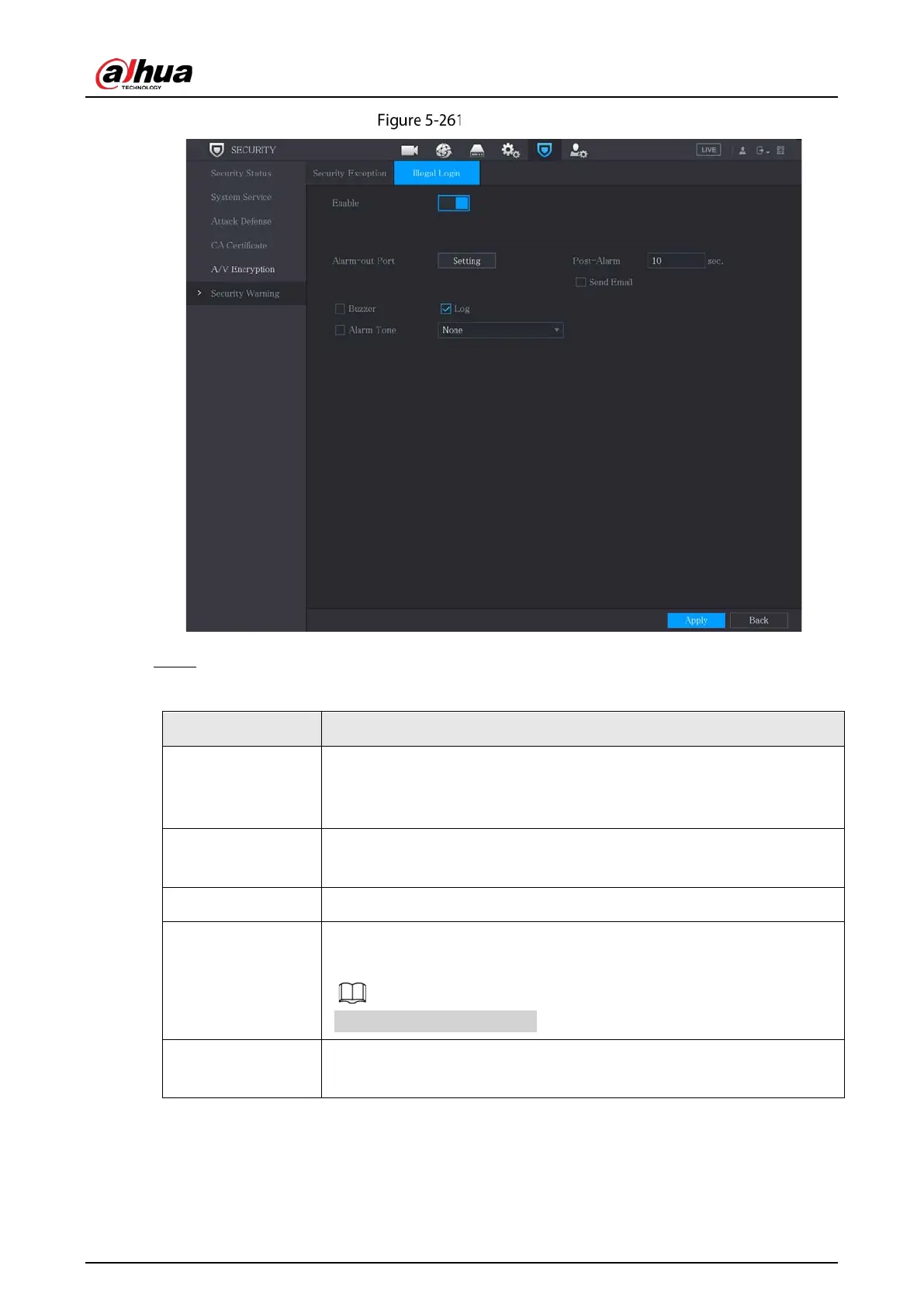
Illegal login
Step 2 Select
Enable and configure parameters.
Table 5-81 Illegal login parameters
Alarm-out Port
The alarm device (such as lights, sirens) is connected to the alarm output
port. When an alarm occurs, the NVR device transmits the alarm
information to the alarm device.
Post-Alarm
When the alarm ends, the alarm extended for a period of time. The time
range is from 0 seconds through 300 seconds.
Buzzer Select the check box to activate the buzzer when an alarm occurs.
Alarm Tone
Check the box and then select the corresponding audio
dropdown list. System plays the audio file when the alarm occurs.
See 5.17 to add audio file first.
Log
Select the check box, the NVR device records the alarm information in the
log when an alarm occurs.


 To Next Page
 Loading...
