360
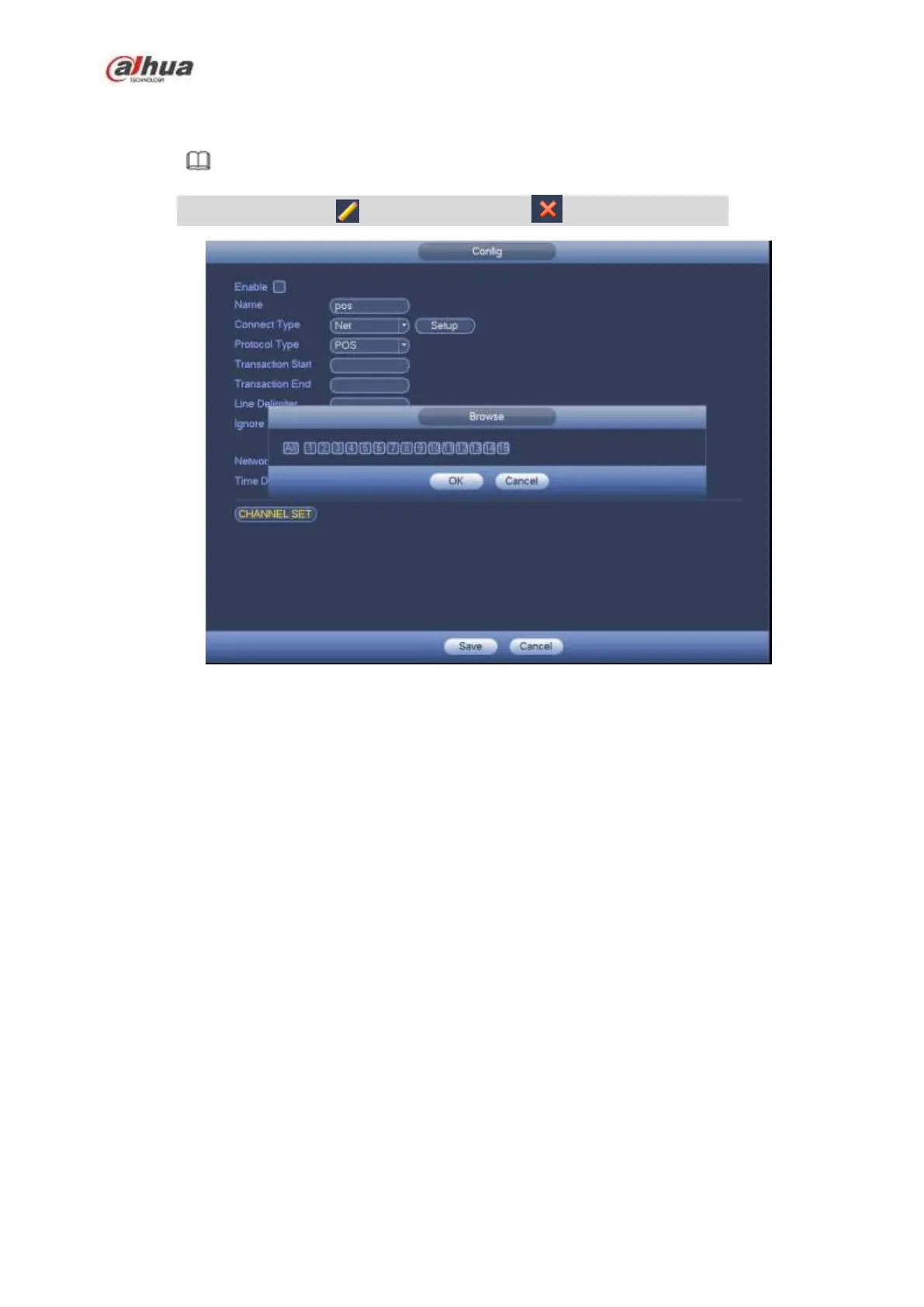
Step 7 In Figure 4-222, click Channel setup button, select a channel you want to overlay POS
information and then click Save button. See Figure 4-224.
Note
In Figure 4-221, click to change setup, click to delete POS setup.
Figure 4-224
4.10.6 Broadcast
It is to broadcast to the camera, or broadcast to a channel group.
Step 1 From Mani menu->Setting->System->Broadcast.
Enter the following interface. See Figure 4-225.


 To Next Page
 Loading...