BRC2E52C7 / BRC3E52C7 Operation manual
4P368042-1 - 2014.02
30
Menu Manipulation
4
No Ind Set
Outletmark
Unit A
Individual Setting
Direction
Air Volume
SettingReturn
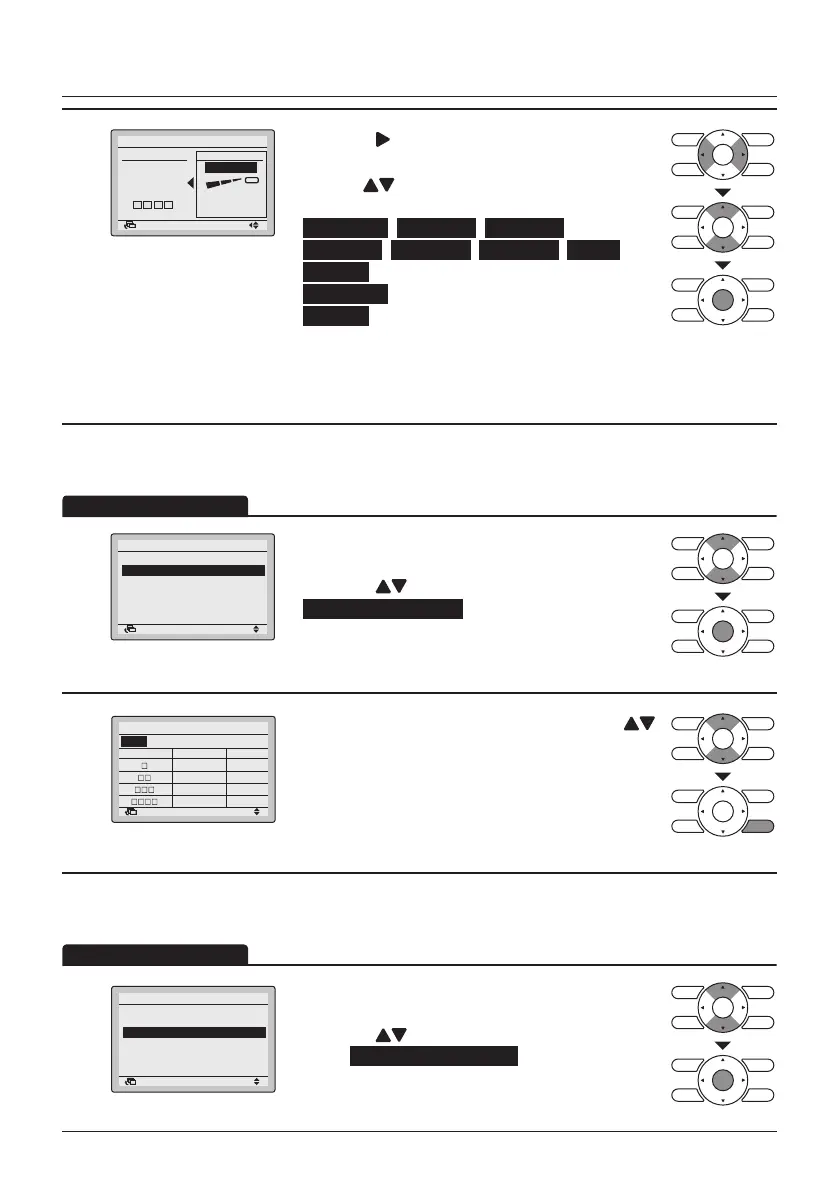
• Press the (Right) button to select the airow
direction.
• Use the
(Up/Down) buttons to change the
airow direction to the following:
No Ind Set , Position 0 , Position 1 ,
Position 2 , Position 3 , Position 4 , Swing or
Blocked .
No Ind Set : No Individual Setting.
Blocked : Individual airow is blocked.
• Press the Menu/Enter button to conrm the
settings and to return to the Basic Screen.
Individual Setting List
1
Individual Setting
Individual Setting List
Reset All Indivi Setting
Airflow Direction Range
Individual Air Direction
SettingReturn
• Display the Individual Air Direction menu (See
"Individual Setting" on page 29).
• Press the
(Up/Down) buttons to select
Individual Setting List and press the Menu/Enter
button.
2
Unit A
Outletmark Air direc. Indiv.
Individual Setting List
Return
Position 0 OFF
Position 0 OFF
Position 0 OFF
Position 0 OFF
• A table shows the current settings. Press the
(Up/Down) buttons to go to the next unit.
• Press the Cancel button to return to the previous
menu.
Reset All Individual Settings
1
Individual Setting
Individual Setting List
Reset All Indivi Setting
Airflow Direction Range
Individual Air Direction
SettingReturn
• Display the Individual Air Direction menu
(See "Individual Setting" on page 29).
• Press the
(Up/Down) buttons to
select Reset All Indivi Setting and press the Menu/
Enter button.



 To Next Page